



Ryan F
Members
-
Joined
-
Last visited
Everything posted by Ryan F
-
-
-
-
-
-
-
.thumb.png.fb3d9524a7bf7f458c7960c0debbbc14.png) I think thats an issue on your end sorry. It could be that you are running out of vram, try changing "Main.PreloadAllModels" to false in lspdfr.ini. EDIT: Found the issue, will be updating soon.
I think thats an issue on your end sorry. It could be that you are running out of vram, try changing "Main.PreloadAllModels" to false in lspdfr.ini. EDIT: Found the issue, will be updating soon.- 28 comments
- 2 reviews
-
-
2013 Dodge Viper Los Santos County pursuit unit. Based heavily on the Viper from NFS Rivals. NOTES: If you are having issues entering or exiting the car change the layout in the vehicles.meta to: <layout>LAYOUT_STANDARD</layout> However, this should only happen if you are replacing an SUV. Comes with an black wheels option if you dont like the alloys. Windows can't break. In some of the screenshots the tires might look strange, thats been fixed now. Hotfeet on lightbar are not on in screenshots, they also now work and are static (can be changed in the els.xml). Install: -Place put files from "model files" into : \Grand Theft Auto V\mods\update\x64\dlcpacks\patchday21ng (or latest patchday)\dlc.rpf\x64\levels\gta5\vehicles.rpf\ -Put files from "ELS" into: \Grand Theft Auto V\ELS\pack_default Credits: -Original model from EA / Ghost Games (Need for Speed Rivals) // Ripped by DMN (gamemodels.ru) Obviously don't re-upload this anywhere.
- 28 comments
- 2 reviews
-
-

-

- 7
-
-
 I think i did the readme wrong, did you put the xml in the pack_default folder? If not, put it in there.
- 23 comments
- 11 reviews
-
1.Download paint.net here 2.Open police2.ytd and find "buenolights" and "Whelen Patriot" in the .ytd file 3.Click "export selected (do them individually) 4.Select where you want to save it and open them with paint.net 5.Selects the recolour tool on the left bar (make sure the colour on your palette is red) and select what you want recolour and it should work. 6.Save and drag the file back into the .ytd by opening the .ytd and droping the file in it, it should ask if you want to add files, press okay 7.Make sure the file has been replaced by clicking on the file in the list of shit on the left. If you need anymore help feel free to ask.
- 23 comments
- 11 reviews
-
I guess they are still more orange, they should be easy to edit yourself, just open the textures in the darker red folder and edit them.
- 23 comments
- 11 reviews
-
sure, when I update the model tomorrow i will include all blue option + darker red
- 23 comments
- 11 reviews
-
-
- 1
-
-
-
-
-
Ill change it later when i feel like it. Sorry, no I don't. I'm horrible at making skins. Try some of bradm's textures for OfficerUnderwood's 2015 charger.
- 23 comments
- 11 reviews
-
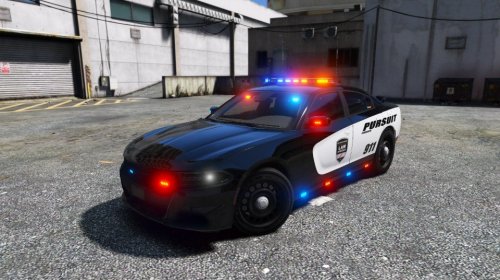
NOTE: Rear part of skin has been fixed (white line going along the spoiler). I would like to thank @Mr.JonnhyCZG for his help during making this car and getting the screenshots! This will be the last version of the car due to me having many problems editing it. Features: Christmas tree lighting Centre console Dash cam ALPR cameras Bugs: Computer has strange texture on it Some lights don't emit much light during the day (cant fix) If I forgot something in the credits let me know. DO NOT RE UPLOAD THIS TO ANY OTHER WEBSITE OR CLAIM AS YOUR OWN.
- 23 comments
- 11 reviews
-
-
- 9
-
.thumb.png.fb3d9524a7bf7f458c7960c0debbbc14.png)
