



DcK
Members
-
Joined
-
Last visited
Everything posted by DcK
-
-
From the album: Mod Showcase
-
From the album: Mod Showcase
-
From the album: Mod Showcase
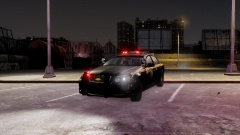
Beautiful NYSP 2011 Chevy Caprice. Available here at LCPDFR -
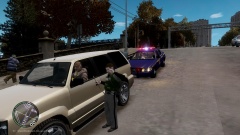
From the album: LCPDFR In Action
Trooper Downcoldkiller on a 10-11 with a reckless driver. -
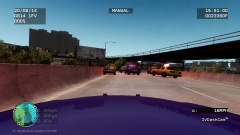
From the album: LCPDFR In Action
NYSP Trooper Downcoldkiller in pursuit of a vehicle, as seen from his dash cam -
![[WIP/REL] NYSP Slicktop CVPI](//s3-gallery.int-cdn.lcpdfrusercontent.com/gallery/album_2838/sml_gallery_120090_2838_990589.png) I think a nice new updated NYSP Tahoe would be a great addition. The current one is a little out dated.
I think a nice new updated NYSP Tahoe would be a great addition. The current one is a little out dated. -
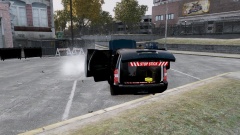
From the album: Mod Showcase
-
-
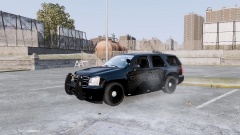
From the album: Mod Showcase
-
-
-
I didn't replace the wheels. There the normal ones that came with the vehicle
-
Could someone help me fix this issue? I have never encountered it and im absolutely lost as to what to do to fix it.
-
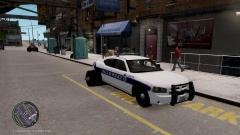
From the album: W.I.P
The tires and the lightbar lights are not lighting up as you can hopefully see. Id appreciate it if someone was able to help me -
No the textures appear as they do in OpenIV http://tinypic.com/r/eq8lkh/8
-
Im not exactly sure, the textures are all funky. Their blue and such, not the normal texture they should have
-
Can anyone tell me why this is happening, I tried it on different vehicles and everything. The textures are on there in Zmodeler but this happens when I view it in OpenIV http://tinypic.com/r/9gc84h/8
-
I have to agree! The wrap around isn't attractive to me. I think the normal pushbar gives it more of a mean look.
- 9 comments
- 1 review
-
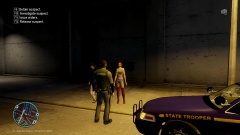
From the album: LCPDFR In Action
NYSP Trooper Downcoldkiller stops two subjects, possible prostitution during his night shift. -
Anyone want to get together, use a car pack, uniforms, etc and play a patrol?
-
-
Im from Glen Cove! Moved to Dallas a few years back!
-
Ive become a pretty big fan of the explorer now, as well as the Valor. Its amazing when you try new things!
-
Those look sweet! I love the explorer!


![[WIP/REL] NYSP Slicktop CVPI](http://s3-gallery.int-cdn.lcpdfrusercontent.com/gallery/album_2838/sml_gallery_120090_2838_990589.png)




