
DefenderOfThisHouse
Members
-
Joined
-
Last visited
Everything posted by DefenderOfThisHouse
-
 That's just it, I would change the keys in the ini if the ini was actually created. Like I said, the script loads but is not active and when I check both my main GTA v directory and my plugins folder, no ini can be found.
- 168 comments
- 29 reviews
-
The only issue I am having currently is that I have the .dll file in my plugins/LSPDFR folder, when I go into game, it seems like the script wants to load but then I get a popup from the Traffic Policer script saying that it is advised that I remove the SpeedRader.dll because of possible key conflictions. Now I would love to keep both scripts if possible but maybe Im just missing something?
- 168 comments
- 29 reviews
-
 That's what I was thinking as well
 -
Looking good! EUP Compatible by chance?
-
-
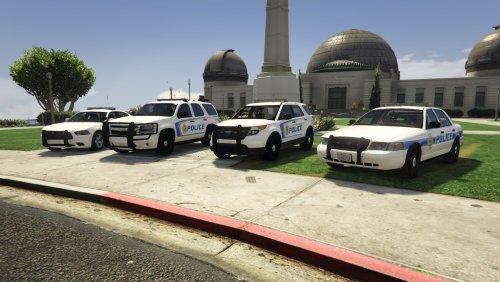 You say you were messing around, I say congratulations on accidentally creating beautiful skins! 5/5!
- 5 comments
- 2 reviews
-
-

- 1
-
-
-