


brickyard
Members
-
Joined
-
Last visited
Everything posted by brickyard
-
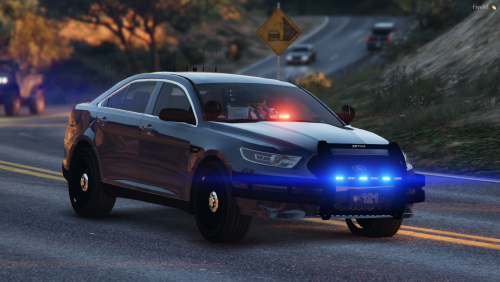 Good model - for FiveM the <diffuseTint value> needs to be changed in the vehicle.meta to <diffuseTint value="0x00FFFFFF" /> so the cars don't spawn with window tint
- 15 comments
- 1 review
-
-

- 2
-
-
Hey Guys! I thought I would take this opportunity to introduce myself! I'm Brickyard. I've been playing LSPDFR for a few weeks now and I'm loving it. I'm still quite new at getting all of the mods sorted out, but it's been a bunch of fun. I stream a few times a week on Twitch, check me out at http://www.twitch.com/brickyardgaming .. Feel free to hang out and chat :) Here is a clip from my most recent patrol: https://www.youtube.com/watch?v=8ju0eNJazas Catch ya'll later! -Brick
-
haha...i was more joking than anything! Great work!
-
Great video and it looks like a great mod! Release it :) I understand beta means beta :P
-
