
badass22
Members
-
Joined
-
Last visited
Everything posted by badass22
-
 I said the exact same thing in EUP support page. I really hope they'll make an RDE-compatible version.
- 2,342 comments
- 236 reviews
-
Did they update it right now?
-
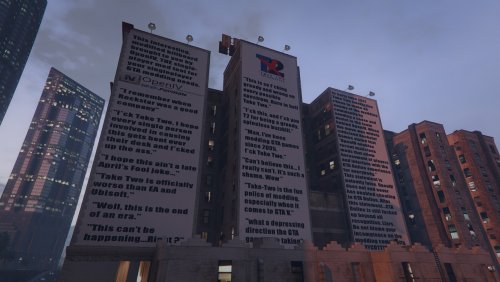 Take Two cunts should watch this!
 -
Most of the mods are callouts. Beyond RDE, the other mods are Map Editor, Open Interior, ELS, Menyoo, North Yankton map, Ambiance, Native Trainer, Bodyguard Menu, Skin Control, Traffic Spawner and Open Camera V. Plus, WoV is installed as add-on in my RDE 3.0.1. I think you should make a separate version for RDE users.
-
I have RDE 3.0.1 installed with WoV and Sheriff add-ons, via .oiv file. But I can't understand how and why RDE affects EUP. I didn't get any error when I installed the 7.4 version (and RDE 3.0.1 was already installed). I did as you suggested, and when I start the game it says that EUP LEO 7.5 isn't installed. That doesn't look normal. Furthermore, in the download page, some guys said that EUP 7.5 isn't compatible with RDE (look at the last comments). So I think you should make a separate version for the ones who have RDE (like me, for example).
-
In such case, can I downgrade to EUP 7.4 (including the menu)? Do you have any link of it?
-
Hey guys! I overwrote EUP 7.4 with EUP 7.5 .oiv install. But I don't know why, the EUP Menu window pops up and says that the EUP isn't installed to work with the EUP Menu. Did you have this issue too? UPDATE: I have RDE installed with its World of Variety add-on since months. As you said, EUP normally should work, but I doesn't with me. Please help me!
-
So I just have to click on the .oiv file to install it. Thanks!
-
If I want to install EUP 7.5, and I have EUP 7.4 installed months ago, can I simply replace the 7.4 one with the 7.5 one by clicking the .oiv file? Or I have to uninstall the previous version first?
-
I would like to know the reason Take Two started this bullshit for. Did they actually claim that owning OpenIV or modding in general must be considered a crime? What a bunch of shitty fucking twats!
-
-
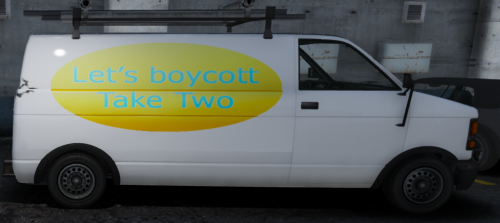 Great job buddy! But if I were you, I'd rather write "Let's fuck Take Two!" or "Let's rape Take Two!" or "Let's shit on Take Two!". Great job btw
- 1 comment
- 5 reviews
-
-

- 1
-
-
-
It depends if users like Albo1125 and Lt.Caine will spot your post.
-
As far as I know, you still have to swith the 2nd siren manually, by keeping pressed G (keyboard) or Right Thumb button (controller); the alternative is ELS, which allows you to just press a key (depends by your config, usually T for the keyboard or B/Circle for Xbox/PS4 controller). But a mod like that would be nice. I hope it will come out one day.
-
-
 Great update! Next time, can you add integration with Albo's LSPDFR+ court system?
- 221 comments
- 63 reviews
-
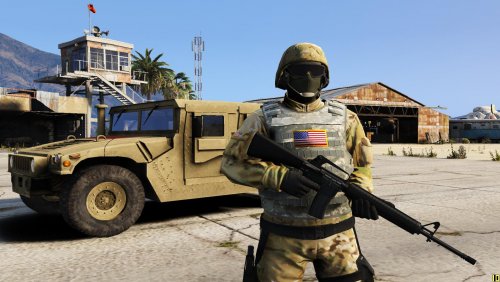 I need more accurate pics of their uniforms to make it properly.
 -
Good news. What about CHPs?
-
-
OK thanks for your answer. I hope there will be more callouts/plugins integrated with it.
-
I noticed that there are some callouts and/or plugins that are integrated with LSPDFR+ court system, like Agency Callouts, Traffic Policer random events or Rednecks. But I'm curious to know exactly which ones among all these plugins are integrated with the court system. Does anyone know?
-
If you can arrest via LSPDFR+ or Computer Plus, it'll be nice.
-
I was reporting someone for riding a bike without helmet and under influence. Suddenly a pop-up showed up saying"WARNING: one or more citations is arrestable. If you give the citation to the ped, it will be ROR". What does it mean?
-
OK, but it's not integrated with the court system, as far as I experienced. Correct me, if I'm wrong.