
alexsanford13
Members
-
Joined
-
Last visited
-
-
-
-
-
-
-
-
-
 Dippa reacted to a comment on a file:
Traffic Policer (Breathalyzer, Traffic Offences, Speed Detection & more)
Dippa reacted to a comment on a file:
Traffic Policer (Breathalyzer, Traffic Offences, Speed Detection & more)
-
 Actually I got it working, not really sure how, but I just kept trying, thanks for the suggestions Okay, that makes sense. Thanks a lot
- 3,646 comments
- 306 reviews
-
-
- 1
-
-
Using 11 Plugins... I have the Wilderness callout, khallouts, PeterU callouts, Agency, Code 3 etc. All of them are fairley well known.
- 3,646 comments
- 306 reviews
-
When I downloaded this it worked however I can only use the default callouts that come with LSPDFR, I know it works great, but for me... unfortunately not.
- 3,646 comments
- 306 reviews
-
-
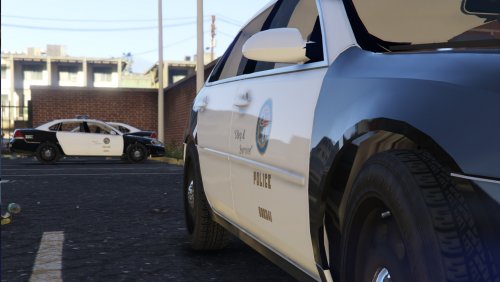 I would give this car 5 stars just because it is your first model. I really like how the glass breaks and the overall damage is. A few things I noticed were if you swerve around or crash the interior floor changes for black to gray and gray to black. Also when the bumpers come off the textures are a bit iffy, This is expected though because its a brand new model. Overall I really like the car and I look forward to using it more!
- 30 comments
- 3 reviews
-
-
- 1
-
-
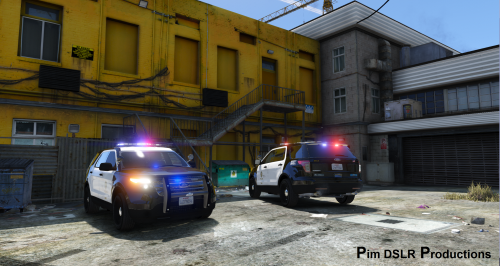 Hey all. I have been trying to get car to work. Everybody else is installing it perfectly fine, but I am having trouble with the light bar textures. Where do you place these files? I have replaced them in patchday4ng. Also where do you put the carvariations? I am asking these questions because I am not able to read the read me because I don't have micrsoft box office and for me that is the only way to open it.
- 221 comments
- 34 reviews