


Tamara1134
Members
-
Joined
Everything posted by Tamara1134
-
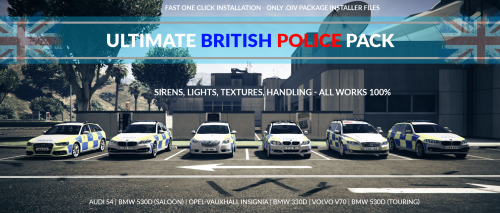 I love the pack and the simplicity of the .oiv package install, as well as the selected car models. The only negative I have for this pack is that the supposed unmarked models (police4, fbi and fbi2) are not actually unmarked in this pack.
- 52 comments
- 22 reviews
-
Same here - took out everything except for Ragehook's files, and it didn't work. After, I spent a couple of hours waiting for Steam to reinstall a fresh copy of Grand Theft Auto V, and it still didn't work. N.B. Ragehook does not crash, Grand Theft Auto V does when Ragehook is loaded. However, whenever I load vanilla Grand Theft Auto V with all of Ragehook's files still in the directory, it works fine. This is my most recent Ragehook log file: [12/06/2016 17:03:20.161] Started new log on 12/06/2016 17:03:20.161 [12/06/2016 17:03:20.162] ==================================================================================================== [12/06/2016 17:03:20.154] Log path: C:\Program Files (x86)\Steam\steamapps\common\Grand Theft Auto V\RagePluginHook.log [12/06/2016 17:03:20.162] Log verbosity: Verbose [12/06/2016 17:03:20.164] Initializing input system [12/06/2016 17:03:20.166] Initializing game console [12/06/2016 17:03:20.171] Console key has been set to F4 (key code: 115) [12/06/2016 17:03:20.228] Initializing console variable "SkipGameIntro". [12/06/2016 17:03:20.228] Type: System.Boolean, Reading section: "Miscellaneous", key: SkipGameIntro [12/06/2016 17:03:20.232] Read value: <null> [12/06/2016 17:03:20.232] Initializing console variable "DisableRenderVersionText". [12/06/2016 17:03:20.232] Type: System.Boolean, Reading section: "Miscellaneous", key: DisableRenderVersionText [12/06/2016 17:03:20.238] Read value: False [12/06/2016 17:03:20.238] Setting value of console variable "DisableRenderVersionText" to stored value. [12/06/2016 17:03:20.238] Initializing console variable "ConsoleKey". [12/06/2016 17:03:20.238] Type: System.Windows.Forms.Keys, Reading section: "Miscellaneous", key: ConsoleKey [12/06/2016 17:03:20.240] Read value: F4 [12/06/2016 17:03:20.240] Setting value of console variable "ConsoleKey" to stored value. [12/06/2016 17:03:20.240] Console key has been set to F4 (key code: 115) [12/06/2016 17:03:20.240] Initializing console variable "PluginTimeoutThreshold". [12/06/2016 17:03:20.240] Type: System.Int32, Reading section: "Miscellaneous", key: PluginTimeoutThreshold [12/06/2016 17:03:20.240] Read value: 10000 [12/06/2016 17:03:20.241] Setting value of console variable "PluginTimeoutThreshold" to stored value. [12/06/2016 17:03:20.241] Initializing console variable "AlwaysShowConsoleOutput". [12/06/2016 17:03:20.241] Type: System.Boolean, Reading section: "Miscellaneous", key: AlwaysShowConsoleOutput [12/06/2016 17:03:20.241] Read value: <null> [12/06/2016 17:03:20.243] Initializing console variable "ShowConsoleCommandInfoOnPluginLoad". [12/06/2016 17:03:20.243] Type: System.Boolean, Reading section: "Miscellaneous", key: ShowConsoleCommandInfoOnPluginLoad [12/06/2016 17:03:20.243] Read value: <null> [12/06/2016 17:03:20.243] Initializing console variable "ShowOnScreenWarnings". [12/06/2016 17:03:20.244] Type: System.Boolean, Reading section: "Miscellaneous", key: ShowOnScreenWarnings [12/06/2016 17:03:20.244] Read value: <null> [12/06/2016 17:03:20.245] Console initialized [12/06/2016 17:03:20.245] Initializing forms manager [12/06/2016 17:03:20.249] Version: RAGE Plugin Hook v0.39.946.8098 PUBLIC ALPHA for Grand Theft Auto V [12/06/2016 17:03:20.255] ================ RAGE Plugin Hook ================ [12/06/2016 17:03:20.261] Checking game support [12/06/2016 17:03:20.461] Product name: Grand Theft Auto V [12/06/2016 17:03:20.461] Product version: 1.0.757.4 [12/06/2016 17:03:20.462] Is steam version: True [12/06/2016 17:03:20.464] Initializing DirectX [12/06/2016 17:03:20.466] Initializing Direct3D [12/06/2016 17:03:20.467] Loading C:\Windows\system32\d3d11.dll [12/06/2016 17:03:20.468] Loaded at 0x7FFF7A1F0000 [12/06/2016 17:03:20.468] D3D11CreateDeviceAndSwapChain at 0x7FFF7A20A190 [12/06/2016 17:03:20.469] Creating Direct3D 11 device and swap chain [12/06/2016 17:03:20.479] Attempting feature level 10_1 [12/06/2016 17:03:20.489] Failed to create D3D11 device for Grand Theft Auto V: 887a0001 [12/06/2016 17:03:20.496] Swap Chain created: 0x25180F3E1C0 [12/06/2016 17:03:20.496] Swap Chain VTable: 0x25180F3E1C0 [12/06/2016 17:03:20.497] Swap Chain VTable_2: 0x7FFF7B782D58 [12/06/2016 17:03:20.498] 0x575655FFFEEFA5E9;0x5741564155415441;0xEC8148D9246C8D48 [12/06/2016 17:03:20.498] D3D11Present: 0x7FFF7B7211A0 [12/06/2016 17:03:20.499] D3D11ResizeBuffers: 0x7FFF7B739750 [12/06/2016 17:03:20.500] D3D11ResizeTarget: 0x7FFF7B772350 [12/06/2016 17:03:20.500] D3D11SetFullscreenState: 0x7FFF7B7393C0 [12/06/2016 17:03:20.506] Direct3D initialized [12/06/2016 17:03:20.507] Direct3D watcher thread spawned [12/06/2016 17:03:20.508] Initialized DirectX [12/06/2016 17:03:20.510] Detected Windows 10.0 Windows 8 (64-bit) (10.0.10586.0)!
-
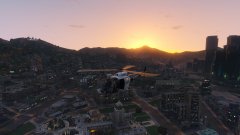 This looks amazing! In answer to your question, yes, please release it!
 -
 The plugin look excellent and just what LSPDFR needs, but when I installed it and went on duty, it gave me an error saying that GTA V was not up to date for the script to work. However, I am on the latest Title Update 1.33. I tried reinstalling the mod in vain, as it gave me the same error message.
- 149 comments
- 29 reviews
