


dk89
Members
-
Joined
-
Last visited
Everything posted by dk89
-
 Works great, but its missing the coroner and tow truck options...game gets to be quite a mess when you cant clean up after criminals...
- 1,196 comments
- 127 reviews
-
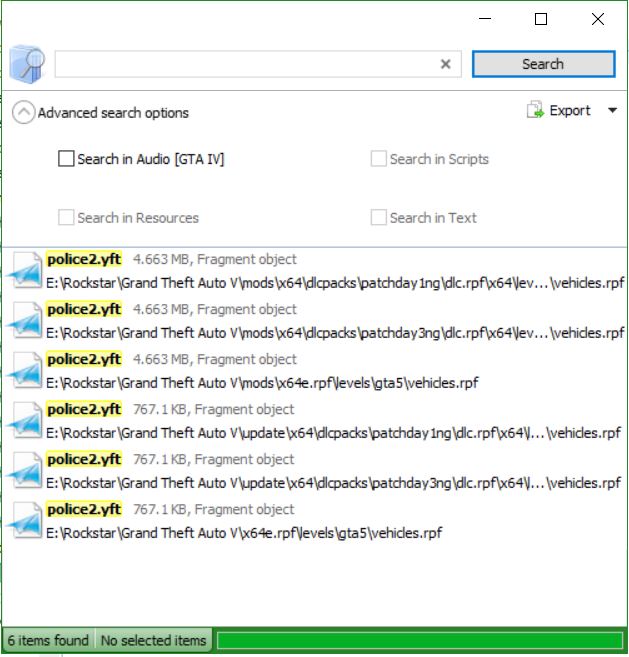
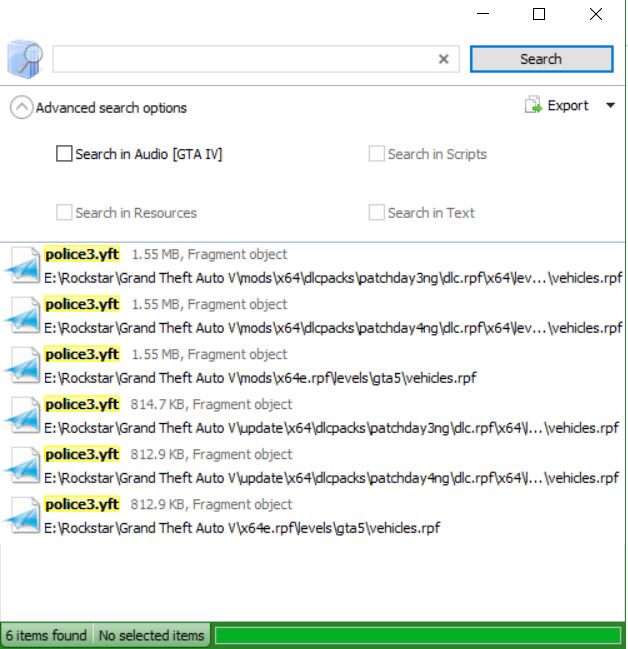
Since the new update I have had issues with the Police 2 and 3 slots being overwritten with the stock models. Never had this issue before, everything is on a fresh install and I ensured that everything is fully up to date. I attached screenshots from Open IV, I am replacing that police3 and police2 files in the mods folder in all of the locations like I used to and the stock model is still overriding it. I don't know what to do besides overwriting the main file, and I don't want to do that. Any help would be greatly appreciated.
-
-
From the album: Episode 11 is Up!
-
-
Ok thanks @Albo1125 I normally just go into the readme for the important stuff, how to use it...etc Apparently I'm the only one on the internet who didn't think to look in your readmes...Thanks Albo appreciate the help! Loving your videos by the way!
-
I have searched through the forums, googled it, and looked all over the place...how do I insert a custom Officer Name instead of 1-Lincoln-18? Thanks for your help in advance....
-
-
 I absolutely love this vehicle, it is beautifully done, and I love the variety of skins that allow me to use it in different scenarios. Well modeled, well skinned, and well done all around! Thank you @Thehurk for an awesome permanent addition to my Sheriff2 slot!
- 269 comments
- 67 reviews
-
Can you hit the "Windows Button + R" combo, type in msinfo32, then save the file, and either post it here or message it to me? I'd love to help, I have an extensive background working with stuff like this. I'd say it is something with your OS or with a driver if you get the error a lot. If you could take a picture of your BSOD error with your phone or something that would be a HUGE troubleshooting help!
-
Love your work @Albo1125 thank you for everything you do for our community!!
-
Good luck to Iconography, Illusionyary and Prophet, thank you for your time and effort! Welcome Brant! This is such a strong and developing community, looking forward to working with you!
-
Let me know what you think! In this episode I get into a pursuit with a very fast drug runner who has backup...the chase takes me around the whole map! But we get a good look as Goigle's Federal Callouts which add some depth to playing as the FIB or DOA federal departments.
-
Check out my most recent video using Federal Callouts!
-
-
 Overall these callouts were amazing, nice variety and allows me to play as a Federal Agent in my video series. Love the variety. Have a few suggestions or bugs, the kidnapped person always tries to fight me when I arrest the person who kidnapped them. Also, is there supposed to be someone buying the drugs from the dealer? I have had that callout a few times now and only see the dealer. Aside from that, this is an awesome addition to my game!
- 204 comments
- 22 reviews
-
-
I may be missing something with the search features but I think it would be great if we could add something to select the vehicle name, so it is easier to replace vehicles that are harder to find. For example, search for "sherrif2" (Just an example, not saying that vehicle is hard to find a replacement for.)
-
I am using OBS to record. Its free and very easy to use! https://obsproject.com/
-
Hello everyone! My name is David Kehoe and I am a long time modder and video gamer, I have just recently gotten into becoming a Youtube Content Creator. I love the LSPDFR series and the Grand Theft Auto world and recently decided to share my gameplay with everyone. Watching people like Jeff Favignano, Polecat324, and Zach Houseknecht have inspired me to share my game play with everyone else out there! I try to submit videos very frequently, being a dad and working full time as an IT Professional I can't guarantee a schedule yet, but I have been able to upload lots of content and have been quite busy with both my World of Tanks and GTA LSPDFR series. I try to play as realistic as GTA will allow, we all know the limitations of the game with our game play. I hope with my videos you will learn something new about the game, something new to add to your gameplay, some procedures you didn't know before, and that I'll bring new players to our community! Check out my 1st video below and check out the rest of the videos on my channel and please let me know what you think! If you like what you find please hit that subscribe button! Please check out my latest video too, my editing skills and my recording has improved a lot since the first video
-
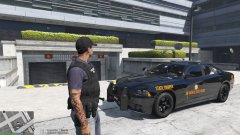 Could you post links to the skin and car?


