


CobraCommander
Members
-
Joined
-
Last visited
Everything posted by CobraCommander
-
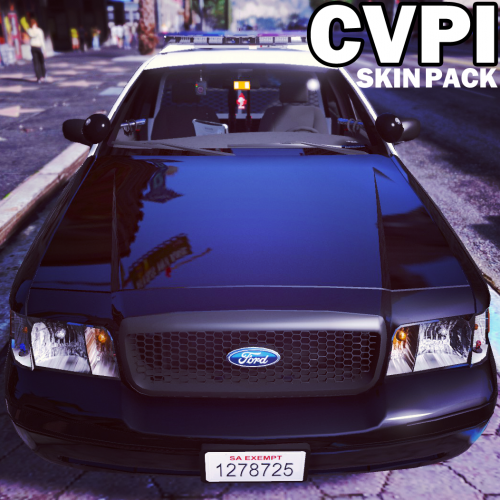 I wanted to make my first post here a bit useful and address the issue where someone renamed/replaced the first police slot, but had problems with the lights. It is actually a simple fix. While there was a response to this person saying how to "fix" the issue by "changing" the <modelname> tag in carvariations.meta to police instead of police4, these instructions were possibly for someone who wanted to use a different slot entirely. I think what you want to do is the same thing I wanted...Not replace, but use the models elsewhere in ADDITION to the Sheriff slots since why not? We have all the skins for as many AI units we could ever want in full 4k, eh? :) - Be careful of ONE thing... When trying to use the 4k skins for all liveries, the car would not spawn due to a memory limitation. I reduced two of the skins down to 2048x2048 and then was able to utilize all eight. I attached my carvariations.meta file for reference. I extract/rename all my files with "version" in plain English for easy reference on top of using a Mods folder... I cannot recommend this methodology enough when trying to back-track using last modified date and renaming the file to something like "carvariations_B4_CVPI_Police1.meta". I also EXTREMELY - EXTREMELY recommend that if it is within the means of any modder to obtain "DiffDog" by Altova software, this is INVALUABLE... Especially when dealing with OIV files that you don't know if they overwrite handling/vehicle meta files. 1. Since you said you installed the BXBugs123 LSSD/OSS v1.4 mod fine using the OIV, this means that your "police4" item entries under "carvariations.meta" are good to go. 2. Go to the "carvariations.meta" file and DO NOT rename or replace what was created by the OIV package. Instead, look for "police4" or whatever slot it is working fine for right now and look for the opening <item> tag above it, copy everything until you see </item> at the end of that "police4" section only. 3. Paste what you just copied above (for easy reference and finding shit later) the "police4" <item> tag you started from and then change the <modelName> tag in your NEW section to <modelName>police</modelName>. This allowed me to have the AI automatically spawn the gorgeous BXBugs123 models with the LSPD, SHPD skins as if they came with the game itself. Worked really well, but I wish there was a way to limit spawns of Airport and LS Port Authority to those areas... LOL. First off, I wanted to say thanks to not only the authors of this skin pack, but also all the hard work done by BXBugs123, F5544 and the other 3D modelers that have spent so much time bringing such levels of detail to these kinds of projects. My goal with introducing a CVPI into my game was to maximize the usage of the model randomly and accurately by the AI for the various jurisdictions. In looking through the various CVPI mods, the v1.4 LSSD/OSS models seems the most comprehensive and I just happened to like these the best in first-person. I installed that CVPI package and then used Altova's "DiffDog" to migrate my previous vehicles/handling meta changes back into those files and everything worked perfectly for the Sheriff and OSS cars without bugging out my realism/custom car meta changes. Job done... I then looked into where the "Police" (Police Cruiser, Police1, whatever) files were, renamed the sheriff files installed by the BXBugs123 OIV, added the "police" section to the carvariations.meta file and now these gorgeous skins randomly spawn as if they came with the game itself for that slot... Cheers to everyone who worked on the models and these skins... Hope this helps someone, but let me know if I missed something as I've not had my morning beer. carvariations.meta
- 64 comments
- 18 reviews
