


1stCavMedic
Members
-
Joined
-
Last visited
Everything posted by 1stCavMedic
-
No, it was digital download
-
I got my copy of GTA IV from Amazon, I have no clue where to find it to reinstall it tho
-
Which issue are you referring to? Thanks
-
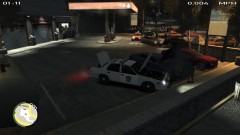
So I installed different vehicles into the "pstockade" slot, and what happens when I go to enter the vehcile, I go to the RIGHT side of the vehicle, BOTH doors open and he climbs in. Does the same thing upon exiting the vehicle... is there a fix for that? As for the Tire marks: I had installed the snow mod, didn't install it correctly, then fixed it. A few days later, got tired of it and removed it and changed all the items with the original ones. Somehow the tires make it look like I am driving on dirt even when I am on the road... and all the pedestrians scream and run when I drive by them, even at crawling speed of 5 mph, how do I fix this? *UPDATE* in Beachgate (where I took the in-game pictures) it seems it has regular tire marks (see tire2.jpg) TIRE 2
-
 Thanks! =D Appreciate it!
 -
 It's his business lol
 -
Amazing job... 2 things: 1) When using the siren, for some reason after 1 loop the airhorn sounds and it does it over and over
- 14 comments
- 9 reviews
-
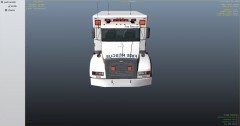
From the album: My Skinning WIP's
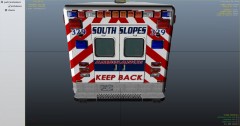
A replica skin of an ambulance that my friend bought© 1stCavMedic
-
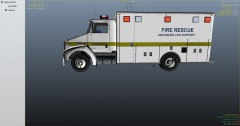
From the album: My Skinning WIP's
A replica skin of an ambulance that my friend bought© 1stCavMedic
-
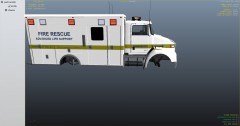
From the album: My Skinning WIP's
A replica skin of an ambulance that my friend bought© 1stCavMedic
-
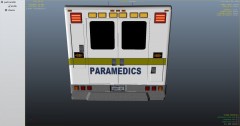
From the album: My Skinning WIP's
A replica skin of an ambulance that my friend bought© 1stCavMedic
-
Oh I see... Anything to replace it with? =/ I just quickly threw in the Ford E-150 older model van to kill the loss of memory
-
Maybe its just my experience... but has anyone else had the: GMC Savana 2500 v1 Original model from Driver: San Francisco Converted and edited by Chasez ... bug out on them and cause the maps to disappear? too many polygons? or what?
-
Ahhh! Now I see.
-
Oh ok. So its not just my computer bugging out. lol whew! =D
-
Why? they drive normally until I hit the Siren Tool's airhorn (if i hit the airhorn without the siren being on, NOTHING happens, just the sound ) but not ALL cars react, just the one or two infront of me unless I'm lane splitting and then both sides go crazy
-
Well I think it has to do with the Siren Tool cause thats what is being used when they do it.
-
Well, when I hit it, some cars drive like they have been shot at...they go forward then make a sharp left and/or right turn (usually hit the walls), make a U-Turn and go back from where they were coming... they hit people, lightpoles, anything in the way (including me!!!) and its really annoying when all I want is for them to MOVE out my way lol
-
Is it just me or does the vehicles infront of you drive erratically when you use the airhorn (Numpad 3 by default)... If this isn't supposed to be happening can anyone tell me what to do to correct the issue?
-
yeah... close but no cigar LOL
-
 Good luck!
 -
I personally use a mix between MS Paint (Microsoft Paint, standard issue on every Windows computer, which most skinners DO NOT use because of certain inabilities to do) and Paint.NET
-
 Thanks for the suggestion (and the compliment =D ). I may take a look at what it looks like and then go from there =)
 -
 LOL i just realized that!!!
 -
 Thank you

