ggrier
Members
-
Joined
-
Last visited
Everything posted by ggrier
-
 change something called (car.defaultlight.day.emissive.on to 300.0)and (car.defaultlight.night.emissive.on to 200.0) the path is OpenIV-mods-update-update.rpf-common-data-visualsettings.dat. no extra mods needed.
- 2,700 comments
- 241 reviews
-
-

- 1
-
-
-
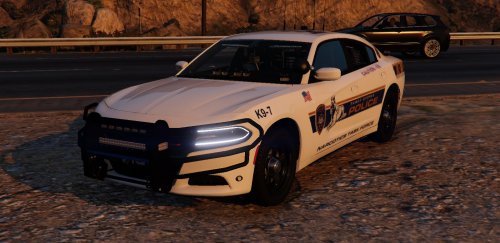 Back in one of his packs he had the option for red and blue so I’d just go back to his last mega pack and check
- 7 comments
- 4 reviews
-
 Dope car pack! Only thing is can you make the push bar on the slick top able to be removed?
- 76 comments
- 55 reviews
-
-
 How did you get it to work with regular EUP ped? my holster is not working at all for any EUP 7.5 peds.
- 561 comments
- 97 reviews
-
So I've been trying for days to get my gta back to 1032 but I get everything back and rage doesn't load at all can someone help?