


Reddington
Members
-
Joined
Everything posted by Reddington
-
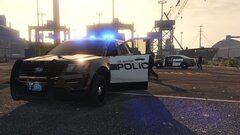
From the album: Red's LSPDFR chaos
-
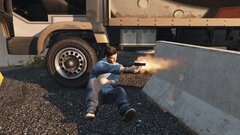
From the album: Red's LSPDFR chaos
-
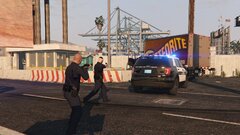
From the album: Red's LSPDFR chaos
-
I don't know what you're trying to say, but I'll take a wild guess: LSPDFR works flawlessly. If you're unable to get it to work, it is a user error. Post in the 0.4 support section and ask for help.
-
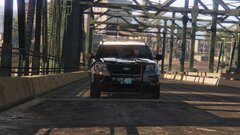
From the album: Red's LSPDFR chaos
-
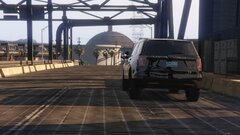
From the album: Red's LSPDFR chaos
-
.png.70f4982b4cf5d15ca8463e3e64eb405a.png) Awesome, looking forward to it!
Awesome, looking forward to it! -
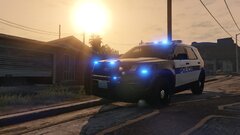
From the album: Red's LSPDFR chaos
-
Looks really clean. Whose car? and what graphics you running?
-
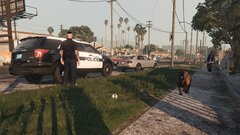
From the album: Red's LSPDFR chaos
-
I've confirmed that my theory is right, something in the county is making LSPDFR hang when going on duty. I removed all of my plugins except Bejoljo's and same result. In the county, it hangs and never fully loads - also never shows me "You are on duty". Unload LSPDFR, go into the city, go on duty and well-la, on duty and LSPDFR fully loads. The only possible thing I can think of at this point is maybe it's Ultimate Backup related, but I doubt it. I'll check my configs and see if maybe something I edited got fucked. Otherwise, I'm pretty pissed right now. There's no other reason for it to affect county, but not city. Attached updated log. RagePluginHook.log
-
For whatever reason, going on duty in the county only partially loads LSPDFR. I can call for backup and use Smart Radio, but that's it. If I do it in the city, all is well. Current plugins My log has a few warnings, but I'm not sure if they mean anything. [9/30/2019 9:44:27 PM.559] LSPD First Response: [WARN] Path without extension: lspdfr/data/custom [9/30/2019 9:44:08 PM.962] LSPD First Response: System.FormatException: Input string was not in a correct format. ^ No idea which plugin that is in reference to. My assumption is that one of the plugins is bottlenecking the others and not allowing for full load, but it makes no sense that it only happens in Blaine County. RagePluginHook.log
-
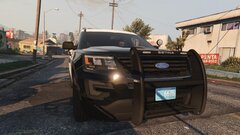
From the album: Red's LSPDFR chaos
-
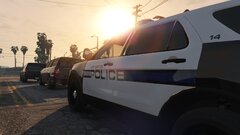
From the album: Red's LSPDFR chaos
-
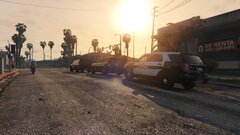
From the album: Red's LSPDFR chaos
-
 I would've liked at least one Tahoe, but I love this pack regardless. It's nice to just run SUV and Sedans only. The lights are really nice (love the side lights), and it's nice to have that random Arjent unit running around.
- 63 comments
- 37 reviews
-
-

- 1
-
-
Ah, okay. How are birthdays for characters chosen? Does it depend on how we modify our character's features, or is it entirely random?
-
Mine doesn't seem to be updating either. I was just playing last night, and I verified it shows me as playing in the online list on the forum, yet it still says "last seen September 21st". It also says I've made 0 arrests, which is false, I made several LEO actions last night. In addition, my character's birthday is all wrong. I'm not sure if that's something we can set or how it works, but I notice the birthdays for your characters seem to be set to what you want.
-
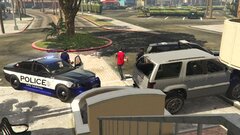
From the album: Red's LSPDFR chaos
-
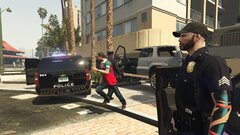
From the album: Red's LSPDFR chaos
-
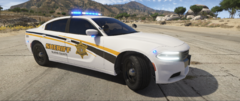 The light placement in the front is really unique.
 -
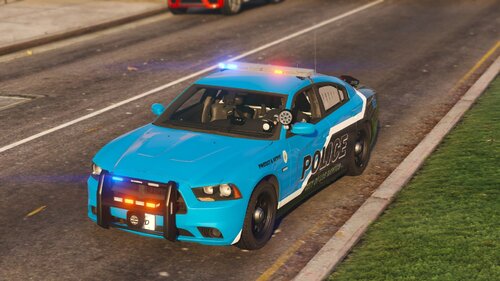 I'm sorry, apparently I'm dumb. I could've swore there were templates in the download. Instead, could you please add the rest of Elmo's LSPD vehicles to the pack?
- 6 comments
- 1 review
-
Something that had bugged me from the first glimpse of 0.4 was the timer. I love it because it allows for two different scenarios, either you get there on time and can stop them before they flee, or you're late and are in a chase. The problem is that 99% of the time the timer is so short we never get there on time. Again, I'd like to be able to get there and deal with them in the store once in a while. Even driving as fast as possible, I still couldn't make it in time because this particular call was far away. It'd be nice if you guys could increase that timer a tad.
-
From the album: Red's LSPDFR chaos
-
From the album: Red's LSPDFR chaos

.png.70f4982b4cf5d15ca8463e3e64eb405a.png)
