


Reddington
Members
-
Joined
Everything posted by Reddington
-
It could be something with a VCF. Temporarily remove all your VCFs, add in ELS.asi and try again.
-
Unfortunately, you can't. It's meant for fivem servers, However, there are a couple alternatives. The first one, BVA, just allows for blinkers primarily.
-
For better or worse, communities always change over time. In LSPDFR's case, it's a mixed bag. In some ways the community has changed in a negative way, and you touched upon it. Back before I became a moderator, and during my tenure, a lot of people were eager to provide support for each other. Now it seems like there's only a select few - if any - who regularly provide help to others. On the other side, new developers have shown up and release mods (scripts, vehicles, etc) that improve and help the community in general, which makes our game bad ass and extremely fun. It should be obvious, but I am not speaking for Sam or the team - I don't think there was a "need" for a patreon. My assumption is that it was created because 1) As Sam mentioned, the ability to donate and support LSPDFR hasn't been in bright red letters. I'm sure a lot of people weren't even aware you could support LSPDFR financially. 2) From what I've seen in other situations - which is possibly what happened here - members of the community expressed interest in helping to support LSPDFR financially and possibly recommended a patreon.
-
-
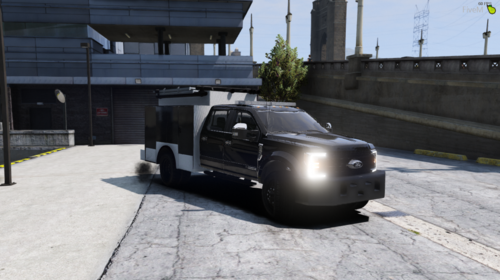 Unfortunately, I'm still having issues. When the truck spawns, it spawns with most of the doors open/missing, and most of the time it spawns without the light bar. Tried to force extras being extras include and required extras in the meta, but it's not getting me anywhere. Edit: I've noticed in the OpenIV viewer, all of the compartments are open by default. Normally you don't see that.
- 36 comments
- 1 review
-
I second an ELS version! If you know how to do ELS, I strongly, strongly recommend it. Most of us have been waiting for this type of ESU vehicle to be released. Not sure if you're aware, but for extra 8 - the light bar, it cannot be toggled back on. If the vehicle spawns without it, you cannot get it to spawn. If it spawns with it and you toggle it off, you can't toggle it back on.
- 36 comments
- 1 review
-
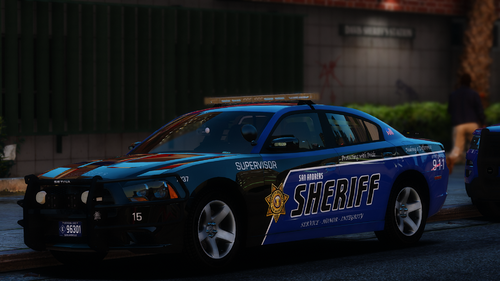 Sweeeeeeeeet! I'm one of those people who prefer having matching fleet cars, so as much as I love that Expedition, I haven't used it. It'll be really nice having it in my fleet, so thanks! I'm in no hurry with that Mustang, so if you do it, take all the time you need. 🙂
- 48 comments
- 12 reviews
-
In addition to being excluded from featured or trending, how about disabling 'likes' for that file? I'm not sure if it's possible to disable likes on individual files, though.
-
He named it "ppdaddon"
-
Hi there, The other cars, including the Silverado, are located in the dlcpack. Please read the text documents he provides, as he gives installation instructions on how to install.
-
I LOVE, love love that you included so many vehicles, including some that aren't common, like the Mustang, BMW, F350, etc. This is a beautiful pack and I'm glad to be redownloading some old cars that I stopped using because I switched packs. I'm also happy you included the Breast Cancer Awareness livery, I've been rocking pink and doing the Breast Cancer event for American Truck Sim, so it's cool to have it here as well. I'm assuming you planned it, but I'd leave that livery in permanently. Really nice work on this pack, thanks for including all the cars you did.
- 48 comments
- 12 reviews
-
-

- 1
-
-
@sergeantFrank Could you please include the Mustang and Hummer from this pack? and the Colorado - and this Expedition Thanks if you do!
- 48 comments
- 12 reviews
-
I think you mean this one.
-
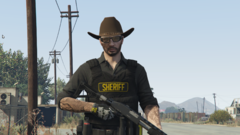 I still have Skin Control from 0.3, just haven't installed it yet. Are you able to save your outfit in the Skin Control menu and then load said outfit once on duty? or does that mess with shit?
 -
That looks bad ass. I just wish tattoos had been a thing in 0.4, ugh. Still need to buy me one of those hats irl.
-
The only fast, easy way to do both is with a trainer, and I recommend TrainerV - https://www.gta5-mods.com/scripts/simple-trainer-for-gtav The other method involves editing vehicles.meta and carvariations.
-
Check the file description or the read me, it should list the names. If it doesn't, open OpenIV and navigate to the new dlcpack that was installed, and look in the vehicles.rpf. There it'll show the vehicle's names.
-
Use a trainer, or if you're loaded via RPH you can hit F4 and type Spawn vehiclename
-
From the album: Red's LSPDFR chaos
-
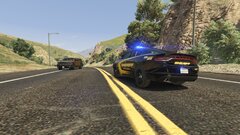
From the album: Red's LSPDFR chaos
-
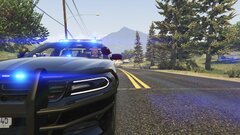
From the album: Red's LSPDFR chaos
-
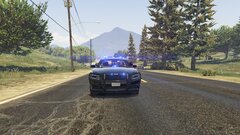
From the album: Red's LSPDFR chaos
-
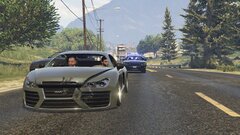
From the album: Red's LSPDFR chaos
-
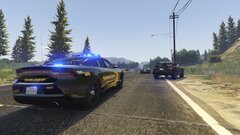
From the album: Red's LSPDFR chaos
-
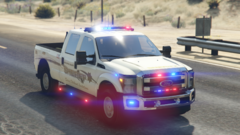 This is pretty hot.


