


Reddington
Members
-
Joined
Everything posted by Reddington
-
Interaction plus has pursuit updates, but only in the form of a text box. No audio.
-
The main issue is that once backup is on scene, they are programmed to immediately walk to the passenger side. Bejoljo would have to edit UB and how the AI respond. I love the idea of explaining it, but I don't see how this would work. Would the backup arrive and walk to us? How long would they stay facing us? Would we have to start approaching the driver's side for them to move? It seems like a lot of factors when we can just roleplay that we've spoken with our backup, something myself and many others already do.
-
-
You're okay to link it since it's Bejoljo's official site. 🙂
-
-
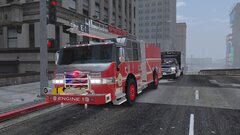
From the album: Red's LSPDFR chaos
-
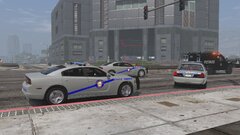
From the album: Red's LSPDFR chaos
-
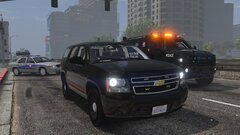
From the album: Red's LSPDFR chaos
-
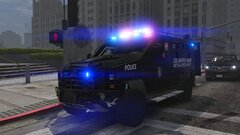
From the album: Red's LSPDFR chaos
-
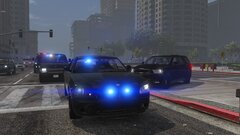
From the album: Red's LSPDFR chaos
-
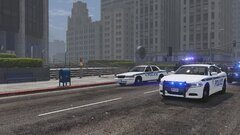
From the album: Red's LSPDFR chaos
-
I'd just like to point out that NVR is actually one of the two best graphics mods for GTA V, the other being Make Visuals Great Again. If it's looking bad in your game, you might need to bump your graphics up in the GTA settings. My recommendation would be to try doing a clean install again of NVR and make sure your graphics and everything is on high or above. Graphics mods won't do anything if your settings are low.
-
This topic has been moved to the appropriate forum. Please post in the correct location in the future.
-
.png.5aa0b695e22904eb9003cf661b7e4982.png) Thanks!
Thanks! -
Both, please.
-
What pack is this?
-
I don't know if this is exact, but it does list all the color names that we see when using a trainer. https://docs.google.com/spreadsheets/d/11ikZaC0_B7BUPDpZYzBZ5oj57Ba1uh54E8gQ0yCzG0g/pubhtml https://wiki.gtanet.work/index.php?title=Vehicle_Colors
-
Your topic has been moved to GTA V Support, this is not LSPDFR related. Please post in the correct location in the future.
-
Your topic has been moved to GTA V Support, this is not LSPDFR related. Please post in the correct location in the future.
-
Under the <Vehicles> section, find the vehicle you want to edit the color for. See how it's formatted as <Vehicle>police</Vehicle To make it spawn with a particular color, add this <Vehicle color="black">Vehicle</Vehicle> Do note, that this will not work with cars that have a livery. It will only work with unmarked cars.
-
I miss my flip phone. It called, texted and fit snugly into my pocket. As a guy, it is inconvenient to have a smart phone because where the fuck do you put it if you don't have a belt clip? In your pocket, and in today's day and age, some of these smart phones are the size of a brick. Women got it easy, just throw it in your endless void of a purse and don't worry. Smart flip phone is just being done for nostalgia sake, I really don't see something like that as being feasible for the masses. I wish they'd take a risk and bring back regular flip phones - no internet, no fancy shit, no apps, just calling and texting. Not everyone needs internet or apps on their phone, me included. I rarely use half of what is downloaded on it.
-
Did you change keybindings for Cheep Callouts? If yes, a keybinding you changed is not being recognized, possibly because you made a mistake while adding it. Your topic has been moved to LSPDFR 0.4 Support. Please post in the correct location in the future.
-
 No idea, but it's some type of keybind. I'd look through the INI and see if this keybind can be disabled.
- 59 comments
- 6 reviews
-
Check the ELS config, there are settings for LODs, try increasing that.
-
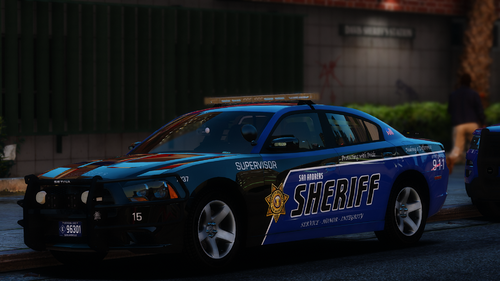 Ignoring my previous stupidity, can you please add this Expedition? Template is in the download. https://www.gta5-mods.com/vehicles/els-2005-expedition-sheriff Edit on 11/30 Can you please also include the Evo and 2020 Explorer from this pack? Templates in download.
- 48 comments
- 12 reviews



.png.5aa0b695e22904eb9003cf661b7e4982.png)
