


Reddington
Members
-
Joined
Everything posted by Reddington
-
I'm not entirely sure if you can. I find it annoying as well.
-
Pitting is my guilty pleasure, so it makes me so sad when they glitched out. There are certain times where it works perfectly, but those are rare. Thanks for the promotion. 😛
-
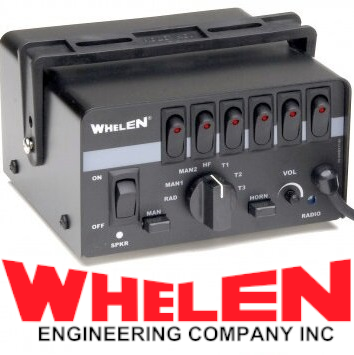 When cycling through the tones I wasn't expecting a rumbler. That's a nice surprise. Another quality siren.
- 45 comments
- 8 reviews
-
-

- 2
-
-
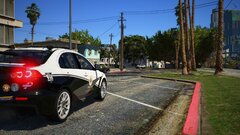
From the album: Red's LSPDFR chaos
-
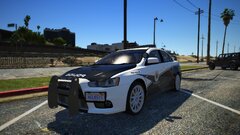
From the album: Red's LSPDFR chaos
-
 I'm sorry the plugin doesn't work for you, but that is no reason to get so upset over him not helping here. Myself and others have been using this without any issue at all, so there is a chance that you've done something incorrectly. If you want to get this plugin to work, you can either ask for help here or ask him via the method he provided. No one is forcing you to join, or even use his plugin. If you don't want to join a Discord, don't. Please refrain from making further comments complaining about his lack of support on the file. Authors are not required to provide support.
- 262 comments
- 34 reviews
-
-
- 3
-
-
In addition to the above, you also need the proper flags in the vehicles.meta.
-
You need to edit the duty selection XML located in lspdfr-->data. Under where it says "Vehicle descriptions".
-
Are you using ELS? If so, it sounds like that is the culprit. Open the ELS INI and find "ElsTrafCTRL", set to false.
-
Your topic has been moved to LSPDFR 0.4 Support. Please post in the correct location in the future.
-
Your topic has been moved to LSPDFR 0.4 Support. Please post in the correct location in the future.
-
Your topic has been moved to GTA V Support, this is not LSPDFR related. Please post in the correct location in the future.
-
What suggestions are you referring to?
-
Losing FPS when going on duty is normal for everyone. There's only a small, select group of people who can run modded GTA and still maintain decent fps. What you can do is try and remove some of your LSPDFR plugins and callouts, but then you run into the issue of having less callouts. Personally, I just suffer through the FPS loss - I'd rather have a variety of callouts as opposed to just four or five that get old quickly.
-
There's certainly not 500 lines. Look in the vehicles.meta for that specific slot, eg police, police2, etc.
-
You don't need to add anything. Just open the meta, find the line that has the vehicle in the screenshot and scroll down until you see "LodDistance". Change them to 500, but only change the numbers before the decimal. Example: 500.000000
-
This topic has been moved to the appropriate forum. Please post in the correct location in the future.If the light goes away when you approach the vehicle, it's an LOD issue. One fix is to increase the LOD Distance in the vehicles.meta.If you don't use KB/mouse for playing, could make it one of the WASD keys.This topic has been moved to the appropriate forum. Please post in the correct location in the future.Just so you know, there's already a list where I update the recommendations pending what people tell me.Yep you can!Since you didn't say it, I'm assuming the issue is the vehicle not showing up in the garage? Are the vehicles actually installed in your game?


.thumb.png.d8d35076f26ac12960464d316b88d664.png)