


Reddington
Members
-
Joined
Everything posted by Reddington
-
This topic has been moved to the appropriate forum. Please post in the correct location in the future. In our downloads section there's a category for vehicles, and you can filter them by ELS and non ELS. Have a look through that.
-
Hi there, Don't worry about struggling. I was in the exact same place you were when I first started - came from console and had no clue. I'll address all your problems here, but in the future we like to keep the forum tidy. Please keep LSPDFR related questions to the LSPDFR section - https://www.lcpdfr.com/forums/forum/920-lspdfr-04-support/ Per ELS, do you have ScriptHookV? http://www.dev-c.com/gtav/scripthookv/ It goes in the main GTA/game directory. For radar, police radio and arrest manager, check the INI/config files, as they will have the keybinds in them. 🙂 I also recommend removing Arrest Manager, it is no longer being updated and is a resource hog (causes lag). Check out Bejoljo's StopThePed and UltimateBackup, best plugin combination you'll find - https://bejoijo256.wixsite.com/bejoijo
-
This topic has been moved to the appropriate forum. Please post in the correct location in the future.
-
Outdated doesn't mean it stops working. Yes, there are some outdated plugins that don't work and crash your game, however some do work, just at the expense of stability. Even if we were to do something like this, there wouldn't be a good way to go about it. We are not going to sift through all the files and test them to see if they work, nor do I see us outright removing them due to age or incompatibility. Just to make it clear, this only applies to plugins and scripts. Vehicles will still work fine regardless of how long they have been uploaded.
-
Your topic has been moved to LSPDFR 0.4 Support. Please post in the correct location in the future.
-
 Because that's how the vehicles.meta has it. 🙂 You can either manually remove the tint each time via trainer, or the vehicles.meta. If you want to go the vehicles.meta route, read the tint section of my FAQs -
- 95 comments
- 24 reviews
-
-

- 1
-
-
 I'm sorry to say, but that implies you did something incorrectly or missed a step. 🙂 Triple check you've done everything correct.
- 36 comments
- 8 reviews
-
-
- 1
-
-

From the album: Red's LSPDFR chaos
-

From the album: Red's LSPDFR chaos
-

From the album: Red's LSPDFR chaos
-
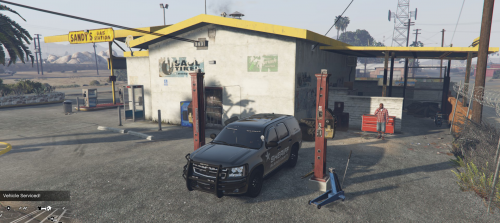 I look forward to using this! I'll drive around the map tomorrow and see if there's any other good locations to use as a repair shop.
- 37 comments
- 10 reviews
-
-
- 2
-
-
-
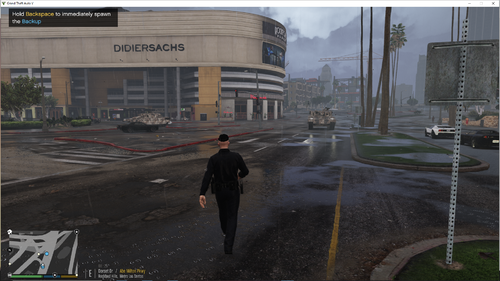 Best comment of 20/20.
 -
-
 😂 😂 😂 I did both of those already, but I have a back log of packs that I need to upload. I'll get both of them uploaded tonight after I get some screenies.
- 269 comments
- 17 reviews
-
Hi there, We have a section where you can request people make a mod for you, however there is no guarantee. We do not allow the promotion of paid services.
-
Hi there! The outdated topic you read is correct, however the path for it has changed. In your GTA V directory navigate to lspdfr-->data. You can include add-on cars, so requesting backup can use them. As a bonus, also in the data section, is agency_xml. This will allow you to add/modify which vehicles will spawn and patrol ambiently - this does work with add-ons.
-
From the album: Red's LSPDFR chaos
-
From the album: Red's LSPDFR chaos
-
 That's just the OpenIV viewer. If you look at the _hi.yft, it's fine. It's also fine in game.
- 276 comments
- 45 reviews
-
This topic has been moved to the appropriate forum. Please post in the correct location in the future.
-
Not sure if you know of it already, but there is a really nice bean bag shotgun that functions like a bean bag. https://www.gta5-mods.com/weapons/less-lethal-shootgun-beanbag-based-of-lapd-captain-andersen
-
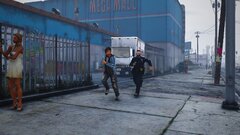
From the album: Red's LSPDFR chaos
-
If you feel this topic has been closed in error, please report this post.
-
We generally don't provide fivem support, your best bet is posting and asking on the fivem community. In addition, assuming you're referring to LTCain's ELS and not one of the shoddy fivem ripoffs, it has been stated that ELS is intended for singleplayer use and was not made for an online environment.


