


Creators: Due to background reprocessing of files, approvals and file security checks may be delayed. Thanks for your patience.


Reddington
Members
-
Joined
Everything posted by Reddington
-
-
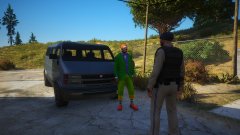
From the album: Red's LSPDFR chaos
-
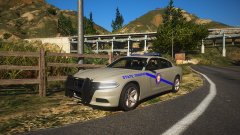
From the album: Red's LSPDFR chaos
-
-
IIRC he's paying for premium. He told me a month or two back, can't recall. bejoijo.com might have been bought through wix.
-
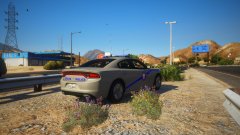
From the album: Red's LSPDFR chaos
-
Feel free to complain to Wixsite. It's their ads and their design, Bejoljo didn't choose this.
-
.thumb.png.36641896b9fcbd56d4a37b2e425c8ed3.png) Canadian traffic lights Green - You may go Yellow - Please slow down Red - I kindly ask you to stop.
Canadian traffic lights Green - You may go Yellow - Please slow down Red - I kindly ask you to stop.- 9 comments
- 3 reviews
-
-

-

- 6
-
-
-
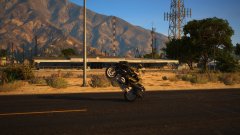
From the album: Red's LSPDFR chaos
-
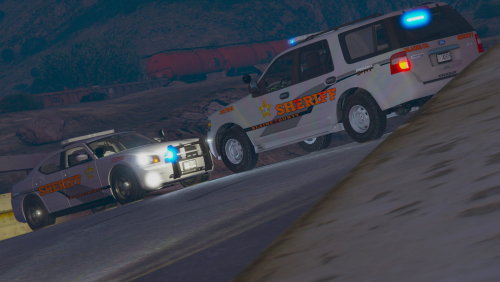 @BiscuitHead Modifications Also, thanks for the Expedition. We don't have enough of them.
- 30 comments
- 3 reviews
-
-
- 1
-
-
@BiscuitHead Modifications Obviously it's up to you, but I would LOVE all of these, especially the motorcycle units.
- 30 comments
- 3 reviews
-
-
- 1
-
-

From the album: Red's LSPDFR chaos
-
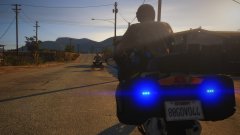
From the album: Red's LSPDFR chaos
-
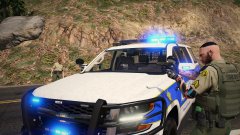 "Use the Force."
 -
From the album: Red's LSPDFR chaos
-
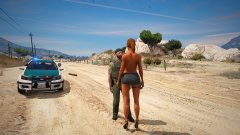
From the album: Red's LSPDFR chaos
-
 Or, if you don't wish to replace your entire meta, edit it yourself. Find this line in the meta <diffuseTint value= Change the number to this: <diffuseTint value="0x00FFFFFF" /> You have to do this for each emergency slot, even pranger.
 -
You can make it to where the special unit responds in a pursuit or as code 3 backup, but I don't think you can link local patrol and special units. If you're asking if you can choose which area a unit responds in, like city or county, yeah you can.
-
You can't change those names in defaultregions. However you can create your own in SpecialUnits and name it whatever you please.
-
I was done, but this part made me laugh. Here's how it works bud. If you don't have an internet connection or Bejoljo's plugins can't verify, only his plugins stop working. LSPDFR does not crash, it doesn't stop working, you can still play normally. Again, you have no fucking clue what malicious means. You have zero idea about anything you're speaking of, you're just salty because Bejoljo requires an internet connection. If Bejoljo's code was malicious, it would kill LSPDFR if you weren't connected to the internet. Re-read that a few times so it properly sinks in. Does it do that? No! It only stops his plugins. Back in the day, PeterU required you to agree to his terms of service in game. A window would pop up and you'd have to read his TOS and agree. If you didn't, his plugins wouldn't work. Still wanna bitch that Bejoljo is malicious all because boohoo I need an internet connection?
-
IT DOES NOT BREAK THE GAME!! HIS CODE IS NOT MALICIOUS!! MALICIOUS DOES NOT MEAN ONLINE ONLY!!! Holy shit, I legitimately am baffled by the stupidity you're displaying. Clear your mind and read this. IF YOU DO NOT HAVE AN INTERNET CONNECTION, ONLY BEJOLJO'S MODS STOP WORKING. YOU CAN STILL PLAY LSPDFR WITHOUT CLOSING THE GAME IF YOU DO NOT HAVE AN INTERNET CONNECTION, ONLY BEJOLJO'S MODS STOP WORKING. YOU CAN STILL PLAY LSPDFR WITHOUT CLOSING THE GAME IF YOU DO NOT HAVE AN INTERNET CONNECTION, ONLY BEJOLJO'S MODS STOP WORKING. YOU CAN STILL PLAY LSPDFR WITHOUT CLOSING THE GAME IF YOU DO NOT HAVE AN INTERNET CONNECTION, ONLY BEJOLJO'S MODS STOP WORKING. YOU CAN STILL PLAY LSPDFR WITHOUT CLOSING THE GAME I'm done debating with someone who can't understnd. Don't use Bejoljo's plugins, and don't ask us for help with them. You are very clearly not the target audience we desire.
-
That's..that's not how it works. Something isn't malicious just because you disagree with it. Let me make something crystal clear to you: Whether you agree or not, the fact of the matter is, his plugins are not malware. It is NOT malware to force you to be online. You seriously need to gain some knowledge on these subjects. The code is not malicious, for once in your life stop being stubborn. People like you are why a lot of modders quit, or hide their stuff behind super exclusive servers and paywalls. Keep your hands off of Bejoljo's plugins unless you're going to use them in the way they are meant to be. Don't ruin other people's work because you're ignorant. Tto end this idiotic conversation, Bejoljo's plugins haven't harmed anyone's PC. I play LSPDFR a lot, my PC is perfectly fine. I have anti viruses and anti maleware I run once a month, nothing at all. On his Discord, we have zero reports of his plugins causing harm to his game or PC. You're just mad because online is a requirement. I get it, but don't stoop to such a low level you have to falsely claim something is malicious. To put you in your place even more, a while back a group of degenerates did decompile his code and redistribute without the forced online. Considering these people are not Bejoljo's #1 fans, if there was malicious code, we'd of heard about it.
-
Please, please, please at least somewhat educate yourself on a topic before jumping into it, because it can be harmful to everyone and a plugin's reputation if people say completely false things under the wrong pretense. I'll help you out and explain what malware is: Malware is NOT forcing an internet connection, Bejoljo's mods do NOT damage your PC or anything of the sorts. Also, Bejoljo's mods are not a software. You do not "download/install" them to your computer in the same sense you install a program like Photoshop, you drag and drop them into a folder - a folder which they can be deleted very easily.
-
Bastion already said what I was going to, but I have a separate question. How are you comparing forced internet connection to malware and spyware? Do you even know what malware is? I'm genuinely flabbergasted that someone is saying a forced internet connection is malware. This website requires you to have a constant internet connection to use it. Does that mean this site is bad?



.thumb.png.36641896b9fcbd56d4a37b2e425c8ed3.png)

