


Reddington
Members
-
Joined
Everything posted by Reddington
-
 My man, don't be one of those arrogant people who think devs need to change something to cater to you. I've downloaded tons of vehicles, all of which have names I don't want and don't use. I've changed all the names, never complained, never had a problem. Suck it up, buttercup. We all have to make modifications, that's literally what modding is about. Just because YOU have a ton of addon cars doesn't mean the next person who downloads does.
- 150 comments
- 9 reviews
-
-

-

- 3
-
-
 Hey there! I already did that pack. 🙂 You can either click the download button and do CTRL F and search "Ripple", or you can join my Discord and search Ripple. Yep! It's this one.
- 269 comments
- 17 reviews
-
That's not really an author thing. The beauty of modding is that you can change the names to suit your game. 🙂
- 150 comments
- 9 reviews
-
-
- 1
-
-
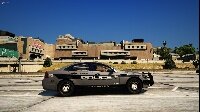 I've taken mine with Steam for my files and they worked fine. The problem is definitely something that the OP did, I'm just not sure what.
 -
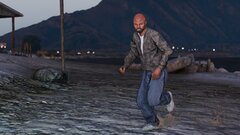
From the album: Red's LSPDFR chaos
-
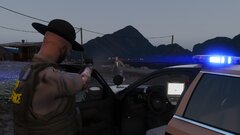
From the album: Red's LSPDFR chaos
-
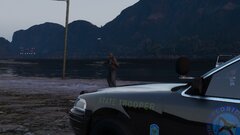
From the album: Red's LSPDFR chaos
-
This is an old thread and will probably be locked, but I wanted to address this. Bejoijo's mods are 100% safe (as are most LSPDFR plugins) and do not contain anything harmful. His website is also safe, however, as with most sites, don't click the ads. Most of the time, ads do not automatically install things simply from you clicking on them. You have to intentionally click the ad and then click another button or so to actually download. We are not held responsible if you click an ad and download something from there. Please be aware of what you're downloading and verify 100% it is you intended download item (aka the mods). It's also worth noting, anti-viruses false flag GTA mods - this is not exclusive to anything of Bejoijo's. If you search up old posts on this site, you'll find a ton of them about false flags with various plugins. While I understand his website ads may be annoying, please do not pass around false information that someone's mods are maleware.
-
I can do blue/white, however, please be aware that white does not have a proper texture in GTA, and often times the white in the lightbars are very bright. I'll mess around with it and see.
- 269 comments
- 17 reviews
-
-
- 2
-
-
You're welcome!
-
Pause the game and go into GTA settings. Make sure phone notifications are on.
-
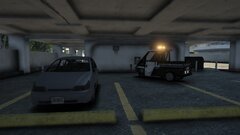
From the album: Red's LSPDFR chaos
-
Sounds like it might be. I'll look it over and give it a try later. Thanks!
-
Bump. Still can't find it.
-
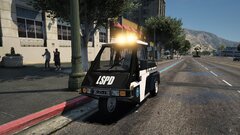
From the album: Red's LSPDFR chaos
-
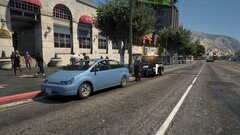
From the album: Red's LSPDFR chaos
-
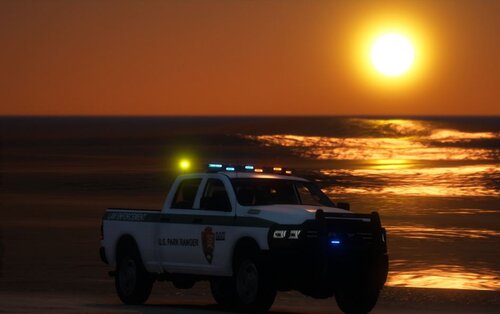 That's fine, I added it to your dlc and it works fine. Just so you know, any vehicle can be addon or replace. There's no such thing as it being "addon only" or "replace only". 🙂
- 18 comments
- 3 reviews
-
-
- 1
-
-
That was my bad, missed a texture. I'll be uploading the fix for it shortly. Till then, here is the missing texture. It's for both F150 and Charger.
- 269 comments
- 17 reviews
-
-
- 2
-
-
@Brenden Manahan Any chance of including your Expedition in this dlcpack so they are all in one?
- 18 comments
- 3 reviews
-
-
- 1
-
-
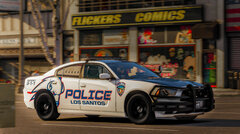 This is very unique.
 -
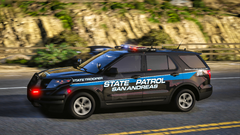 I really like this.
 -
Update: Figured it out, I believe. However, I cannot find any entry for sheriff and sheriff2 in any of the popcycles.
-
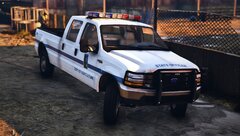 Reallllly nice truck.
 -
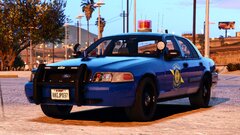 That bubble light looks bigger than my future.
 -
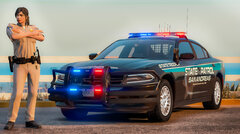 Text on the door is very crooked. If it's your skin I'd try to straighten it. Also, that trooper single? 😂

