



TBL.png.b285cdc5300ae1c6925e5881b14e6d45.png)
Yo Adrian
Members
-
Joined
-
Last visited
Everything posted by Yo Adrian
-
Haven't used this forum in quite a while but I'm back in it. Here's my latest lspdfr episode.
-
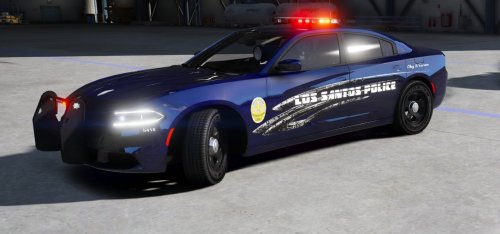 Great looking skins there brother!! Thanks again for letting me showcase them off. 12/10
 -
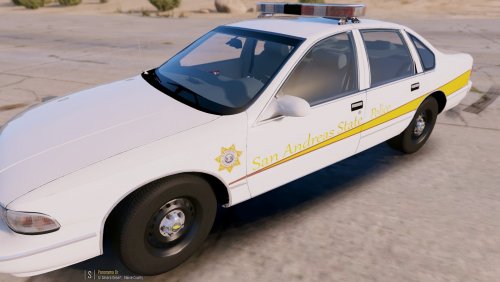 Thanks Ry! And I have updated it with folders. Look forward to watching them in your videos man :)
- 2 comments
- 1 review
-
Hey guys, Yo_Adrian coming at you with my first texture pack. It's based off the 1990's look of the Illinois State Police. I tried to get it 100% to it's real life counterpart, but I know that it's not. Skins are for RobertTM's 1990's LSCS Sheriff's pack, but they can be used on any vehicle using this template. I do plan on adding more vehicles in the future :D Please do not upload an edited version, or re-upload this to another site. Although, you do have my permission to use in YouTube videos, and clans. Clans, just make sure you let me know please. Known bugs: -Badge on the 1998-newer cvpi is very distorted. I tried a few different things, but have not come up with anything yet. If you know why, please let me know. Thanks! -In openIV, the Caprice passanger side looks mirrored, that is just a glitch with the car model, should look fine in your game. -That's all I know, any other bugs you guys find, just let me know. Here's a video of me using the skins in a patrol:
- 2 comments
- 1 review
-
-

- 5
-
-
https://www.youtube.com/channel/UCxR-BAurUlm11gJ6GhRfY_g
-
Are you throwing it in your mods folder or the base folder?
-
Yes, just continue with x64\levels\gta5\vehicles.rpf and drop the vehicles into there. And the VCF will be through your normal file system, C:\Program Files (x86)\Steam\steamapps\common\Grand Theft Auto V\ELS\pack_default Hope this helps.Back on duty on Los Santos, with the Mountlake Terrace PD Pack, and a few other changes.You're welcome!1. No, you have to let GTA finish downloading before you install lspdfr. 2. Ragehook, and scripthook. https://ragepluginhook.net/Downloads.aspx http://www.dev-c.com/gtav/scripthookv/ 3. You can use a trainer to spawn them in. I recommend this one. https://www.gta5-mods.com/scripts/simple-trainer-for-gtav 4. You can use either of them, or you can create your own ped. 5. Yes, use EUP menu. 6. Nope, no restrictions. As long as you completed the prologue, you are able to play lspdfr freely. And there's a whole bunch of different callout/plugin scripts to use to make your patrols more lifelike.If your up for it, do some callouts that police officers would get on a daily. Like an abandoned vehicle on the side of the highway, or road. A vehicle that has been parked in a certain spot for a while, and you have the option to give it a ticket, or tow it away. A fellow officer is on a domestic call, and wants your assistance on it. A traffic light that is out, and you have to direct traffic until the repair man comes(if that's even possible). These kind of callouts would be nice to see.Today with the Blaine County Sheriff or Los Santos County as the texture says. While we get in a pursuit, and officers decide to pistol whip the subject whenever the pursuit ends.
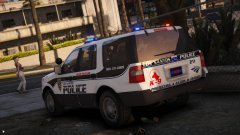 Damn, I was gonna make an Amtrak PD skin, but you beat me to it lol. Yours will probably be better than mine anyway lol.This would be sweet!Back in Los Santos as we use the Ford Taurus as part of the LA Pack by @TWISTEDSCOPES Now we're in Alameda County sheriff, as I start my non-els weekend of vechicles.Let's use TheHurk's 2016 FPIU as we flip all over Sandy Shores. Still haven't found a fix for the handling. Need to go back and check on that. Another patrol with the FPIU, except slicktop version, also flipping.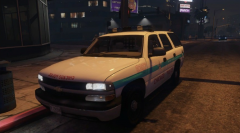
From the album: Random LSPDFR
Loving this Tahoe so much!!Liked it! I also subbed.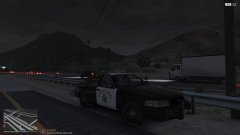
From the album: Random LSPDFR
Everyone else has been posting pics, so might as well hop on. Love this pack so much.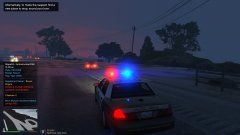
From the album: Random LSPDFR
When you pull over Bruce Wayne with an uninsured vehicle, as well as a suspended license. Alfred isn't completely doing his job.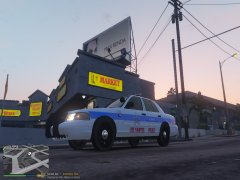
From the album: Random LSPDFR
A WIP I had previously done, before I had to stop due to reasons. Still wish I had the files saved.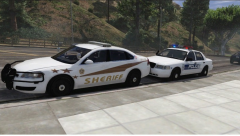
From the album: Random LSPDFR
Still have a lot of work to do on them.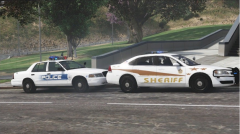
From the album: Random LSPDFR
Just some WIP shots of a texture pack I'm working on. Based off the Champaign County Sheriff, and Champaign, IL PD.
TBL.thumb.png.6c72ac1dbd0cbf8851bbee06de048bf2.png)
