
jarrose37
Members
-
Joined
-
Last visited
Everything posted by jarrose37
-
 Plus this goes in the MISC section not Scripts
 -
.thumb.png.3abc56cd79ddb032512e29792ac66b68.png) This should go in the MISC section
This should go in the MISC section -
 1.There is no .INI to edit what callouts you want. 2. Blips stay on map after callout is finished. 3. Red Blips on callout people dont let you report the crime using the default LSPDFR key. 4. Generally bad performance on ALL callouts in THIS pack. I will edit this review when the author updates it.
- 47 comments
- 11 reviews
-
-

- 2
-
-
Why have a 1-5 rating system when everyone just rates everything 5 stars? You should just change it to a thumbs up or thumbs down button to stop people from abusing it. All the 5 star reviews just make the mod look amazing when in reality the mod has major problems but nobody wants to talk about them as to not hurt the mod authors feelings. We all love the mod makers!
-
 IDK what happened to the other review but these callouts are not finished this is a WIP mod but that doesn't mean I don't appreciate them making it.
 -
Seems like that callout should be removed then... That makes no sense that a bouncer calls you then starts shooting police.
-
When i responded to the callout the bouncer was shooting at me. Is that just gta v?
-
 Is the .ddl not in the github?? I dont want to wait for the staff to approve it can we download it off github?
- 222 comments
- 22 reviews
-
 Perfect callouts for playing LSPD officer which is my favorite. Some of the best work I've seen in awhile. And its open source 5/5
- 1,032 comments
- 65 reviews
-
-
- 1
-
-
-
 Works good if you don't want to use a trainer.
 -
-
 These callouts have all been done before. Add some NEW content like domestic violence or make the chases have some different endings . EDIT: 5/5 I knew this would become one of the best callout plugins. Its a must have!
- 200 comments
- 27 reviews
-
-
- 3
-
-
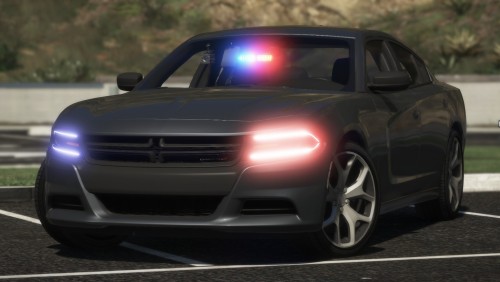 Awesome car except you can walk through it and its immersion breaking. EDIT: Updated
- 43 comments
- 14 reviews
-
 I will update my review when you update the plugin too. Thank you for the plugin it will be a awesome plugin when its finished!
 -
Ok. I tested all the callouts and this plugin is VERY WIP. The prisoners "escaping" just walk around until you get there then they always run", most of the time they end up escaping even though I am actively chasing them. The drug deal happens at night time when no prisoners should even be outside. Probably just my game but I also could not open the prison gates if anyone knows how thank you. The stabbing is just your everyday callout.
-
 Immersion 5/5 I like it IDK why the other reviews are 3 stars when they are talking about stuff the mod doesn't do....
 -
anyone find a solution ?
-
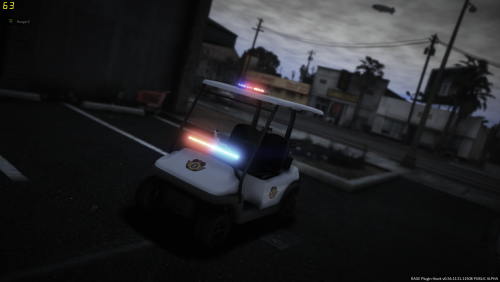 Never thought I would see the day. Can go play golf then go arrest someone 5/5
- 17 comments
- 4 reviews
-
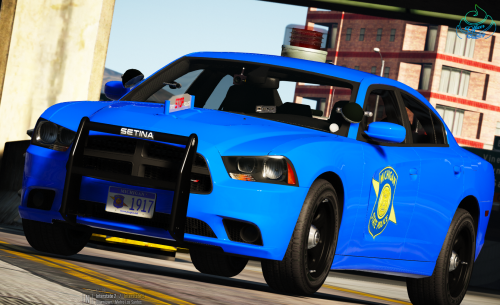 http://www.wilx.com/home/headlines/State-Police-to-Conduct-Mock-Mobilization-Exercise-253933331.html It is life size
- 45 comments
- 11 reviews
-
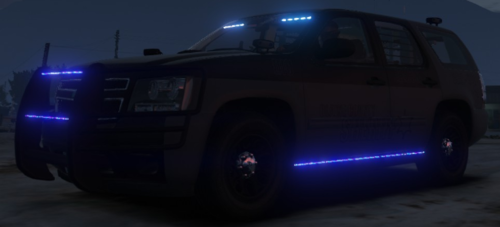
Great car choice and the light is pretty much to scale for GTA. As a Michigan resident Thanks for the car a ford explorer next? haha
- 45 comments
- 11 reviews
-
-
- 2
-
-
https://www.facebook.com/MichiganStatePolice/posts/ever-wonder-about-the-stop-placards-on-the-hood-of-our-patrol-vehicles-check-out/387896307916247/
- 45 comments
- 11 reviews
-
-
- 3
-
-
 The admin said any mods are welcome on this website so you are fine.
 -
Why though? This should be a police only site or add another tab up top for non police mods because eventually this site will get flooded with all the non police mods and become another generic gtavmods website
-

.thumb.png.3abc56cd79ddb032512e29792ac66b68.png)