


LachlanL
Members
-
Joined
-
Last visited
Everything posted by LachlanL
-
-
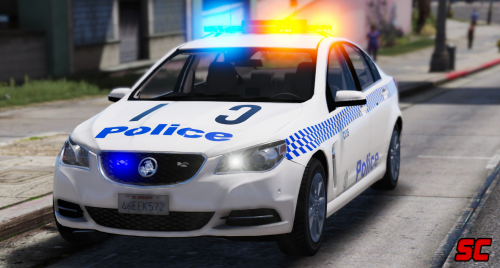 Fantastic Work. Great mod. Was just wondering... I was able to get "Hazard Ahead" out from the mid LED screen, but could not figure out how to do the "Random Breath Test" one. Maybe a little tutorial for that? Cheers, and thanks again for the hard work.
- 14 comments
- 3 reviews
-
-

- 1
-
-
 Thanks if anyone actually tried to look into the issue for me. I eventually figured out that there was an error in the car's Vehicle meta file. It is once again all looking superb! Apology if this has caused inconvenience to anyone. Loving it. Thanks again to Lt.Caine!
- 2,701 comments
- 241 reviews
-
Really looking stunning, Nice work! I do however need some help because I cannot seem to pull over anyone in an ELS car. After I press SHIFT to lock the suspect's car in, the game prompts to activate the siren to signal the driver to stop, as per usual. This is where the issue is... No matter what I do, switch to 1st 2nd 3rd stage lighting, turn on the main siren, scan through different patterns/sirens, Or turn on 3rd stage siren before I press SHIFT, NONE OF THEM WORKS. The prompt would stay the same: ask me to activate the siren. The suspect will either accelerate and hit something, or entirely ignore the siren. If I use a non-ELS car there would not such issue. Everything would work as it should. Only the ELS cars don't. I have also reinstall Traffic Policer, but it did not help. Any help would be much appreciated. Happy New Year!
- 2,701 comments
- 241 reviews
-
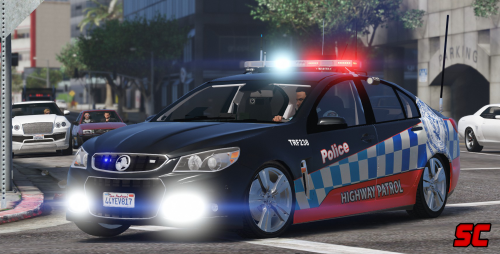 Loving this car! It's just that the daytime running light not turning on for some reasons. Is that just me, or its supposed to be like this? Thanks guys.
- 28 comments
- 7 reviews
-
 Nice work. I was just wondering if there is any way that we could assign the keys other than letters and numbers? I have tried to assign by using the following table, but it did not work: https://msdn.microsoft.com/en-us/library/system.windows.forms.keys(v=vs.110).aspx Much appreciated.
- 168 comments
- 29 reviews
-
-
- 1
-
-
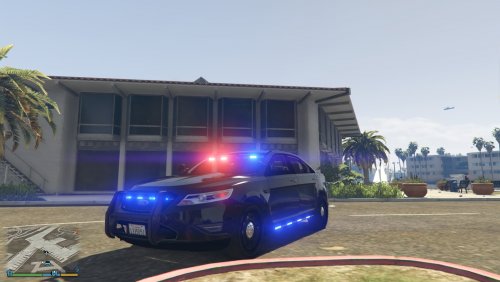 I couldn't figure how to get it into an unmark either. Used both TrainerV and Menyoo, both of them are showing there is only 1 livery available. Something to do with carvariations.meta?
- 23 comments
- 14 reviews
-
-
- 1
-

