
Nachtfliege
Members
-
Joined
-
Last visited
Everything posted by Nachtfliege
-
 Sorry for the late reply, just copy the strucutre of the other dlcpacks and put it at the bottom
 -
Get Heap Limit Adjuster and a custom Game config from GTA5mods.com if you haven't already
-
Sadly the new shaders don't work on my editing software. The new shaders are somewhat of a double-edged sword anyway - most people don't know they exist and I'd rather not troubleshoot all those people in editing their visual files.
-
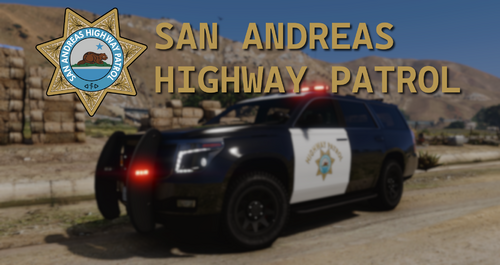
Hey guys, this is my own take on a lore-friendly San Andreas Highway Patrol, which goes along nicely with 11john11's new SA Policing Overhaul This pack includes 9 vehicles with different lighting setups (slicktop, Liberty, Vector) as well as black/white and polar bear liveries. All of the vehicles have custom-made assets and an optional file for steady-burns is included. One more thing to say: This is in no way supposed to be a 1:1 faithful recreation of the CHP. I just wanted to do something I think R* would've added as an agency with my own little twist on it. If you like stuff like this, consider joining our Discord DLS Configs Vehicles: SAHP Stanier - hwaycar SAHP Stanier (Old) - hwaycarold SAHP Buffalo SX - hwaycar2 SAHP Alamo - hwaycar3 SAHP Scout - hwaycar4 SAHP unmarked Buffalo SX - hwaycar5 SAHP Bison - hwaycar6 SAHP Wintergreen - policeb SAHP Maverick - hwaymav Weapon Limit Adjuster is required for this pack to work. Installation: 1. Start OpenIV. 2. Navigate to the mods folder 4. Move the provided folder (hwaycops folder) inside: mods/update/x64/dlcpacks 5. Locate 'dlclist.xml': mods/update/update.rpf/common/data 6. Open it and add the following line to the bottom: dlcpacks:\hwaycops\ 7. If done correctly, the mod should be ready to use. Terms of Use: - Do not exploit content of this pack for commercial, financial or personal gain, - Do not reupload this file to other websites. - If you intent on using assets made by me: feel free to use them for your projects as long as credits are given and other terms of use are respected. - If you intent on using assets from this pack that weren't made by me: Please ask the authors yourself to ensure they are alright with that.
-
 Hey, I noticed a bug, there's no steady-burn on the cars! Otherwise a good mod.
 -
Hey guys, I was wondering if there is any way to set up a custom apartment location with teleportation / map marker? I didn't find any relevant data in any .ini files, so I'm guessing its hardcoded somewhere. Would be great if someone could provide any information on how to change the locations or if these values will be changeable in the future.
-
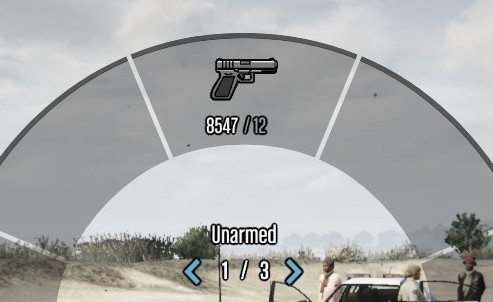 This modification replaces the original combat pistol icon with a custom-made Glock icon. The icon was made by modifying the GTA IV pistol icon and trying to make it look as similar to the original GTA V weapons as possible. Installation is included in the download. All credit goes to me. You shall not edit or redistribute this file without my permission.