Skip to content
View in the app

A better way to browse. Learn more.

LCPDFR.com

A full-screen app on your home screen with push notifications, badges and more.

To install this app on iOS and iPadOS
  1. Tap the Share icon in Safari
  2. Scroll the menu and tap Add to Home Screen.
  3. Tap Add in the top-right corner.
To install this app on Android
  1. Tap the 3-dot menu (⋮) in the top-right corner of the browser.
  2. Tap Add to Home screen or Install app.
  3. Confirm by tapping Install.

Jazhii

Members
  • Joined

  • Last visited

Everything posted by Jazhii

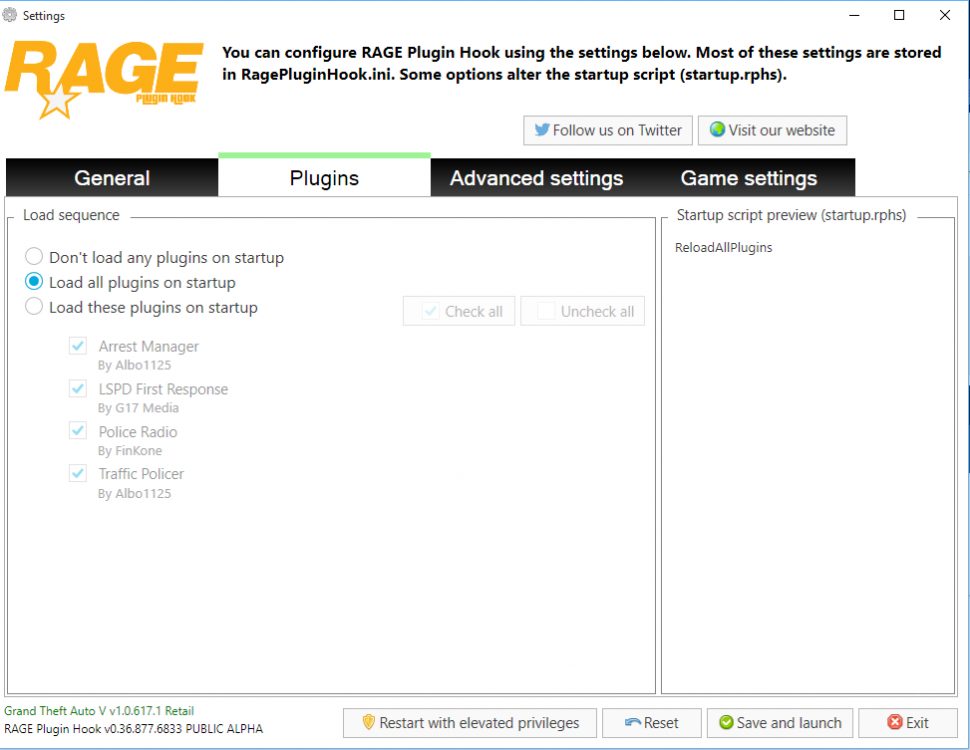
  1. Bonjour, voilà j'ai un sérieux problème depuis la 0.3 de lspdfr. Donc j'ai bien mis tout mes plugins comme il faut et aucun ne se lancent à part lspdfr, pourtant j'ai bien vérifié et ils sont tous compatible avec le ragehook 0.36. Je vous ai fournis quelque screen pour vous montrer le message d'erreur qui est le même quand j'essaye de lancer n'importe quels plugins, voilà merci.

Account

Navigation

Search

Search

Configure browser push notifications

Chrome (Android)
  1. Tap the lock icon next to the address bar.
  2. Tap Permissions → Notifications.
  3. Adjust your preference.
Chrome (Desktop)
  1. Click the padlock icon in the address bar.
  2. Select Site settings.
  3. Find Notifications and adjust your preference.