Joemar2009
Members
-
Joined
-
Last visited
Everything posted by Joemar2009
-
i have all my ymaps in custom_maps and all my ymaps load in with no problem
-
Try going in your computer setting and go to windows security and make sure your virus threat protection is off
-
what folder do you have in the ymap in??
-
Try turning off your virus threat protection off in your setting on your pc computer
-
 RagePluginHook_13062023_014901.logE:\User\steamapps\common\Grand Theft Auto V\plugins\LSPDFR\GrammarPolice\grammar\en-US\custom\commands\cancelPRT.xml'.
- 1,347 comments
- 82 reviews
-
-
-
Dynamic LSPDFR Keep crashing even after update i removed it and game run without crashing
-
hey look like its running good but had another issue that was happening after maybe playing for like 5 mins I notice my cop player would have ID stuck in his hands. Have not seen it happen since I just did everything you had me to do.
-
RagePluginHook_09042023_024712.log
-
ok thanks Finna run it to see how it goes.
-
ok Where is the Commandline.txt file
-
RagePluginHook_09042023_001128.log
-
-
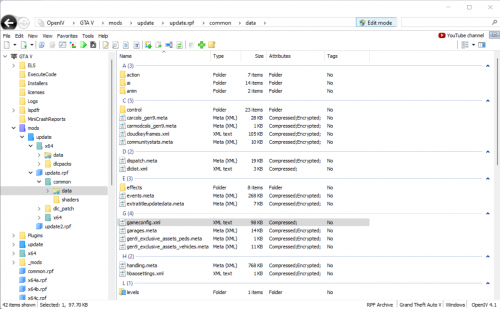 Gameconfig (1.0.2612) for Limitless Vehicles - GTA5-Mods.com i put this in just now and game loaded straight in good luck hope this work for you guys till they update MAKE SURE YOU USE (Stock Traffic (Means Gta base) FOLDER IN MORE MODS
- 23 comments
- 2 reviews
-
-

- 1
-
-
-
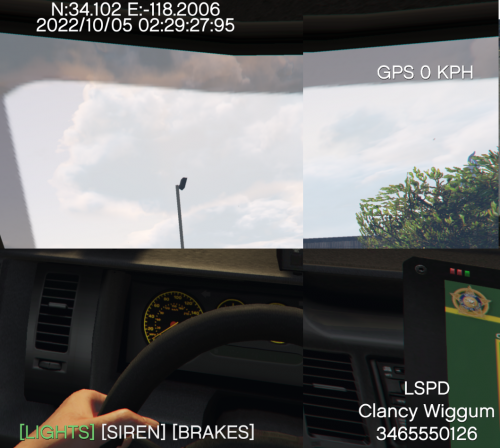 ok thanks for update but why is it renamed I thought I downloaded the wrong plugin, but its jus have a totally different name and I don't know what to do with that
 -
 where did you put this plugin at
 -
It say put in gta main folder i did n would not load so do it go in the gta main folder or script,plugin,or lspdfr
-