


Brian292948
Members
-
Joined
-
Last visited
Everything posted by Brian292948
-
POLICE3.xml <--- ELS of POLICE3 Los Santos Police Mega-Pack [ELS] - Page 4 - Vehicle Models - LCPDFR.com<---CAR PACK "2013 FPIU Marked" is the vehicle I have for the slot
-
Does not work still. Should I just try a fresh reinstall? I just found it it only occurs with my "POLICE3" slot all other els vehicles work just fine when performing traffic stops
-
The problem is still reoccurring when pressing LShift or A on the Xbox controller to initiate the traffic stop and when pressing left stick the vehicle continues driving in a straight path until it crashes
-
Thank you when I am next on lspdfr I will ensure that I am at stage 3 els before pulling vehicles over and see if the problem ensues still.
-
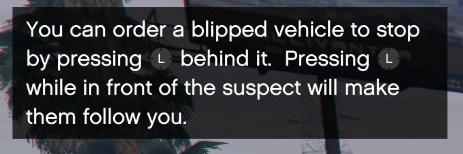
I am having issues involving stopping specific blipped vehicles. My lspdfr key.ini file registers to "A" on the controller to pull vehicles over however most of the time I attempt this I am presented with the message as seen in the screenshot. Pulling over vehicles seem to work very rare but it does work sometimes when I press "A" on the controller and the message changes as the proper keys assigned. When following the message however, and pressing left stick on the controller it does not work the vehicle that is meant to be pulled over just continues driving in a straight path until it crashes. I am using ELS for my lighting system Any help is appreciated, thank you.
-
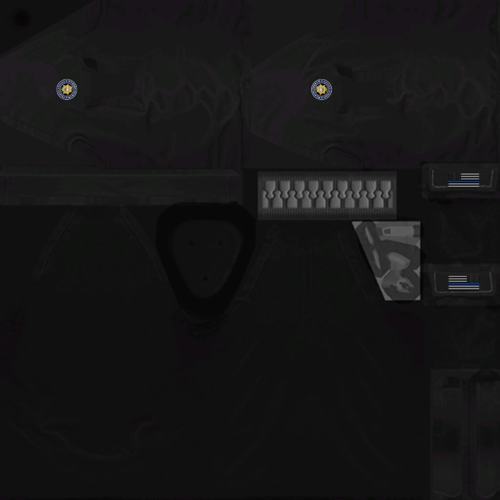 @ChiefGibbs Good looking shirt. However the right side patches seem to be inverted.
 -
Ok Alex i have finally fixed the provlem which was using cop male instead of free mode skin lol any way loving the eup 7.0 and winter as well as the tactical add on really awsome mods
-
I think i know whats going on my game is updated Alex_Ashfold are you planning on updating the eup mods?
-
Wait for the mod would you need simple trainer?
-
I put the dlclist.xml where my normal dlclist.xml which is in mods/update/update.rpf/common/data and i drag and drop the eup dlclist.xml or if im also using winter one i drag and drop it there
-
Jonesy1995 same thing is happening to me weird...
-
Alex_Ashfold well idk because when i put the files it wont work i dont see it on skin control 2.1 i made the eup folder put the file in that was in the file i extracted which the read me was in there and i put the dlclist.xml that i did manule and it didnt work so i tried for the lazy/anxious players and still nothing even though it said to load the winter mod item and eup item eup was first eupwinter second i put the files for eup winter and made a folder same as eup in dlc packs all it said when i put the dlclist.xml was its not encrypted like it was before but still nothing for skin control 2.1 thanks for the reply and let me know if i did something wrong
-
Hello every time i change the dlclist.xml its not encrypted any more before it was but now nope hope you respond to this
