
Rollins
Members
-
Joined
-
Last visited
Everything posted by Rollins
-
By the looks of things, the error has nothing to do with your EUP installation but the plugin installation of EUPMenu.dll. Take note of a few things: Try not loading anything before EUPMenu.dll, just try loading it by itself (In your log file you loaded it alongside LSPDFR). Make sure you don't tab out of your game while waiting for it to load. If EUPMenu.dll still crashes keep your game open and try reloading it, use the command line "ReloadPlugin EUPMenu.dll" in console (Default F5). If none of that works I'm not sure how much further I can assist you, though you can join our Discord and go into our #Support text channel for further support. https://discord.gg/aTQfepT
-
Those are included in EUP 7.4.oiv when automatically installed, they're just there to display parts of EUP Menu. As for this try running RagePluginHook without any mods loaded at startup. Launch RagePluginHook. Also ensure you are using the latest version which is 0.50.1044.10171. After launching RagePluginHook click the cog to configure your settings (Your current RPH version is shown on the bottom left). Click on the "Plugins" tab and select "Don't load any plugins at startup". Click "Save and launch" on the bottom right. Once GTA V has loaded up open the RPH console (Default F5). Type "LoadPlugin EUPMenu.dll" If installed correctly it should have loaded without error, if not post your RagePluginHook.log that contains the crash message.
-
 We already have a lot of beta testers. ☺
 -
You have to match the dlclist.xml in your mods folder with your vanilla dlclist.xml. Also make sure your dlcpacks folders match your dlclist.xml. If all fails it is reccomended that you Verify Integrity of Game Cache.
-
EUP + CopHolster does remove the gun from the holster since a recentish updates. That post is just old and outdated. Use the config provided in the original support post and it should work fine.
-
Ashfold uses Menyoo to create his screenshots (I don't believe I can provide a link to the mod due to Community Guidelines). To create NPCs using Menyoo, simply follow the steps below: Create the character you wish to make a clone of. Open Menyoo Open the Object Spooner Open 'Manage Entity Database' Select 'Self (Is Not In Database)' and select 'Copy: This Entity Only' From there you can go back to the Entity Database and manually place the ped, set their animations, give them weapons, ect.
-
It's an addon to EUP.
-
-
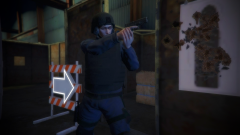
From the album: Criminal Minds: San Andreas
-
From the album: Criminal Minds: San Andreas
-
-
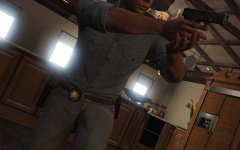 I want more Rollins!
 -
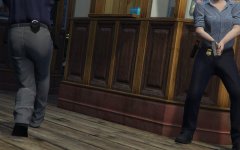 AND WE LOVE YOU BECAUSE OF THE EXTRA WORK YOU DO
 -
When belt badges are available for female peds
-
-
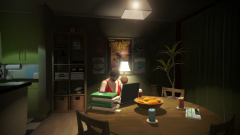
From the album: Criminal Minds: San Andreas
-
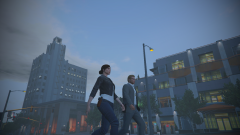
From the album: Criminal Minds: San Andreas
-
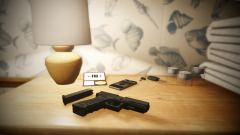
From the album: Criminal Minds: San Andreas
-
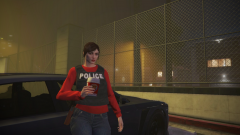
From the album: Criminal Minds: San Andreas
-
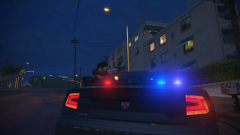
From the album: Criminal Minds: San Andreas
-
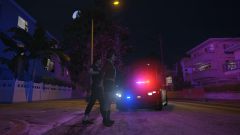
From the album: Criminal Minds: San Andreas
-
-
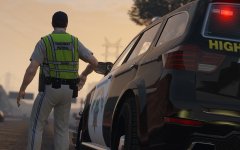
As Alex said above RDE 3.0 isn't released, however the Gresley in the photo above is included in RDE 2.2.1 (Vehicles will vary in the different versions) or the Gresley can be installed on it's own, same with a lot of RDE vehicles. sorry for the ads no ban pl0x
-
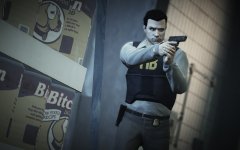 MOM! I'M TOTALLY FAMOUS!
 -