


GeneralDanielC
Members
-
Joined
-
Last visited
Everything posted by GeneralDanielC
-
Thanks, it worked after I fixed it.
-
public override bool OnCalloutAccepted() { // --------------------------------------- // Vehicles truck = new Vehicle("VEHICLE", truckSpawnPoint, 0f); policeVehicle = new Vehicle("VEHICLE", policeVehicleSpawnPoint, 0f); // Spawnpoints Vehicles truckSpawnPoint = new Vector3(-11.79322f, -685.6841f, 31.4895f); policeVehicleSpawnPoint = new Vector3(-1.427841f, -685.052f, 31.48894f); // --------------------------------------- }
-
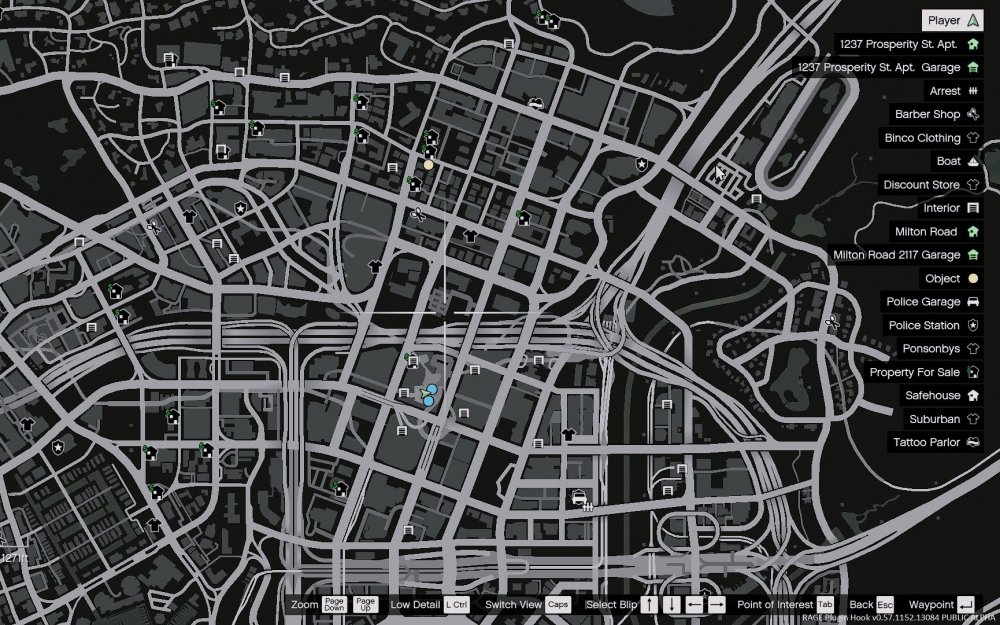
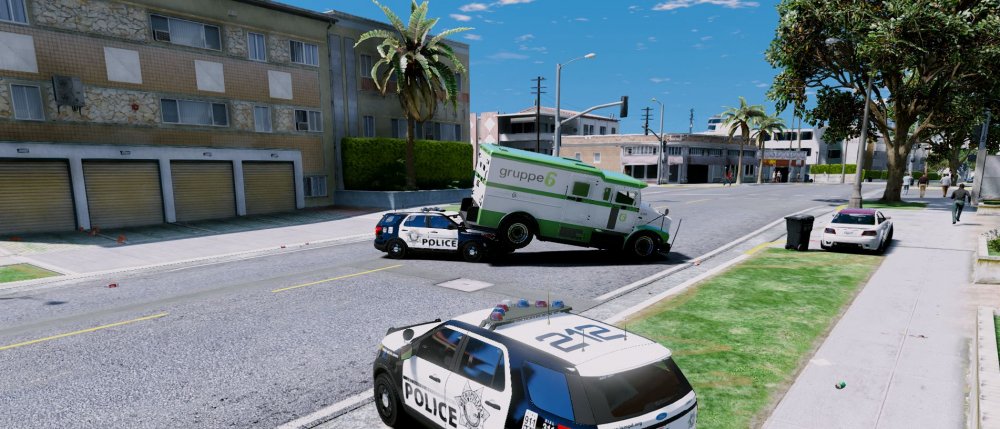
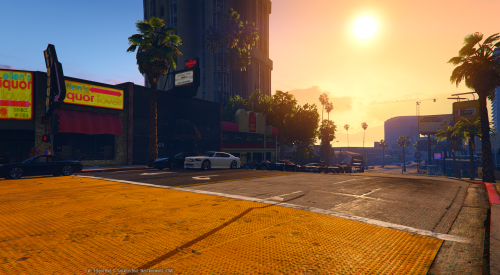
Hello! I'm working on my callout plugin and have been running into a problem. The problem is that when I write in the coordinates that a vehicle should spawn, it just spawns on other locations. I'm 100% sure that I've written the right coordinates but it still doesn't work. You can see the yellow blip, that is where the vehicles spawn, which is wrong. You can also see me, and that's where the vehicles should spawn. Regards, Daniel C.
-
thank you once again!
-
haha of course, thanks bro. I fucking new that. lol
-
Hello everybody. If I want to use cones in my calloutpack, and place them at specific cordinates, then what should I use where the <??> are now (example below). Will it work if I set them as Vehicles or what should I do? ex1) private <??> roadCone_01; https://imgur.com/2IDpJtW [SOLVED] Use "Rage.Object" Regards, DanielC
-
Hi! I've recently started programming on my own callout pack. Someone knows how to make so that a semi-truck has a trailer. Is it ? SuspectVehicle.HasTrailer.... Kind Regards, Daniel C.
-
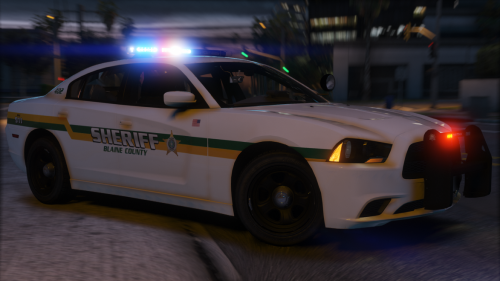 Hey guys. So it's like this. I renamed all the vehicles so it's from "sheriff1-8". But from Sheriff3-8 I can't pull people over. Someone know how to fix? Edit: Everything else works fine.
- 46 comments
- 32 reviews
-
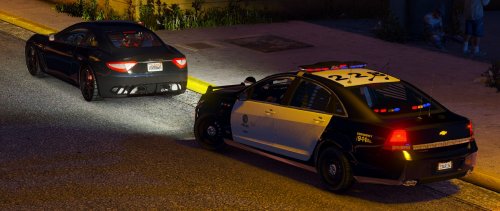 I just updated my .rar file and it should be good. Check it out again.
 -
 Awesome job! Btw, hope it didn't do something that I uploaded a LSPD skin for this. I have linked and credit"ed" you in the description.
- 48 comments
- 14 reviews
-
LSPD SKIN FOR CHEVY CAPRICE! Models Used in Screenshots: Maserati GT - VIP GROUP Chevy Caprice - Majorpaine2015 Credits: Majorpaine2015 - Chevy Caprice GeneralDanielC - Livery & Screenshots Requirements: - Legal copy of the game. - OpenIV - Majorpaine2015's Chevy Caprice
-
.thumb.png.84adb823f7f653b8d654f1ab13098851.png) As you can see the light is bugged, so anyone got something that can fix this? :)
As you can see the light is bugged, so anyone got something that can fix this? :)- 89 comments
- 44 reviews
-
 No, sadly not yet! Should be as default. /Best Regards GeneralDanielC I'll try to make an video in a while. Have some issues with my recording program and when I upload theres only 360p sadly, I record in 1080p 60 FPS. /Best Regards GeneralDanielC
- 19 comments
- 3 reviews
-
Well that pretty good anyway, right? Sorry for any crashes though! Hope you enjoy the mod and have fun! Best Regards GeneralDanielC
- 19 comments
- 3 reviews
-
Yeah, I took a look at that, I had two persons that tried it and it's true, It crashed for them after 5 min. Well I'll remove that EXTREME ULTRA folder! /Best Regards GeneralDanielC
- 19 comments
- 3 reviews
-
Yes, I've tried (ULTRA, EXTREME, QUADERINO HIGH) then I was on 45 FPS and was lagging but tried it for 10-13 min before my game crash, though I don't recommend going for the highest one, go for High, Very High, Ultra if you want much traffic and peds! /Best Reagards GeneralDanielC
- 19 comments
- 3 reviews
-
I'm extreamly sorry for that! That is very weird... idk if there something with your computer 'cause my friends computer is worse then yours (Yours is pretty good) and he can handel recommended settings, well anyway you may need to update your graphics ------- I've heard that some people need to update their graphics, do theese following steps: Well you can try to go into your search and type: GeForce Experience ' If you have GeForce Experience open it and try to update your graphics, or maybe you have something else than GeForce Experience. Well if that's not working write to me and I'll try to find some other way. /Best Regards GeneralDanielC
- 19 comments
- 3 reviews
-
Hmm.. Even on the lowest? What PC specs do you have + You can try even lower! <CityDensity value="1.300000" /> <PedVarietyMultiplier value="5.000000" /> <VehicleVarietyMultiplier value="5.000000" /> /Kind Regards GeneralDanielC
- 19 comments
- 3 reviews
-
Video is up, though a Tutorial and screenshots, sorry for that but my recording program got f*cked /Best Regards GeneralDanielC
- 19 comments
- 3 reviews
-
Okay dude, I'll try to make a video today! //GeneralDanielC I don't think so 'cause the "Cops back on the beat" is just messing w/ the popcycle... But you can always try to have both of the mods... But make sure you make backups, (Copy popcycle and setting.xml) /Regards GeneralDanielC
- 19 comments
- 3 reviews
-
Have you ever felt like GTAV has too few pedestrians and traffic? Well with this mod all that can be changed! ----------------------------------------------------------------- When you download my mod check the README and it will say how to do! Credits: GenralDanielC - Me -Creator
- 19 comments
- 3 reviews
-
-

- 2
-
-
-
.thumb.jpg.4066677156985e22489bfecddc2f6c45.jpg) Hey again! Do you know where the Corvartion.meta and handling.meta is located for Policeold1? thx again!
Hey again! Do you know where the Corvartion.meta and handling.meta is located for Policeold1? thx again!- 376 comments
- 81 reviews
-
OMG!!!! IT WORKED THX SO FUDGING MUCH MAN, REALLY APRESATE IT. and btw do you know where the carvariations.meta and handling.meta for policeold1 is? Just wondering had the same issue with that police car. But gj and thx! <3 <3 <3
- 376 comments
- 81 reviews
-
Hey! Thx again for quick response, first respone hehe you get it? ;D jk But I know the liveries doesn't have something w/ sirens to do but I need a carvariations.meta for the police.ytd how can I change it manually? or is it another file that makes the sirens? On the second picture with jeep in the background you can almost see that the yellowish is outside the sirenlights. And on the first picture you can see left on the pic.
- 376 comments
- 81 reviews


.thumb.png.84adb823f7f653b8d654f1ab13098851.png)
.thumb.jpg.4066677156985e22489bfecddc2f6c45.jpg)