




Remotr
Members
-
Joined
-
Last visited
Everything posted by Remotr
-
So this is the second time I have had this problem with LCPD:FR 1.1 not starting. So recently I did a reinstall of Windows 10. Before the reinstall of Windows it was working fine but now when I press ALT + P LCPD:FR does not start and when I use the ~ the command menu does not work so I am guessing it is scripthook not working. Can I have a link for all the things like Net framework and all those things to try fix the issue, please?
-
 Beautiful!
 -
Nope. It was not a lethal weapon.
-
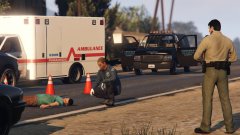 Hey man I like the screenshots!
 -
Thanks Superstumpje and DonkeyTV!
-
So my computer can not run GTA V but I am seeking knowledge of the stability of LSPD:FR compared to LCPD:FR. 1. Is it much more stable compared to LCPD:FR? 2. Are there any bugs like taxi-bug? Thanks!
-
Well said.
-
or just straight up brutality? I am not anti-police just wanted to hear your thoughts. To me I am just not sure it looks like the officer was in the wrong but the media usually hides important details to kind of sell the news making them (Police) look bad. https://www.youtube.com/watch?v=gKbpWpeA1bE
-
Holy crap I just watched that episode like 2 nights ago.
-
Disregard all of a sudden worked on it's own. Instead of a clean copy I deleted all LCPD:FR 0.95 Files in the root and script folder and did a manual install of 1.1d.Sorry for late response. And yes I have bee trying them. Even trying YouTube anything I can find.Still having troubles. Sorry for the late response. Still the same erros. Has anyone else had the same problem and have solved it? I would appreciate anything I can get to try help me resolve me issues.Hello all. I am hoping to get a little situation of mine fixed and hoping anyone would be willing to try help me out. When I install LCPD:FR 1.0d or 1.1 I get an error when I get in game on the top left corner. "error in script LCPD_loader.loader" I am currently running EFLC 1.1.2.0. The things I have tried, reinstalling, making sure GTA EFLC root folder (and every subdirectory) is not set to "read-only", making sure all files that came with 1.0d exist, tried installing manually and automatically, reinstalling .NET Framework 4.5 and Visual C++ Redistributable 2012 Update 4 x86, trying to fix with LCPD diagnostic tool, looking at installation tutorials, looking at other peoples Topics. And I am not running an illegal version I downloaded mine from Steam I can post my CD Key if needed. I also get an error in the diagnostic tool "Failed to find x86 version of MSVCP" and yes I have tried correcting this error. No mods installed. It worked with LCPD:FR 0.95 no problem. Log: ------------------------ [INFO - 7:47:30 AM] [Log] Started [INFO - 7:47:30 AM] [Main] Main: Initializing... [INFO - 7:47:30 AM] [Main] Main: LCPDFR Engine (C) 2011-2013 LMS [INFO - 7:47:30 AM] [Main] Main: DO NOT USE THIS WITHOUT PERMISSION. YOU MAY NOT SHARE, MODIFY OR DECOMPILE THIS FILE. [ERROR - 7:47:30 AM] [] System.IO.FileNotFoundException: Could not load file or assembly 'AdvancedHook.dll' or one of its dependencies. The specified module could not be found. File name: 'AdvancedHook.dll' at .() at .() in d:\GTA IV\LCPDFR\SVN\branches\LCPDFR Ambient Action\LCPD First Response\LCPD First Response\Engine\Scripting\Entities\PoolUpdaterUnmanaged.cs:line 117 at ..ctor() in d:\GTA IV\LCPDFR\SVN\branches\LCPDFR Ambient Action\LCPD First Response\LCPD First Response\Engine\Scripting\Entities\PoolUpdaterUnmanaged.cs:line 14 at LCPD_First_Response.Engine.Main.() in d:\GTA IV\LCPDFR\SVN\branches\LCPDFR Ambient Action\LCPD First Response\LCPD First Response\Engine\Main.cs:line 162 at LCPD_First_Response.Engine.Main.() in d:\GTA IV\LCPDFR\SVN\branches\LCPDFR Ambient Action\LCPD First Response\LCPD First Response\Engine\Main.cs:line 222 I noticed it said Could not load file or assembly 'AdvancedHook.dll' or one of its dependencies. Yes I have installed and reinstalled AdvancedHook.dll. Please help and thank you for spending your free time on helping me!

