


WhereIsTheMod
Members
-
Joined
-
Last visited
Everything posted by WhereIsTheMod
-
-
It's the weirdest thing, any mods (Besides LCPDFR plugins) break LCPDFR, ALT+P Does nothing in game. And it isn't just certain types of mods, it's any, be it new sound effects or a car model. It started when I got ELS and a car pack, it worked fine for a bit but after getting a few more mods ELS and LCPDR stopped working. I didn't want to deal with the headache of getting it all to run, so I decided I'd just use LCPDFR by itself. I uninstalled all my mods to be safe, and then reinstalled LCPDFR. After a half an hour of playing I decided to get some sound modifications, they worked great but LCPDFR wouldn't activate. I'm able to reinstall LCPDFR and use it again, but it's a pain in the side, and the Log had nothing unusual in it. So does anyone know why this is happening? System specs: Graphics card: GTX 650 Processor: Intel Core 2 Quad OS: Windows 10
-
I reinstalled LCPDFR with the installer this time, and now I get no error message. As I've been trying to get LCPDFR to work, I've noticed the automatic installer breaks ELS? The lightbars and such it comes with are still there, but they dont flash, and you can only use GTA default controls for the sirens.
-
Okay, after deleting everything, and reinstalling GTA, I got a message saying "LCPDFR Encountered a critical error, please check log" Here's what the log says [ERROR - 6:13:28 PM] [] System.FieldAccessException: Attempt by method '..ctor()' to access field 'GTA.base.HandleObject.pHandle' failed. at ..ctor() in d:\GTA IV\LCPDFR\SVN\branches\LCPDFR Ambient Action\LCPD First Response\LCPD First Response\Engine\Scripting\Entities\PoolUpdaterUnmanaged.cs:line 33 at LCPD_First_Response.Engine.Main.() in d:\GTA IV\LCPDFR\SVN\branches\LCPDFR Ambient Action\LCPD First Response\LCPD First Response\Engine\Main.cs:line 162 at LCPD_First_Response.Engine.Main.() in d:\GTA IV\LCPDFR\SVN\branches\LCPDFR Ambient Action\LCPD First Response\LCPD First Response\Engine\Main.cs:line 222 Sooooo... what's that mean?
-
Excuse me if this is breaking the rules, I cant figure out how to edit my post for the life of me, I'm able to use LCPDFR now, but I still can't use the diagnostic tools, which means I can't configure my LCPDFR settings, which means loads of crashes.
-
Okay, so I've been using LCPDFR for the past week, and I'm loving it, today I decided I should get a car mod and ELS, which went fine, I launched my game, tested out the vehicles, I was loving it. Buuuut, when I tried to go on duty, nothing happened. I tried to run the diagnostic tool to see if I managed to much up LCPDFR during my other installations, and it gives me this message "Failed to find a valid installation". I reinstalled, but at the end of the installation when I tried to run the configuration program, I got the same message! LCPDFR is very obviously in my GTAIV directory, but I can't use it, it's really bothersome, especially after getting a fancy new car. Excuse my crummy screenshotting skills, I've never been too good at that, but here is my GTA directory. https://gyazo.com/804c362b2eb37ec6901c07485b98786c (Everything below GTAIVGDF.dll) vvvvvvvvvvvvvvvvvvvv https://gyazo.com/170cd7b3c4d41cb655106c5ffc63d0ac Here are the instructions that game with the vehicle mod, in case any of that could dick up LCPDFR https://gyazo.com/20717c6030f56ef91b4cd19b50c54fd8 The mod itself http://www.lcpdfr.com/files/file/4826-modified-default-vehicles-pack-2-els/ Any support is really appreciated, Happy holidays!
-
-
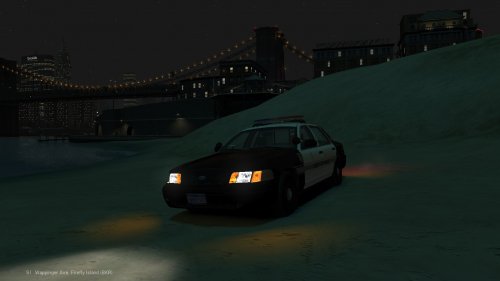 Is there any way you can remove bloom altogether? It's ugly and performance heavy.

