


RamanAbdullen
Members
-
Joined
-
Last visited
Everything posted by RamanAbdullen
-
-
yeah i might have pressed the wrong install button, i remember intending to download the all in one main file, thankyou so much for helping 😄
-
i belive i dowloaded it, ill try re-downloading it
-
I cant seem to find it in the folder? Maybe ive installed the wrong pack, can you tell me exactly where it is, or which pack it is?
-
what vest is this? I cant seem to find it in the files, or am i just blind?
-
 I cant seem to find the vinewood files, any help? Nvm just place the folder into the componentped.rpf
- 550 comments
- 44 reviews
-
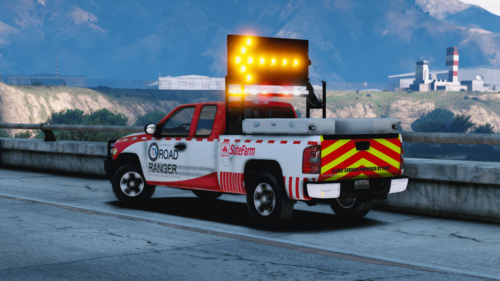 Nice, looks awesome, ill follow you and wait, contact me when you release it if possible 🙂
 -
What police model is that in picture 4?
-
I did a video on it on youtube, basically you, unload the plugin using the RPH Trainer (Default F4) typing: UnloadPlugin CopHolster.dll Then Reloading it By typing in LoadPlugin CopHolster.dll
-
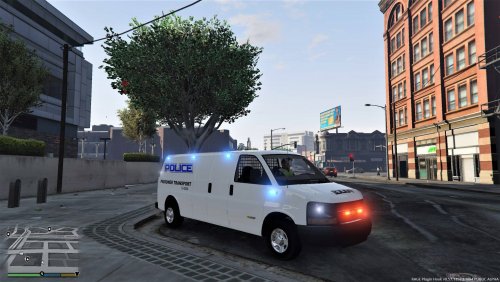 Hey, I downloaded the transport van but got the Traffic divition van instead, wheres the transport van?
- 136 comments
- 13 reviews
-
 Hey, great pack, though the lightbar and the rear lights has a dark tint along with all the windows on the 2015 charger, i cant see in or out and i cant see the lights either, can you help me fix this?
- 132 comments
- 39 reviews
-
-
 +After playing for a few times i suddenly got a message saying "Error reading Traffic Policer INI file. To fix this, replace your current INI file with the original...(Out of view of the screen)...download. Loading default values...) I'm not really a tech savvy, and i've also looked on youtube for it but couldn't find anything. How do i fix this?
- 3,646 comments
- 306 reviews
-
Hey, have a problem, I adjusted some keys in the traffic policer file to my own fitting, but when I go on duty a black box pops up that say "Error reading Traffic Policer INI file. To fix this replace your current INI file with the original one from the download. Loading default values... Press Enter to Close." I'm not a tech savvy so what do I do?
- 3,646 comments
- 306 reviews


.thumb.jpg.4066677156985e22489bfecddc2f6c45.jpg)
