


.jpg.95f641badcb3584e330a5a067abdad0a.jpg)

Krame86
Members
-
Joined
-
Last visited
Everything posted by Krame86
-
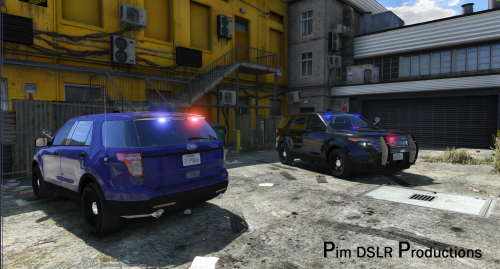 Awesome work, theres not enough released slicktop SUV's. Question, are you going to eventually have an emissive light texture for the front leds like the rear leds have?
- 48 comments
- 18 reviews
-
.thumb.png.647a35b217b2e1fe6e15e0ccc0c77b3b.png) These are great I'd love to see the charger with the Whelen liberty or code 3 lightbar that you have on your cvpi's
These are great I'd love to see the charger with the Whelen liberty or code 3 lightbar that you have on your cvpi's- 47 comments
- 18 reviews
-
You'll have to finish that line with the closing tag. <audioNameHash>police3</audioNameHash>
-
I've had it in sheirff2. You'll need to edit the vehicles.meta entry for sheirff2. Change the handling to police3, the layout line to standard and audio hash line to police3 so it doesn't sound like a v8 like sheriff2
-
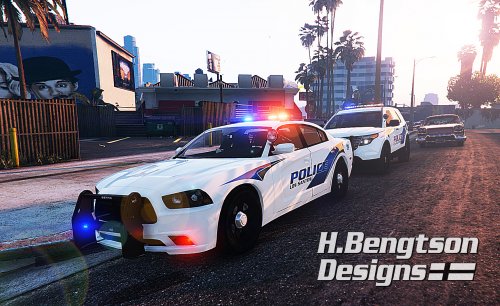 Tell me about it, I want his Tahoe badly. Hate seeing them in vids and not being able to use them. Makes me want to get into car modeling
- 42 comments
- 16 reviews
-
-

- 1
-
-
Are you talking about carperino lol. Yea, I want his models. Supposedly he's releasing them soon.
- 42 comments
- 16 reviews
-
-
- 1
-
-
-
 Oh ok so your only using my skin in 1 slot. If you have any other 4k skins in the other 7 slots it could still cause an issue.
- 101 comments
- 17 reviews
-
Oh I see. The issue is Probly because of file size. You will need to either delete skin slot 7 and 8 in the ytd file or scale my skins down to 2048x2048. You can only use 6 skins if you are using my skins in the 4096 resolution. Let me know if that works
- 101 comments
- 17 reviews
-
Lol quite a lot. I'm sure I'll be on another addiction once Carperino releases his cars though Bugs cvpi -police 2015 charger-police2 Taurus-police3 Impala-sheriff2 2011 charger-sheriff 2 Explorer-police4 Um impala-fbi Um cvpi-fbi2 Just make sure the car variations and vehicles meta is updated corretcly You can save it as a custom color in the trainer. the ai vehicles will always be the base color white The skin doesn't load?
- 101 comments
- 17 reviews
-
-
- 1
-
-
 Ford Interceptor Explorer/ Ford CVPI(BxBugs123)/ 2015 Dodge Charger/ 2014 Impala/ Interceptor Taurus ------------------------------------------------------------------------------------------------------ Work in progress: Tahoe, Suburban, CVPI(F5544), 2011 Charger NEW: Interceptor Taurus For models: Ford Explorer Interceptor CVPI(BxBugs123) 2015 Dodge Charger 2014 Chevrolet Impala Ford Interceptor Taurus ------------------------------------------------------------------------------------------------------ ------------------------------------------------------------------------------------------------------ Instructions: CVPI: Replace the vicz_sign_xx textures inside the police.ytd or the corresponding .ytd file if using in a different police slot. Location of police.ytd: Grand Theft Auto V\update\x64\dlcpacks\patchday4ng\dlc.rpf\x64\levels\gta5\vehicles.rpf\ Interceptor Explorer: Replace the explorer_sign_xx textures inside the police3.ytd or the corresponding .ytd file if using in a different police slot. Location of police3.ytd: Grand Theft Auto V\update\x64\dlcpacks\patchday4ng\dlc.rpf\x64\levels\gta5\vehicles.rpf\ 2015 Charger: Replace the chgr_sign_xx texture inside the police2.ytd or the corresponding .ytd file if using in a different police slot. Location of police2.ytd: Grand Theft Auto V\update\x64\dlcpacks\patchday4ng\dlc.rpf\x64\levels\gta5\vehicles.rpf\ Impala: Replace the impa14_sign_xx texture inside the police2.ytd or the corresponding .ytd file if using in a different police slot. Location of police2.ytd: Grand Theft Auto V\update\x64\dlcpacks\patchday4ng\dlc.rpf\x64\levels\gta5\vehicles.rpf\ Interceptor Taurus: Replace the police_sign_xx textures inside the police3.ytd or the corresponding .ytd file if using in a different police slot. Location of police3.ytd: Grand Theft Auto V\update\x64\dlcpacks\patchday4ng\dlc.rpf\x64\levels\gta5\vehicles.rpf\ *Remember to backup your files. Thanks Enjoy!
- 15 comments
- 5 reviews
-
-
- 6
-
-
-
-
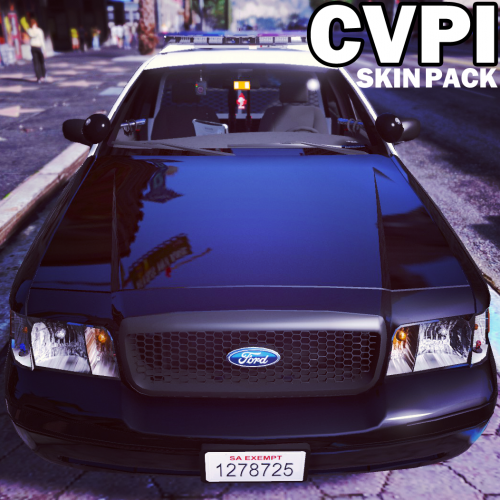 I do not have a video. The different folders contain different types of liveries(LSPD,Blaine county, etc...). Inside the .ytd file there are 8 files named vicz_sign_1... etc You need to replace each of those with the skins in the .rar I made skins for each type of livery so you will need to delete 2 from the .ytd file
- 64 comments
- 18 reviews
-
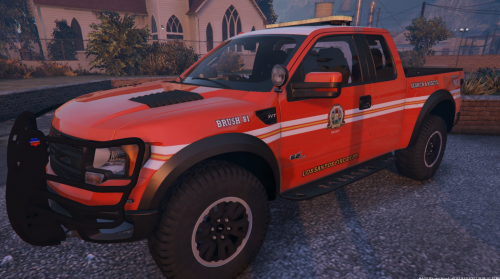 This is the template I used for my Raptor skins. Its included in the download for the civilian version of the raptor model.
 -
-
Thanks. I can make that livery Blaine County as well, pretty simple change.
- 64 comments
- 18 reviews
-
-
- 1
-
-
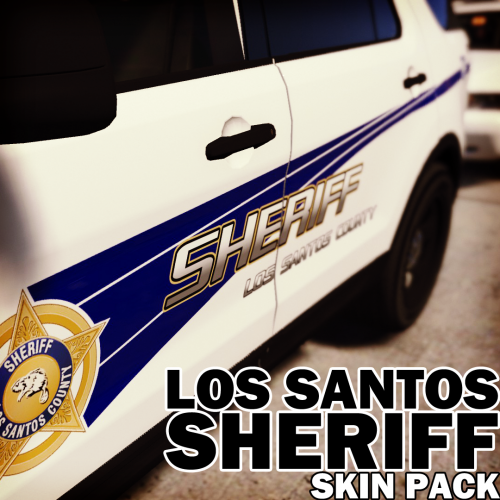
Do you mean los santos sheriff skins? I didnt make those since bxbugs's model already comes with lssd skins. I can make some though
- 64 comments
- 18 reviews
-
-
4K Blaine County Texture pack for CVPI(Bxbugs), 2014 Impala, 2015 Charger(F5544/Thehurk), 2014 Charger(Bxbugs/Carperino), 2011 Charger, 2009 Charger, CVPI(Caperino, Virzza, Blackjesus1...etc), 2008 Tahoe(GlitchGamer/PimDSLR), 2013 Tahoe(Gump), Inteceptor Explorer(Desmond98/Thehurk/Virzza), Interceptor Taurus(F5544/Thehurk), 2010 Chevrolet Silverado(CanadapoliceOfficial), 2016 Interceptor Explorer(Thehurk), 2015 Tahoe, 2013 Charger(Gump/Virzza/Hotwingers), 2013 Tahoe(Blackjesus1/Gump), 2014 Charger(Blackjesus1), 2015 Taurus, Silverado(Blackjesus1) --------------------------------------------------------------------------------------------------------------------- NEW: 2013 Tahoe(Blackjesus1/Gump), 2014 Charger(Blackjesus1), 2015 Taurus, Silverado(Blackjesus1) --------------------------------------------------------------------------------------------------------------------- For Vehicles: Black/White CVPI(Bxbugs123) Impala 2015 Charger(F5544/Thehurk) 2014 Charger(Bxbugs123/Carperino) 2011 Charger CVPI(F5544/Carperino/Blackjesus1/Virzza,etc) 2008 Tahoe(GlitchGamer/PimDSLR) 2009 Charger(Lundy/Gump/PimDSLR) Interceptor Explorer(Desmond98/PimDSLR/Virzza/Thehurk) Interceptor Taurus(F5544/Thehurk) 2010 Silverado(Canadapoliceofficial) 2013 Tahoe(Gump) 2016 Interceptor Explorer(Thehurk) 2015 Tahoe 2013 Charger(Gump/Virzza/Hotwingers) 2013 Tahoe(Gump/Blackjesus1) 2014 Charger(Blackjesus1) 2015 Taurus Silverado(Blackjesus1) Red CVPI(Bxbugs123) Ford Interceptor Explorer Ford Interceptor Taurus Suburban Tahoe 2015 Charger Impala Ford Raptor 2011 Charger CVPI(F5544) --------------------------------------------------------------------------------------------------------------------- Instructions: Replace the .png skin texture in the .ytd file for the vehicle you're changing. -You can change the base color of the vehicle for black/white color scheme by using the trainer. Color schemes in screenshots: (Primary-Metallic Purple, Pearlescent-Ultra Blue) (Primary-Metallic Black Steel, Pearlescent-Frost White) (Primary-Metallic Chocolate Brown, Pearlescent-Cream) *Remember to backup your files. *Do not edit or re-upload without my permission. Enjoy!
- 101 comments
- 17 reviews
-
-
- 17
-
-
-
I believe there is a file size limit, I'm not sure what it is though. I have had issues with any skin when i use the same skin twice in the same .ytd. I deleted two of the livery spots, I only have 6 total.
- 64 comments
- 18 reviews
-
Hmm thats odd. Does this only happen with the LSPD files and not the SAHP ones. Ill check it out. If you read the readme in Bxbugs123 download you need to edit the carvariations file in mpchristmas2
- 64 comments
- 18 reviews
-
The model actually doesn't have an emblem on the trunk lid. I just added one on the skin I made, its not part of the model itself. There is a way to replace the emblems on the front and the steering wheel by editing some of the texture files in .ytd files. I didn't include those because I didnt want to mess with his model.
- 64 comments
- 18 reviews
-

.thumb.png.647a35b217b2e1fe6e15e0ccc0c77b3b.png)
