


Firefighter767
Members
-
Joined
-
Last visited
Everything posted by Firefighter767
-
 There are a lot of folks who get their rocks off by posting mods in the gallery to get attention. They do this with no intention of releasing them to the public, or worse, charging money for them. There have been so many that at this point I have stopped giving people the benefit of the doubt as to whether or not they are going to release it. I did look through you gallery posts prior to posting my comment, and I read the comments on each of the posts. There were quite a few comments left unanswered in regards to status of a release to the public, or if there would be any. I'm not bashing you for not replying to every single comment on every post, but it appeared as though you may have been dodging the release questions as of late. Like I said, too many people teasing mods that they will not be releasing, especially when it comes to fire trucks. I'm just trying to help identify who's genuine in their intentions to release mods, and who's just posting to get attention. I look forward to your pack being released.
 -
Are you ever going to release these or are they just for show?
-
-
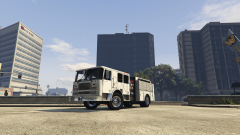
From the album: FF767 GTA V WIP/Showroom
Seagrave Marauder II based loosely off of L.A.F.D. Engine 205 (former Engine 5). This model is a work in progress and will be released to the community once it is completed. -
Includes WIPs, showroom, and occasionally random images
-
Import a working vehicle into Zmod and export it as is. Does the exported vehicle work in game?
-
Does the stock model work in game as is without being exported from Zmod?
-
I'm not sure what would cause the STR Failure then. If you're importing a perfectly working model and it breaks when you export it, then something you are doing on export is wrong or Zmod is broken. Does Zmod give you any errors on export?
-
Did you try whatever fixed the issue you had before with the '15 Tahoe?
-
When you import the model make sure EVERYTHING is unselected. You may have a dummy or two selected and when you move parts around, it is moving them as well. What you can do is export only the parts you have added and import them onto the stock model. That should leave everything kosher in regards to things being broken. If this does not work then something you are adding is not agreeing with the game.
-
Does the original model alone export correctly and work in game?
-
Sounds like you could have a dummy issue. Were the wheels added on by you or are they the ones that originally came with the model?
-
^This. If it still shows up incorrectly when in game then make sure your wheel dummies are placed correctly.
-
I'd go with the latter. Make sure your script hook and all of them things are updated to the right version and that you have the correct C++ or whatever it is. Otherwise it'll break
-
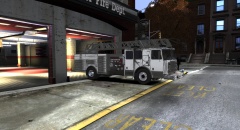 Ran into some issues with it a while back that were crashing my game. I havent spent much time on anything for GTA IV since then.
 -
That'd be what I was doing wrong. Thank you.
-
I decided to install car mods for the first time in my GTA V today. I followed the directions and put everything where it was supposed to go. When I load my game, it begins a download that overwrites the mods I put in. LSPDFR runs fine but the car mods are replaced by the stock models every time. What am I doing wrong or how can I fix this so I can actually use vehicle models?
-
-
-
-
-
-
Use the handling line that is posted in the description. That'll even out the ride height
- 13 comments
- 4 reviews
-
-
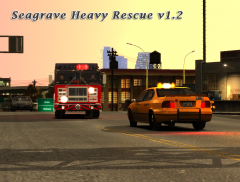 Haz-Mat Rescue Released
-
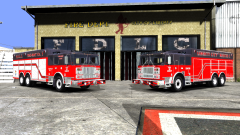 New Delivery
-
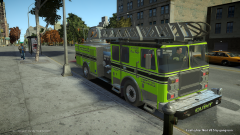 Quint 1
-
 Scene Size Up
-
 Pumper Tanker Released
-
 Pumper Tanker Released
-
Quint
-
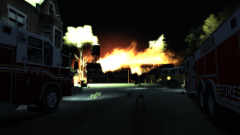 Garage Fire
-
 Working Fire
-
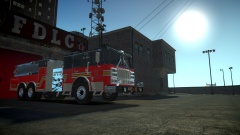 Nearly There
-
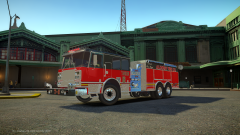 New Delivery
-
 It's Okay to Drool
-
 Pierce Enforcer Fire Truck
-
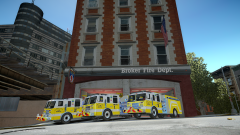 New Engines
-
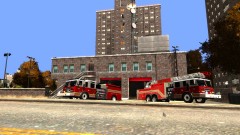 Pierce Fire Department Pack Released
-
 Chevy Tahoe LCER Released
-
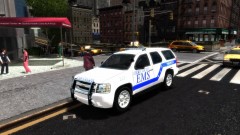 Chevy Tahoe LCER Released
-
 Working Vehicle Fire
-
 10-75
10-75
-
 *ENGINE* *LADDER*
-
-
From the album: Firefighter767 In Game Photos
?do=embed' frameborder='0' data-embedContent> (?do=embed' frameborder='0' data-embedContent>)



