




Sgt.GoodGaming
Members
-
Joined
-
Last visited
Everything posted by Sgt.GoodGaming
-
 Brother, If your gonna do Siren packs, Big or Small, a Demo of the pack would be great so people know what it sounds like before they download it
 -
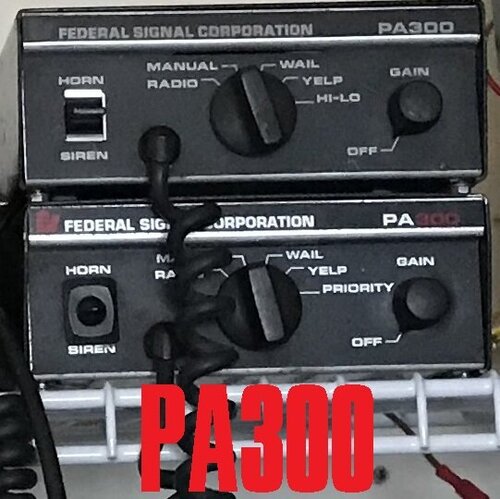 Are you gonna do FiveM Sirens with Hi-Lo Tones? Those are like so hard to find.
- 11 comments
- 3 reviews
-
 When do you think the Modern Siren Pack will contain RPF Files. I think it would be a great idea to have RPF files as its much quicker to install the Sirens by simply replacing the RESIDENT.rpf file.
- 221 comments
- 40 reviews
-
-

- 1
-
-
Well i'm going to try and find more Possibilities to fix this before i attempt what your saying.
-
I did back the game up as specifically told. So basically saying. I may have to Reinstall GTA V? using the Backup?
-
Okay as i have heard. Backup GTA V. Before Installing LSPDFR. But where am i going to find the Backed up GTA V? This is so frustrating....I have no Issues while playing on FiveM. Everything Works fine on FiveM.
-
I haven't had this type of issue when i first started playing LSPDFR. But since i had to Reinstall everything for it. I've been unable to use my Controller for Much except driving. and whats really bothering me is when i get into a vehicle with the controller. I cannot Exit the Vehicle... I can only do that with the F key on the Keyboard.
-
Yes. AllowController = true is in the INI Config. I'm not sure what to do?
-
okay so my ELS Ini is already set to AllowController= True. But i still can't activate anything
-
Thank you bro. I'll make a note to remind myself whenever i redo all of my LSPDFR.
-
So just a few days ago, I had to redo my LSPDFR cause i had some problems with removing a Vehicle Pack. Had some help from a friend. and when i got done redoing the whole thing, I started up LSPDFR, Went to activate Lights and Sirens on my Dpad on the controller. Nothing Worked. and everytime i hit the Y button. I was unable to exit the Vehicle. I don't like doing things on the Keyboard. So i figure i might post this to see if anyone has a fix.
-
I use my Controller for Movement, Pausing the Game, Switching Weapons, I use the D-Pad to activate my Lights and Sirens which i cannot do now...I hope there is a fix for this. Cause i ain't using no Keyboard.
-
 This pack is really amazing. especially using this in Sandy Shores and Paleto Bay. There were some complications with the FPIU. Turning in the FPIU will cause it to roll over. The Detailing on the vehicles themselves are great! I plan to use this pack in LSPDFR Videos and the Credit for the Work will go to you @kilroy95. Keep up the good work.
- 131 comments
- 45 reviews
-
-
- 2
-
-
This would look good on my LSPDFR videos. Still getting a Feel for the Controls and whatnot before making any Recordings.

