


Kronvict
Members
-
Joined
-
Last visited
Everything posted by Kronvict
-
-
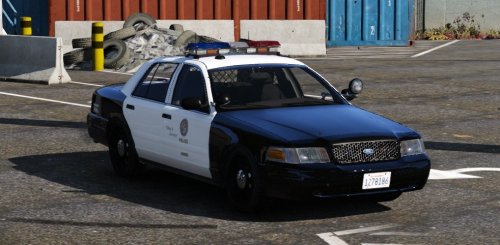 Great model. I just wish there were more lights in the front and rear. Love my cars lit up like Christmas trees.
- 49 comments
- 19 reviews
-
-

- 2
-
-
 Ahh ok thanks. Do i do the same for my CVPI models that have the same problem?
- 246 comments
- 40 reviews
-
Is there any way to fix these overly bright police lights? I tried searching through the previous comments but couldn't find any solid fix unless i miss something.
- 246 comments
- 40 reviews
-
-
 I have that same issue as well. The arrest command stops working after a while and my cop just insults the perp instead of telling them to put their hands up.
- 542 comments
- 98 reviews
-
-
- 1
-
-


