


Comi
Members
-
Joined
-
Last visited
Everything posted by Comi
-
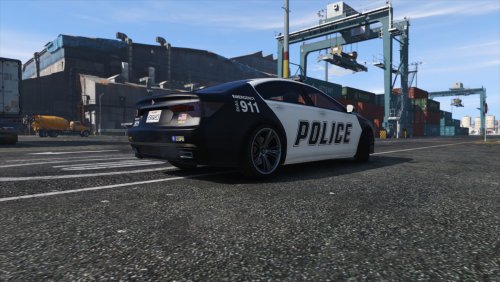 Great job, i love using this vehicle on my patrols! I use simple trainer to solve the color problem, i just change the color and save the settings, so you can always spawn it in black/white combo.
- 23 comments
- 4 reviews
-
Hello, is there any way to reduce police baton damage to 0, including one-hit blows? So, you can, pretty much, hit someone all you want, without killing them? Thanks :)
-
Hello everyone...can anyone tell me is there any mod or script to download for reducing police baton damage to 0, including one-hit killing blows? So i would, basically, want to be able to hit someone numerous times without killing them...? Or, if there isn't, instructions on how to do it myself would be appreciated... Thanks in advance. :)
-
 Hi, can you tell me is it possible that this mode is causing my lspdfr to crash, because something about it appears in both logs, just before the crash? Thanks
- 1,915 comments
- 242 reviews
-
 Hi, i got 2 lspdfr crashed in 30 min period, and both were when i got one of the wilderness callouts. Here is my log. Btw, great callouts, keep up the good work :) RagePluginHook.log
- 305 comments
- 66 reviews
-
You need to load the plugin. In rhp console type LoadPlugin and then enter the name of dll file.


