p01
Members
-
Joined
-
Last visited
-
-
-
-
-
-
-
-
@JIverson Yes german sheme skin made by me, but the skin is not in this download @Officer T. Pekic http://gtapolicemods.com/downloads.php?do=file&id=1619
- 6 comments
- 1 review
-
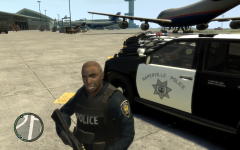
I`ve made that skin a while ago and thought now that i could upload it so that the community can use it if they like it. You can see the skin on the left side of the picture "" I do not own the car ""
- 6 comments
- 1 review
-
My Pics
-
-
-
-
-
No the save games are before i used LCPDFR. I used the same save game for a long time and had lots of different car models but i never saved with them I already copied the savegame in the folder, also in the documents folder But i also tried out a savegame i downloaded in the web and it was also not working
-
-
hi guys, i just updated my GTA 4 to 1.0.7.0 after i played with 1.0.6.0 for a long time. I wanted to play with the LCPDFR Mod so i installed it and almost everything is fine. Only my savegames i used before with 1.0.6.0 are not working anymore. If i use the xlive.dll then they are working but i get a script error ingame and if i use the dsound.dll as recommended in the installation the mod is working perfect only the savegames arent. It always starting a new game if i start the game. I copied my savegame into the documents and the appdata. Do i maybe need to start a new game? Anyone who could help me pls?