


Animalsr
Members
-
Joined
-
Last visited
-
-
Also having this same problem. Done a fresh install of the game and LSPDFR, no plugins. I load into game. I then try to load LSPDFR with the RPH menu. About 5-10 seconds after it loads the game just closes. No error message or anything. That thing with the plugins re-appearing is... different
-
-
.thumb.png.a9a86a0a1d49b6667adb4acaec45339e.png) You can still turn the siren off independent of the lights without ELS... Its a basic LSPDFR function. (without LSPDFR I'll admit I don't think you can though)
You can still turn the siren off independent of the lights without ELS... Its a basic LSPDFR function. (without LSPDFR I'll admit I don't think you can though) -
.thumb.png.0b592ec0ac73b266b5296e81eca50f14.png) What part of that aren't you able to do? You should be able to edit the dlclist.xml with notepad
What part of that aren't you able to do? You should be able to edit the dlclist.xml with notepad- 15 comments
- 4 reviews
-
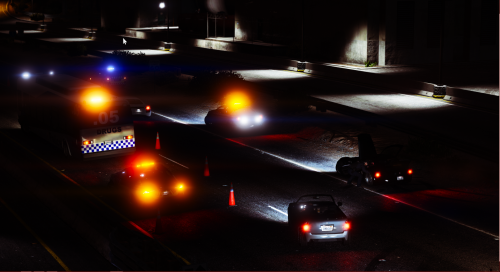 I'm having an issue, the files are too big so it goes over the gta v limit and makes it silent. Any help?
- 29 comments
- 1 review
-
Technically can put it in any slot if you replace the vehicles.meta with the one provided
-
.thumb.png.e560bde9a6e6b3b9f1c7c6270ab0894a.png) Love it, at first wasnt sure about the out of sync lighting pattern but its growing on me
Love it, at first wasnt sure about the out of sync lighting pattern but its growing on me- 11 comments
- 6 reviews
-
-
-
Whoa looks amazing man, cant wait for that to come out! Keep up the amazing work!
-
I'd be fine with the series 2
-
-
-
-
-
-
-
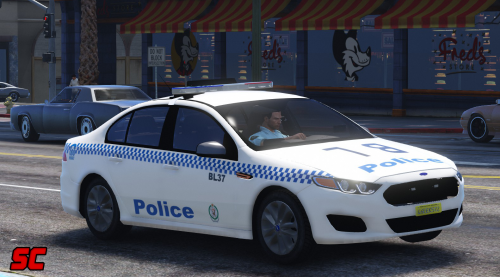 Thanks mate, besides that I absolutely love it! Especially with a new lightbar as I didn't really fancy the one on the other models by Mac as much, mainly the sign in the middle I dont like but anyways. Keep up the great work!
- 7 comments
- 7 reviews
-
-

- 1
-
-
Love it guys, but whats up with the skin having a big red thing at the front and all out of whack for me?
- 7 comments
- 7 reviews
-
-
- 1
-
-
Okay sounds good! Can't wait especially for that Divi van and Evokes (and the new light bars that'll come with them)
-
Can't wait, already the screenshots are looking great! What vehicles do you plan on releasing as a standalone car? Keep up the great work!
-
-
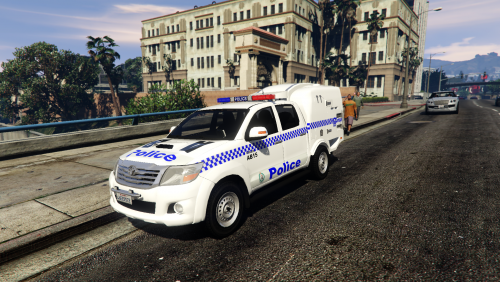 By far my favourite Aussie vehicle released! Love the choice of two front ends and the ariel at the back. Amazing work 10/10! Keep up the great work Mac
- 38 comments
- 9 reviews
-
-
- 1
-

.thumb.png.a9a86a0a1d49b6667adb4acaec45339e.png)
.thumb.png.0b592ec0ac73b266b5296e81eca50f14.png)
.thumb.png.e560bde9a6e6b3b9f1c7c6270ab0894a.png)
