NJG26Cappy
Members
-
Joined
-
Last visited
Everything posted by NJG26Cappy
-
 Not sure have not tried setting to 0. Instead try setting it higher to say 500 ( a 1 in 500 chance to hit) I have mine at 500 and I only see it once in a blue moon.
- 3,646 comments
- 306 reviews
-
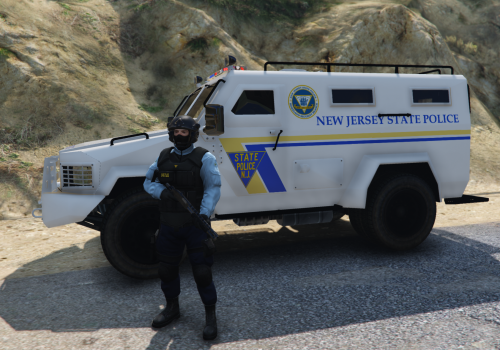 Awesome pack........... I made some skins about 3 years ago for GTA IV, as well had the black version of the car. The Uniforms are on point and enjoy using your cars skins and Uniforms as my main play, Thank you very much for the hard work as I know what i takes to do these textures.
- 17 comments
- 4 reviews
-
-

- 1
-
-
I know Kilyin I replied to the wrong person somehow when I clicked on the reply it went back to the first post and I didn't realize and typed away to you sorry bud.
- 3,646 comments
- 306 reviews
-
At the moment I am using: Traffic policer,ALPR+,AmbientEmergencyResponse,Arrest Manager,CheepCallouts,ComputerPlus,Interaction+,LSPDFR+,ODLoadout v2,OnSceneBackup,PoliceSearch,SpeedRadarLite,StopThePed,Traffic Control,and Spotlight1.2 and all works together just have to edit keybinds to get it all good.
- 3,646 comments
- 306 reviews
-
-
My Screenshots
-
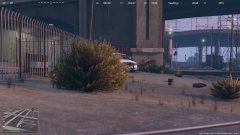
From the album: NJG26Cappy
-
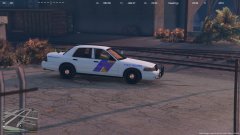
From the album: NJG26Cappy
-
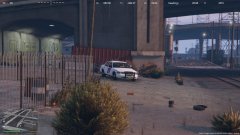
From the album: NJG26Cappy
-
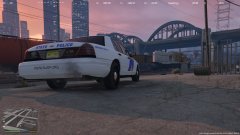
From the album: NJG26Cappy
-
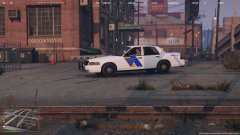
From the album: NJG26Cappy
-
-
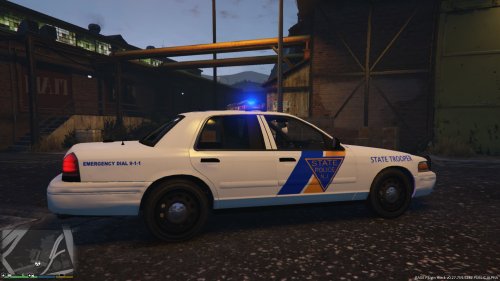 Trying to figure out how to do that and where to find the files....hopefully in the future. Thank you and glad you enjoy the textures.
- 14 comments
- 3 reviews
-
I'm not sure what you mean? The texture should not affect how the extras work. What is the problem you are having?
- 14 comments
- 3 reviews
-
Glad ya now finally got it working if you would like a certain unit # with matching tags or custom plate name or whatnot for you car let me know I'll make ya one.
-
I'm not sure how the file reads the texture area of the plates, but I have not looked at the other cars.. but yes the plates I made on the texture. I just spawned a bunch diff cars all have the correct plates..
- 14 comments
- 3 reviews
-
-
Here is a video I did for ya punch for install http://www.twitch.tv/njg26cappy/v/19617629
-
You open the vehicles.rpf (that is where you should have installed the vehicle police.ytd files 4 total) inside that open police.ytd, you should see a cvpi_sign_3 inside police.ytd , That is the one that gets replaced.
-
I'm not sure what's going on. I installed the vehicle where instructed then replaced cvpi_sign_3 and that was all. My friend installed it as well with no issue.
-
Are you using the OpenIV program to replace the texture file in edit mode in police.ytd file?
-
Ahhh you are correct...I did a google images search for NJSP vehicles, funny as 95% of the google images posted are right side I never noticed it, Thank you I will update the file.
- 14 comments
- 3 reviews
-
Here she is http://www.lcpdfr.com/files/file/9024-new-jersey-state-trooper-texture-cvpi/ hope you guys like it.
-
New Jersey State Police Textures for CVPI GTA V by NJG26Cappy Vehicle model I'm using - http://www.lcpdfr.com/files/file/8870-ford-cvpi-lspd-mx7000/ Steel ver. of tires is recommended as NJSP uses that style mostly. Ford_cvpi_DSF_mx7000_v1.5_steel.rar 6.9 MB Skin Requested by : punchball
- 14 comments
- 3 reviews
-