



Patrick Dollar
Members
-
Joined
-
Last visited
Everything posted by Patrick Dollar
-
remove this files " LSPD First Response.dll" from your main gta v game folder
-
disregard this forum..turning off my realtime antivirus was the fix
-
Can anyone with a better undertanding please help me figure out what my issues are.? tired everything but no luck since the last two updates RagePluginHook.log
-
You have to also wait for the updated script hook . My game does the same thing and when it loads I can’t use any file from the mods folder or any mod at all. It only loaded defaults cars and all
-
Script hook has to be updated again.
-
-
here https://github.com/scripthookvdotnet/scripthookvdotnet/releases
-
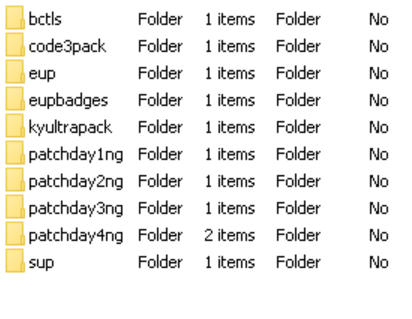
Your issues seems to be resolved by the staff team, but i honestly believe your installing police vehicles the harder way. i attached the orginal police3 files for your if needed. I do suggest you download car packs that comes with dlc and your this link https://www.gta5-mods.com/tools/dlclistautocompiler to automatically add that pack into your game like i did.
-
You are installing the wrong car files. check them again. whenever u install a care file . ones with ytd or so, make sure you dont rename them wrong. those ytd or hi.ytd are to remain the same only change file name like police.ytd or police2.ytd. not changing police.ytd into police.hi_ytd
-
I am no pro, but looking at that rage log. seems your having lot of issue spawning police ped in proper uniform. again not sure how that an issue but I will say just uninstall everything and reinstall one by one, so u know what install is crashing your game.
-
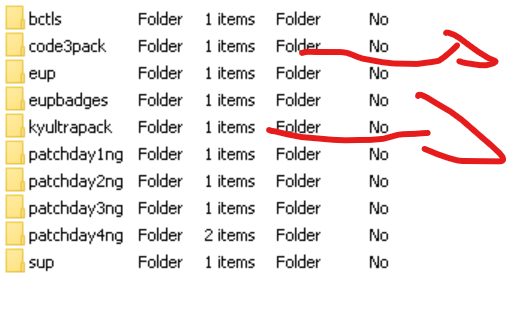
there are lots of dlc police pack on lcpdfr that adds more police vehicles into your game. I will show u my mods dlc folder. I have sahp pack, I use the Kentucky pack also.. all els tho
-
Can anyone with a clear understanding on how to identify issue from a Ragepluginhook log help me out pls.. RagePluginHook_19102021_212901.log
-
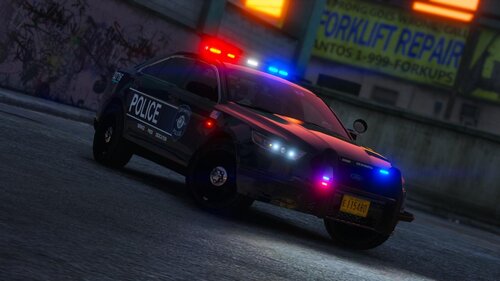 Beautiful Fucking Car Pack, You Killed It.. OMG Wish my department will get those 2020 soon.🤩
- 53 comments
- 13 reviews
-
-

- 1
-
-
It can be some modded cars you use. I get that something whenever I install some els vehicles. You should know what exactly you installed before your game started crashing every 5mins. Just undo whatever you did. I fix my GTA myself.
-
Not sure what the Ragepluginhook says but try this command Force duty true
-
Hey take a screenshot or video of the error your getting. I was having issue hooking my ragepluginhook with gta v. I went into ragepluginhook setting and unclicked some options n my game works fine again.
-
If You have the mods folder update it.
-
Are u using the ultimatebackup?
-
LSPDFR isnt really crashing, there are so much stuff we install into our gta v that crashes the game. I was experiencing that too.... Explain your crash
-
I think any PC that loads Gta V without issue can handle ELS, You just need to download an els car with smaller size. Some before you in stall a els check the sizes of the files. YTD,YTF, AND so on
-
Not Sure, But I just use Force Duty to go on duty. I dont go thru the police station.
-
During a traffic stop why do cars that are approaching me slow down and drives into oncoming traffic? Anyone
-
 ON POINT ALL D WAY
 -
-
Okay Thanks, I will look for any other outdated plugins


.thumb.jpg.930b3b93c7c75c01f46faeecf9341ab2.jpg)