BumpyKnuckles
Members
-
Joined
-
Last visited
Everything posted by BumpyKnuckles
-
-
 I apologise to you because I'm fairly new to all this and constantly learning. But yeah I'm still confused as to what the differences are.
- 184 comments
- 4 reviews
-
I don't know if that is entirely correct. And by no means I'm I trying to start any controversy because I know DEV's are sensitive about their work, rightfully so. But I know I've been using Xscanner since 9/20/23 with broadcastify (see screenshot of legacy menu) it was why i started using it in the first place *I might be off on the initial install date by a month or so*. He even had broadcastify divided into regions but it made it kinda unstable. so I switched to using local files only in the mod.
- 184 comments
- 4 reviews
-
-

- 1
-
-
-
 This is by far the best airport livery (in my opinion). I didn't like the cars as much but I use your livery on cars I like with a little bit of editing (not a youtuber so it's just for my game)... great work
- 12 comments
- 6 reviews
-
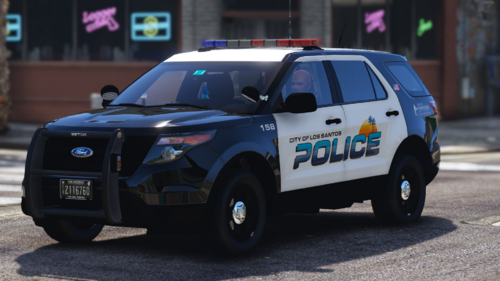 True newb just got into this. so pardon me I'm late to the party. but I just downloaded your patreon dump for the port police pack love the livery but the cars have no sound how do I fix that? the default sound profile in the meta is <audioNameHash /> is that correct?
 -
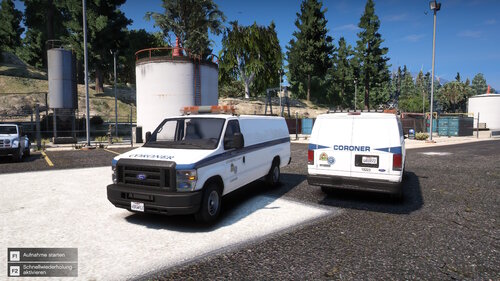 is there a template for it?
 -
Some liveries I made when I first started. the cars are from Ripples lsp pack
-

From the album: Project Del Perro
-
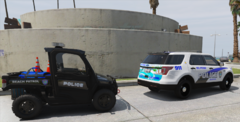
From the album: Project Del Perro
-
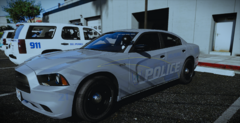
From the album: Project Del Perro
-
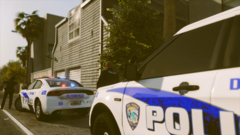
From the album: Project Del Perro
-
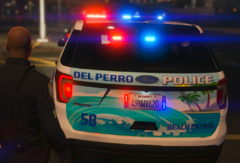
From the album: Project Del Perro
-
Hello, I'm with the support team at Venoxity. There should have been a link in the zip files to our discord If you're having issues with simpleCTRL, simpleHUD, Weapon control or any other Venoxity mod. I'll post it below -removed advertisement link- Also I read your log one issue is SimpleCTRL and Weapon Control can no longer work together. so either use SimpleCtrl or weapon Control but not both together. this is a known conflict and Gravity doesn't plan on updating simpleCTRL anytime soon.
-
-
-
From the album: fried onions extra cheese
© CheeseStake's extra cheese
-
-
 I wish I found this mod way earlier would have saved me sooooo much grief. Quick question the folder that it stores the ped lines to. does it have to be inside the main game dir? Can I put it on my desktop and it still work. the reason I ask is that would be a lil convenient to have it on desk top for quick access when XML editing. Like how lennys mod manager can be anywhere it doesn't have to sit in the main game dir to work
- 36 comments
- 16 reviews
-
 Then I guess thats it I have an outdated version whats the newest build. so i dont end up downloading the same outdated one
- 650 comments
- 52 reviews
-
-
Ok I like that added functionality. saves that little bit of hassle. For some reason my NPC backup is playing the vanilla radio again and I dont know how to fix that. I keep changing veh settings in the trainer ini but I think I'm doing it wrong
- 650 comments
- 52 reviews
-
I dont know yet because when it did crash I had some personal things to do. I figured (kinda good at reading the crash logs now) that it was broadcastify and the fact I'm using wifi. I like to choose a new channel ID before I load the game. I check the site to see wich one has the most listeners and I use that id for that session of gta
- 650 comments
- 52 reviews
-
Like the mod and I know its early in the development but so far I like it. However it does seem to cause some issues since last update. ran my log through 686 autolog check he hit me back told me to reach out to you heres my RPH log RagePluginHook.log
- 650 comments
- 52 reviews
-
I hate post jacking but I was looking through support to see if anyone else had this same issue I ended up having to file wipe my gta and start over. before I reinstall lml what can I do to avoid this error again