


RagedDrew
Members
-
Joined
-
Last visited
Everything posted by RagedDrew
-
I've seen a lot of unmarked cars in Scotland, but like you said, 9 times out of 10 the officers are usually in uniform with their high-vis jackets on. Not fooling anyone.
-
Best thing to do is post a comment on the download page.
-
He said it doesn't come with instructions, or at least that's what I got from it.
-
Best thing you can do is look up a tutorial on youtube, check out Jeff Favignano's tutorial, most recent one I've seen
-
The real question is, when are we getting this pack of awesomeness you're calling 0.3?
-
I've been here a little over a week trolling the support forums and came to the conclusion that if someone could edit the download files for LSPDFR and remove the RPH version 0.20. All these support requests about RPH would be lowered because everyone won't copy the old version over, half of the closed topics are LSPDFR's own doing yet you turn them away.
-
 That's not really the point, I was just wondering if there was a mistake in the readme. I like to follow the readme files because of my bad memory, I can always go back to that and remove them because I will forget where I put them.
- 146 comments
- 24 reviews
-
Not sure if this is was a mistake in the readme or not. mods/patchday4ng/dlc.rpf/x64/levels/gta5/vehicles.rpf There's no Sheriff vehicles in that location. Also shouldn't the path be mods\update\x64\dlcpacks\patchday4ng\dlc.rpf\x64\levels\gta5\vehicles.rpf provided that patchday4 is the right location. Anyway, as I can't backup the sheriff ytd and ytf due to them not being there I'll wait for a reply about this before installing.
- 146 comments
- 24 reviews
-
Hello guys, I was wondering if any of you had any good car mods to install. I'm looking to replace some civilian vehicles and looking for some cop cars to replace the vanilla ones. Right now I've got a Crown Vic installed in slot one (I think anyway lol, it's the first car that loads up when picking your car) My problem is I don't know what vehicles take up what slot, so to save me some time and not needing to download a bunch just to figure out that it'll replace what I've already got, it would be great if you guys could suggest some cars to install.
-
I'm such a flippin noob, I just figured that out and was coming back here to edit my post lol. Thanks.
-
First off, sorry if I shouldn't have posted this here but in a way I do need support lol. So here's the deal, I've just downloaded LSPD 1991 Caprice and 1987 Crown Victoria LTD I've put the YFT and YTD files in the correct locations but need to edit the carvariation.meta file and add some text to the already existing code but I don't know how to open to be able to add text. I'm using OpenIV and when I double click on it, it opens up shown the code but I'm unable to copy/paste/type anything into or out of it. How do I open it to allow me to add text to it? I've left a comment on the download page but I'm to impatient
-
 Just had this crash happen minutes ago... The hash mentioned seems to be a tramp (going by the name anyway lol) {p:'U_M_O_Tramp_01', h:'0x6A8F1F9B'}, Anything I need to do to stop this from happening again, like the log said it could have just took to long to load
- 542 comments
- 98 reviews
-
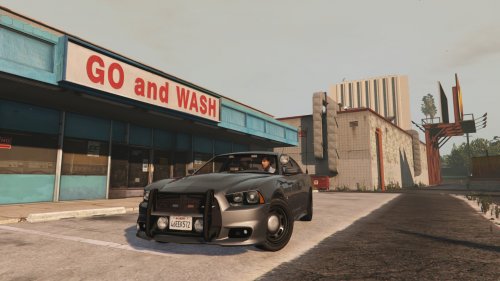 I seem to be missing some textures, The interior is a while blob, the tail lights (or where they should be) are just white. Under the wheel arches (the space between the body and the wheels) are white. I've put the 4 files in the correct place, what am I missing? Well clearly the textures but where do I get them. The only thing in the zip file were the 4 files and 2 screenshots.
- 26 comments
- 13 reviews
-
The fact the game updates,I then read posts about using a mod folder then I see comments about removing the mod folder because of crashes lol. Just seems way to much effort.
-
Not sure if this applies to this sort of thing or just general updates they release. HOW TO: Avoid Rockstar Updates
-
I've tried adding new skins and new vehicles, I gave up, like you said it's not noob friendly, It's well above my head that's for sure. Glad you got it though
-
Your log says DX9 not sure if GTAV supports DX9 I think you'll need DX11. I might be wrong though.
-
Bike cops are a flippin nightmare, they show up 10 minutes late to the party, suspect already in cuffs and the cops starts shooting him.
-
What I think would be cool but not sure if possible, instead of a ped pulling his weapon out and shooting you in the back, he actually helps you detain your suspect. Examples would be: You're chasing someone on foot a passer-by sees what's going on tackles the guy to the ground. You're in a pursuit by your own (backup hasn't arrived or what ever) you've managed to get in front of him, some random guy gets his vehicle behind him thus performing a rolling road block. As above but this time a semi in front slows down blocking the road (maybe even being able to request the semi to assist via a CB radio)
-
I guess they could make it so the "mob" call 911 reporting a fake situation and set up an ambush and/or at a random point after you've made the arrest you could just have a call pull up on you and they start shooting at you. Or when you arrest the "son" dispatch gets you on the radio saying the Sargent (or what ever) wants you to let him go (insinuating that the mod boss has friends in high places)
-
All in all nice mod, not tried the dog out yet though. The only issue I have with it is the button mapping, having PartnerHelpKeyCont and DragBodyKeyCont on Right D Pad seems odd as it breaks my interaction button with peds on the street, Died once because I couldn't get the suspect to surrender and had to execute a suspect because again I couldn't interact with him. I know there's the option to remap said controls but I would rather have the option to disable it all together, not sure if setting the key value to 0 (zero) would work. I would suggest adding the option to set controller usage as true or false.
- 542 comments
- 98 reviews
-
Hello fellow officers, I'm new to all this LSPDFR stuff and would love it if you guys could suggest some nice callouts to install. Currently I'm using the following... CalloutsV Code 3 Callouts Crazy Callouts MoreCallouts StrayCallouts Links to any suggested callouts would more than appreciated.
-
What annoys me the most is the cops who shoot a suspect who's been put in cuffs or the silly fuckers who just drive right over you while you're trying to clear a scene. In regards to AI during a pursuit, I just hang at the back and let them do their thing, 9 times out of 10 they will wreck and I'll pick it up from there. But yeah, better AI would be nice but not sure if it's a thing these guys can do or if we're just stuck with Rockstar's BS AI.
-
How do you kill the engine? Didn't even know that was a feature, I'm using the mod "MoreControlV" which apparently keeps the engine gunning.


