martinct
Members
-
Joined
-
Last visited
Everything posted by martinct
-
 looks awesome, add in the F150 :D
 -
-
 just replace the Sheriff2 section in vehicles.meta with the one i wrote. And for the carvariations just add sheriff2 from my carvariations
- 64 comments
- 13 reviews
-
-

- 2
-
-
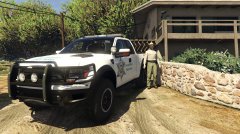
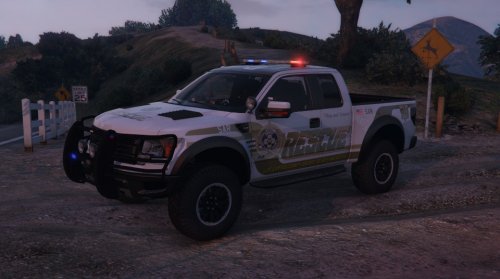
Ford F-150 Raptor for Sheriff2 All authors have given permission to release this. Ford F-150 Raptor originally from Forza 4Converted by peng00820 Doorsills:wxz Explorer Cabinet by Vertex3DPanasonic Toughbook CF-31 modeled and converted by Ridgerunner DesignsPanasonic Toughbook CF-31 texture by Ridgerunner DesignsDuffle by PS3Gameplays123Med Kit from L4D, Converted by SergiyjSetina Pushbar by NickieBProgard Partition by BFRS-EMTOriginal CVPI paintjob by Top4s (edited by me onto F-150) Code3 Defender lightbar by Kygo, converted by MartinCTConverting parts to GTA V; martinct HOW TO INSTALL: overwrite carvariations.meta in (for correct lightsettings); GTA V/update/x64/dlcpacks/mpluxe2/dlc.rpf/common/data/ overwrite vehicles.meta in (for hands on steering wheel); GTA V/update/update.rpf/common/data/levels/gta5/ overwrite sheriff2.yft, sheriff2.ytd, sheriff2_hi.yft, and sheriff2+hi.ytd in; GTA V/update/x64/dlcpacks/patchday3ng/dlc.rpf/x64/levels/gta5/vehicles.rpf Bugs atm; LOD need work Needs cleaning up Bear with me, first 'mod' done on GTAV :)
- 64 comments
- 13 reviews
-
-
-

- 12
-
-
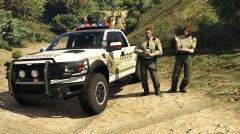 only left waiting for permission from bxbugs for the bar, setina bodyguard and the laptop. He hasnt replied though :(
 -
didnt consider it as i started modding only a couple of weeks ago. I'll hit up the authors and ask for permission :) didnt consider it as i started modding only a couple of weeks ago. I'll hit up the authors and ask for permission :)
-
 didnt consider it as i started modding only a couple of weeks ago. I'll hit up the authors and ask for permission :)
 -
converted the parts myself
-
-
-
-
-