



t0p4s
Members
-
Joined
-
Last visited
Everything posted by t0p4s
-
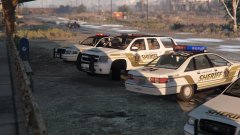 Grab'em here ;) http://www.lcpdfr.com/files/file/8927-lscs-liveries-by-t0p4s/
 -
-
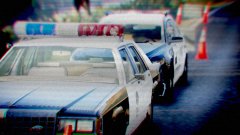 - Generations - Respecting the past, protecting the future
 -
Template for custom skins is included in the Tahoe download - if you mean the texture though; it was just a first try I'm not entirely happy with. Will update once I have time and add these to my previous CVPI pack someday
-
Sheriff and his Deputy return to the office after their first patrol with a brand new Tahoe
-
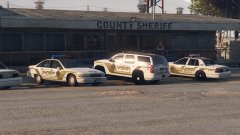 Testing custom skins to fit my earlier CVPI sheriff livery
 -
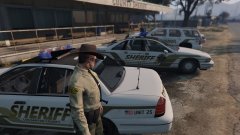 Experimenting with custom skins to fit my earlier CVPI sheriff livery
 -
-
 You can do it with a trainer -> vehicle options/vehicle mod menu/window tint none (I'm using: Simple trainer for GTAV v.2.2 by Sjaak327)
- 183 comments
- 38 reviews
-
-
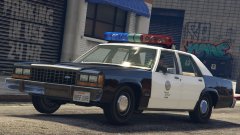 he said "Caprice" - you said "pack"... LTD aside, seeing that two Caprice models are currently a WIP (89 +91) does it mean we get a three piece set?!?!?!?! (faints)
 -
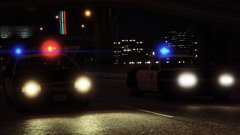 I'm sooo much hyped for the Caprice - but this pic makes me want a high quality '94 Crown Vic to appear in GTA some day... yeah, dream on...
 -
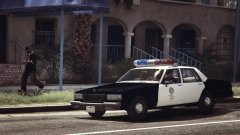 I'm used to seeing lightbars placed just above the B-column, but who knows...
 -
Looks wondeful, please, don't be merely a tease...
-
.thumb.jpg.bb1e8ecec8228dbd477e7dcb330fb034.jpg) Great model, high quality and lots of fun. Level of detail is impressive - but the model does not affect game performance, as you would expect from a high quality mod like this. I made a quick LAPD skin for own amusement and am now using this beauty in the regular 'police' slot as a slicktop cruiser (replaces the old Vapid Stanier) - it performs very well and does not need you to edit any additional meta / flags files - just a straightforward file replacement in OpenIV and it works like a charm. No bugs or handling issues whatsoever Although it's a bit too shiny for my taste (especially the chormed parts around the headlights area) I'm giving this a highest possible note and eagerly await more variations to come (FedSign Arjent version please, be published soon) :)
Great model, high quality and lots of fun. Level of detail is impressive - but the model does not affect game performance, as you would expect from a high quality mod like this. I made a quick LAPD skin for own amusement and am now using this beauty in the regular 'police' slot as a slicktop cruiser (replaces the old Vapid Stanier) - it performs very well and does not need you to edit any additional meta / flags files - just a straightforward file replacement in OpenIV and it works like a charm. No bugs or handling issues whatsoever Although it's a bit too shiny for my taste (especially the chormed parts around the headlights area) I'm giving this a highest possible note and eagerly await more variations to come (FedSign Arjent version please, be published soon) :)- 97 comments
- 62 reviews
-
-

- 1
-


.thumb.jpg.bb1e8ecec8228dbd477e7dcb330fb034.jpg)