
SnowtigerJr
Members
-
Joined
-
Last visited
Everything posted by SnowtigerJr
-
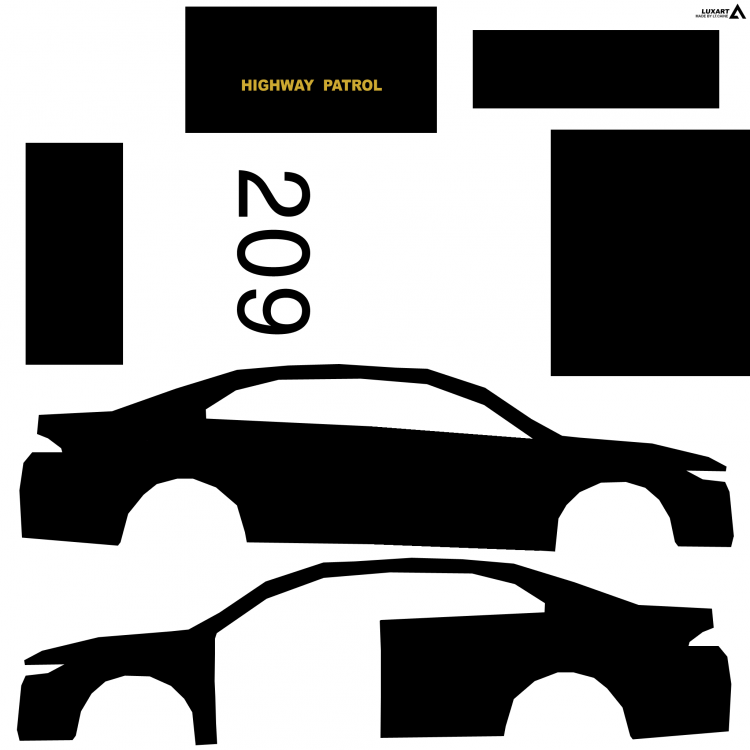
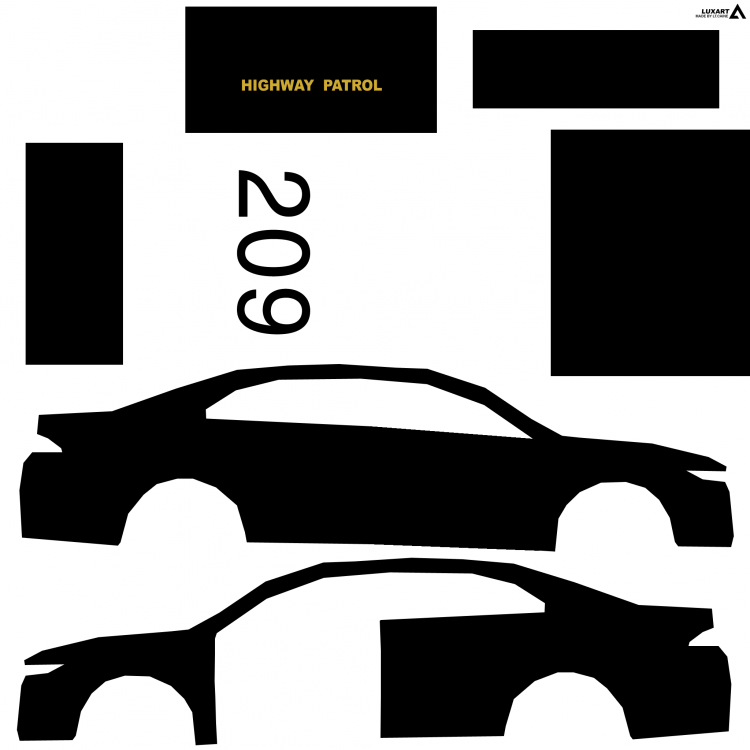
I've tried doing that with police2, but I just don't understand how or where I can paint/edit/draw. If I start a 2048x2048 template on Photoshop, how am I going to know where I'm painting for the doors, boot, bonnet, etc? See this picture? I downloaded it off of this site, but how did the person make that? I want to do that to pol2, not pol3
-
Yes, I've tried googling this. I just want to edit textures on vehicles
-
Do you see the picture I've added in this post? How do I map a vehicle out like that? I want one for police2 but I cant find one anywhere, and I have no idea how to do that myself..
-
Dang. Not gonna do it then xD
-
I'm not going to post it in here, because someone will probably steal my picture or something..
-
Oh. So we have to map the vehicle ourselves?
-
Thank you :) Have either of you heard of zmodeler? If so, is that for texturing or modeling or both? Also, 1 more question (SORRY!!) I put in a crest/symbol into photoshop and then when I used the skin ingame that i put the symbol on, it had the white bordering around it ingame. I just wanted the symbol, no white around it.. How do I get rid of it? ;_;
-
But every other police car has, for example "Police_sign_1" that you can extract and edit to your own liking, but the undercover cop cars don't. Is it because Rockstar has them locked or..?
-
my b police vehicles
-
As the title says^^ :)
-
If I want to make my own textures, for example, the undercover cop car, how would I? I went into police4.ytd and there was nothing like "police_sign_1" for me to extract and modify. Why? Can I not modify undercover cop car? If I can, how? Where is the original skin for the car to modify?
-
Okay okay, I will edit post now
-
Idk if you will be able to understand, but I want to open the yft or ytd file in openiv and add a texture to an existing police car. How do I do that? Do I open police3.ytd and add "pol3_sign_5" in there? WOOHOO FOR SELF DISCOVERY! DID IT! The way I did it was I opened openiv and clicked edit mode, and then when I was in my gta v directory I went to update>x64>patchday4ng>dlc>x64>levels>gta5>vehicles and then I opened police3.ytd and usually there is skins in there already, named something like "pol3_sign_1" and so find how many there is. I had up to pol3_sign_4 (so, in total, I had 4 skins already in there) and so because I wanted all existing 4 that was already in there, PLUS another 1 which wasn't already in there. So then I renamed the skin that wasn't in there to "pol3_sign_5" and then clicked "import" and imported the skin in there. thus having 5 skins/liveries. Click save and then rebuild it. Done.
-
 You actually make such awesome cars
 -
Oh, cool, thanks! :)
-
Thank you!!
-
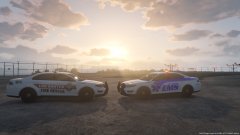 Oh my f...... God, I LOVE the Los Sants Fire Rescue! Dude, that is amazing!
 -
As the title says, what are the ranks for forum? I couldn't find anything about the ranks anywhere, unfortunately
-
Oh wow. Surprising, isn't it? That we can mod everything but a police light is really hard, lol. Thanks for the info :)
-
Thank you! :) I'm in WA, too! GO WA!! :D
-
Like, they try to make police lights just flash blue but there is a clear red tinge in there. What restriction is currently in place causing that?
-
Hi, I was just wondering what the difference between Vehicle Model and Vehicle Texture is? Each time I go into them, they just look like repainted cars... So I'm just curious what the real difference is. No hate please :)
-
Thanks guys, I appreciate it. I found one called "Advanced Native Trainer". Its absolutely brilliant. But cheers guys anyway, really appreciate it ! :)
-
Hey guys, I need a trainer on gta v that can search for vehicles. I installed a vehicle and unlike trainers that have preset names, this one has a unique name and can only be spawned with trainers that have the spawn by name/search
-