frienno
Members
-
Joined
-
Last visited
Everything posted by frienno
-
Montrealer here.
-
Update your EFLC to version 1.1.2.0
-
First make your own support thread and read this. http://www.lcpdfr.com/forum-20/announcement-5-need-support-read-this-first/
-
Have you tried googling?
-
Are you using high poly mods?
-
Google would help in this situation.
-
Unselect read-only in the properties. (right-click, select properties, unselect read-only in the attributes.)
-
this should get you started http://www.lcpdfr.com/forum-20/announcement-5-need-support-read-this-first/
-
this should get you started http://www.lcpdfr.com/forum-20/announcement-5-need-support-read-this-first/
-
Please run this as an admin (right click and run as admin)
-
Sam made a CVPI and a charger with lcpd skins on them CVPI Charger
-
Sounds like a very useful mod. Trying it now. Edit: It doesn't seem to work.
-
Did you run it as an admin (right click and run as admin)
-
-
update gta 4 to 1.0.7.0
-
@Interference A person called ltstern made a couple.
-
I'm pretty sure asking to be on the beta testing team, will get you in the blacklist for it.
-
First of all. Make your out topic. Second you don't have to repeat yourself. Third you gta 4 is pirated so read this. http://www.lcpdfr.com/cops/forum/index.php/forum-20/announcement-6-using-an-exe-crack-read-this/ Now good day.
-
Also try LCPDFR version 0.91. We provide support for that version ONLY.
-
I lasted only 30 seconds.
-
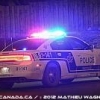
Haven't seen Canadian cars so I go. This is the montreal police service. My city's crown vic Old livery New livery Impala Old livery New livery Other cars
-
ELS FIX From GPM here AI = Artificial intelligence (the system that controls the game) First you have to enable ELS on the vehicle Ex: [ POLICE ] Active = 1 Halogen_Only = 0 Color_Light1L = 0 Color_Light2L = 0 Color_Light3R = 0 Color_Light4R = 0 Color_Light7L = 3 Color_Light8C = 3 Color_Light9R = 3 Offst_SLights = 0 and turn Ai_ELS_SP to 1 if it isnt already Ai_ELS_SP = 1
-
Just wondering are you doing the missions as a police officer or as Niko, because doing missions while using LCPDFR makes the game crash.
-
When you respond to a suicidal maniac another unit comes to help incase you get shot in the face. So just do the call normally IE aiming at him, spam the Y key and let the screen go black. If this bug happens all the time (the mass police cruiser) try installing this. http://www.lcpdfr.com/cops/forum/index.php?app=downloads&showfile=2
-
You have other mods installed?