


LordMarshal
Members
-
Joined
-
Last visited
Everything posted by LordMarshal
-
-
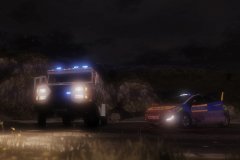
This is what we do.
-
-
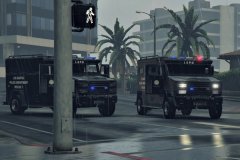
From the album: LSPD In Action
"Quite a normal day in GTA, I must say." - SWAT Team Member This image is CC by 4.0. See http://bit.ly/1rMF155.© LordMarshal
-
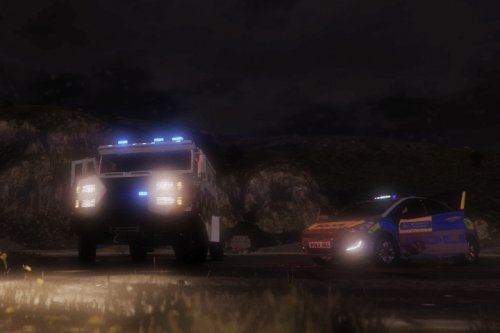 No, that's a thing, unfortunately, because this is just a texture edit. I don't know how to fix the coronas. Still looking for a solution.
 -
As seen in: https://www.youtube.com/watch?v=9K92TfHC3X8 at 2:39. This is a simple texture modification to the police riot truck. It replaces the blue/red light bar with a full blue bar. How the installation works: I included a backup in the download folder, see "backup" folder. Install with OpenIV: Replace the image files in riot.ytd with the image files in the "blue lightbar for riot truck textures" folder at: - mods\update\x64\dlcpacks\patchday3ng\dlc.rpf\x64\levels\gta5\vehicles.rpf\riot.ytd (replace & save) This download is exclusive to LCPDFR.com and GTA5-mods. Recommendation (see first picture): 1) Brute Riot Mapped Default-Style - https://www.gta5-mods.com/vehicles/brute-riot-mapped-default-style 2) P.S.N.I Texture For Brute Riot Truck 1.0.0 - http://www.lcpdfr.com/files/file/8563-psni-texture-for-brute-riot-truck/ 3) Put my files inside the already replaced riot.ytd. TIP: In the Arrest Manager plugin, set the pick-up vehicle to the riot truck (replace "POLICET" by "RIOT" in the .ini file that comes with it) http://www.lcpdfr.com/files/file/8107-arrest-manager-35-more-jail-points-prisoner-transport-releasedetain-autodoorshut/
-
-
 Handiest mod until now, definitely! I used your mod in one of my videos at https://www.youtube.com/watch?v=aNwric58CX4, mind adding it to your showcase? ^-^
- 1,915 comments
- 242 reviews
-
-

- 1
-
-
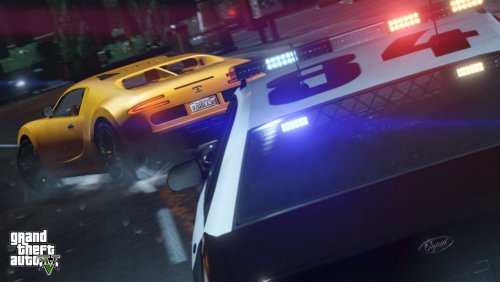 I love this callout plugin! It certainly adds some reality to the game. StaysCallouts does work RPH 0.24! By the way, I'd say this is how you should deal with gang related violence: https://www.youtube.com/watch?v=aNwric58CX4
- 76 comments
- 23 reviews
-
 Works well with RPH 0.24! Couldn't really convince her to .. well.. https://www.youtube.com/watch?v=aNwric58CX4
- 305 comments
- 66 reviews
-
-
- 1
-
-
 Great addition, thanks! Works well with latest RPH 0.24! Made a video including this mod :) https://www.youtube.com/watch?v=aNwric58CX4
- 204 comments
- 22 reviews
-
 Great addition to LSPDFR! I made a video on LSPDFR and it includes this callout mod. :) https://www.youtube.com/watch?v=aNwric58CX4
- 156 comments
- 19 reviews
-
-
- 2
-


