Manifold
Members
-
Joined
-
Last visited
Files posted by Manifold
-
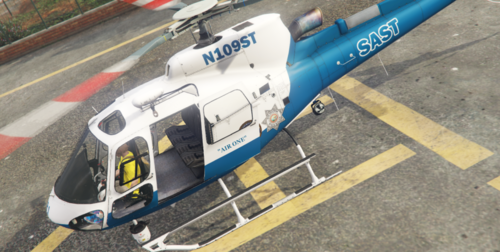
This is a simple texture for the AS-350 Helicopter made by SkylineGTRFreak.
If you have any questions or concerns feel free to join the MF Designs Discord and
by clicking on the above image
Enjoy.
FAQ
Q: Can you make me a custom car?
I don't model vehicles but I can make you a custom skin go to MF Designs Discord
Q: Will you make me a custom EUP Pack?
I currently don't do EUP Packs
Q: Why do your lights look brighter than mine?
You have to install a custom graphics.dat
Q: Will you do custom development for my server?
I will do Texture packs for your server just visit MF Designs Discord
- 423 Downloads
- 2 Comments
Updated -
This IS NOT a new sound all I have done is took the old sound and doubled it up with a small silent interval in between to make it sound more like you are putting both cuffs on.
- 701 Downloads
- 4 Comments
Updated -
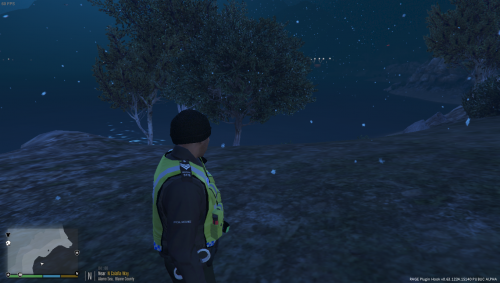
This is a simple reskin of amateurModder's police ped. This removes any trace of any Met Police logo that was on the ped previous. This also takes the pedprops from an LSPD uniform to add a baseball cap and a beanie. Any retexture credits go to myself but all credit for the ped goes to amateurModder and credit for the hat goes to RekRam. You will need amateurModder's ped to use the textures, the hat is included though.
- 211 Downloads
Submitted