


Funkaroos
Members
-
Joined
-
Last visited
Everything posted by Funkaroos
-
Hey all I've been dealing with this nasty EXCEPTION_ACCESS_VIOLATION crash for a while. GTA V works fine on its own, verified before preceding with mod installation. RPH is up to date, all drivers and software is up to date. I have run memtest to verify my ram and that came back all clear. I have removed my overclocks just in case its a stability issue. My system language is english. The game crashes regardless of what mods/plugins are installed. Sometimes i can get into the game and go on duty but it crashes within minutes with the same error. I have multiple logs from clean installs with just LSPDFR as well as modded. Below is the most recent from a crash in game as well as fresh install.
-
I managed to get LSPDFR working for a few hours, using 0.4.2, but now I'm back to the same crash with or without additional mods/plugins. I tried a clean install of GTA + LSPFR 0.4.1 and 0.4.2 and the crash is the same
-
I've updated everything I possibly can on my pc down to my bios, thank you though.
-
As in delete and reinstall GTA? Yes, multiple times. I don't believe my GTA files are the culprit, the game runs fine. Once RPH is hooked it crashes. Whats strange is it worked for a few days with no issues, doesn't seem to matter which release of RPH I use its all the same crash. I've checked my RAM with memtest and that's all good. I removed my CPU overclock for now, changed the install drive just to be sure its not a system thing. AV tests have all come back clear and all files are whitelisted but my AV is usually off regardless. My windows install is less than a month old but I'd prefer not to have to go through that again.
-
From the crash report it's an exception access violation. It crashes either during or after RPH loads, sometimes I make it to the lspdfr loading screen sometimes not. I've tried loading RPH after loading into story mode and it results in the same crash.
-
I've also tried forcing different direct x, running windowed/borderless, having an empty command line. Gta runs fine without rph, crashes if I start rph after loading into gtav story. I've updated everything I possibly can on my pc down to my bios. I've combed through numerous threads trying to find some kind of fix and none are working. Any ideas?
-
Hey all, below is my rph log. I've disabled my anti virus, enabled full folder/exe access. My system language is English. This log is from a fresh GTAV install and only lspdfr/RPH. I had it working stable for a few days and even had some visual mods, vehicles and plugins/callouts working fine until now. Any help is much appreciated! RPH log pastebin RagePluginHook_17062019_042444.log
-
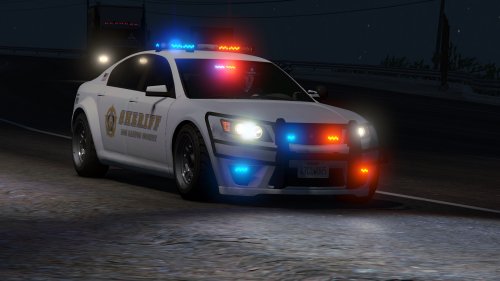 Great model, and a great author who provided me with quick support. 5/5 Great work!
- 47 comments
- 15 reviews
-
-

- 1
-
-
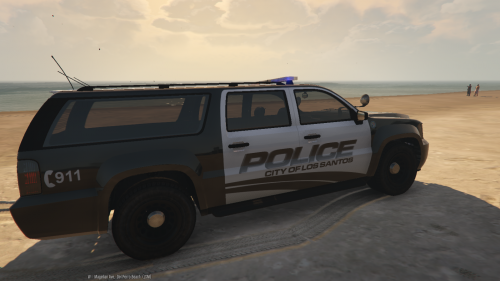 It would be cool to see a whole lspd pack using this style
