Jeffreyzzzz34
Members
-
Joined
-
Last visited
Everything posted by Jeffreyzzzz34
-
-
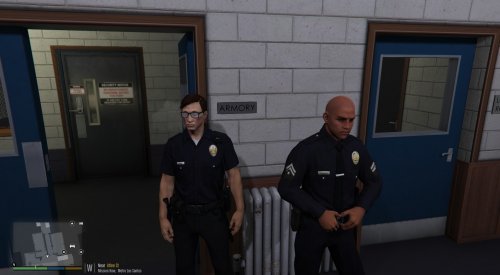 THIS IS ONLY FOR SINGLE PLAYER. NOT OFICALLY PART OF EUP THIS IS NOT A TEXTURE EDIT. THIS PED WAS EDITED BY ME IN ZMODELER 3 YES I'M THE REAL AUTHOR. J9090 IS JEFFREYZZZ3304 HERE. I made a LSPD EUP Ped model. Instructions: Download the file(Should be done) Import the files to C:\Program Files Grand Theft Auto V\update\x64\dlcpacks\eup\dlc.rpf\x64\models\cdimages\eup_componentpeds.rpf\mp_m_freemode_01_male_heist If no EUP, import into Grand Theft Auto V\update\x64\dlcpacks\mpheist\dlc.rpf\x64\models\cdimages\mpheist_streamedpeds.rpf\mp_m_freemode_01_male_heist Done Required: OPENIV Thank you J9090 CREDITS AlexAshfold for EUP and inspiration. Oleg for Zmodeler 3 and Tips Gta5-mods and lcpdfr for hosting file Thank you. P.S:This was my third attempt on a ped. Please rate low. This is just a fix to a tiny detail. Thank you for reading to the bottom. Feel free to include this in a pack. BUGS UV mapping is not great. The awkward shape of the original texture makes it challenging to UV map it.
- 2 comments
- 1 review
-
-

- 1
-
-
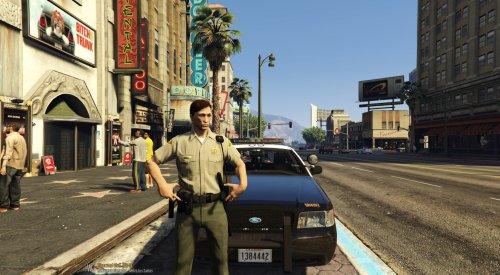 THIS IS ONLY FOR SINGLE PLAYER. THIS WILL ONLY WORK WITH EUP NOT OFICALLY PART OF EUP THIS IS NOT A TEXTURE EDIT. THIS PED WAS EDITED BY ME IN ZMODELER 3 YES I'M THE REAL AUTHOR. J9090 IS JEFFREYZZZ3304 HERE. I made a Sheriff EUP Ped model. Instructions: Download the file(Should be done) Import the files to Grand Theft Auto V\update\x64\dlcpacks\eup\dlc.rpf\x64\models\cdimages\eup_componentpeds.rpf\mp_m_freemode_01_mp_m_luxe_02 Done Required: EUP OPENIV Thank you J9090 CREDITS AlexAshfold for EUP and inspiration. Oleg for Zmodeler 3 and Tips Gta5-mods and lcpdfr for hosting file Thank you. P.S:This was my third attempt on a ped. Please rate low. This is just a fix to a tiny detail. Thank you for reading to the bottom. Feel free to include this in a pack. BUGS First person has a flicking bug. May be a problem with weight(Modders will get it). Security, BCSO, Hwaypatrol, etc. EUP has decided to use the same model as the ones listed. Very confusing... No clear way to do something different. BCSO, Hwaypatrol works but need better textures.
- 1 review
-
-
- 1
-
-
Hi guys I can not upload anything on lcpdfr.com. I rar-ed by file but it still does not work. There was a problem processing the uploaded file. -200 Thanks.
-
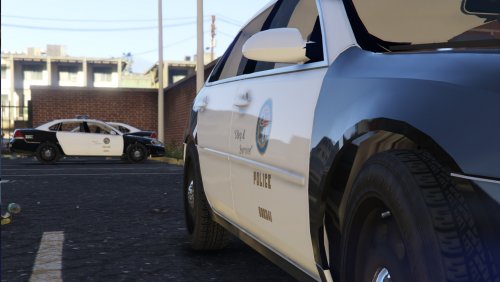 There are different lighting settings for diffrent cars. see this article for more information. The carvarations also have different interior settings(also in the article). e
- 30 comments
- 3 reviews
-
-
-
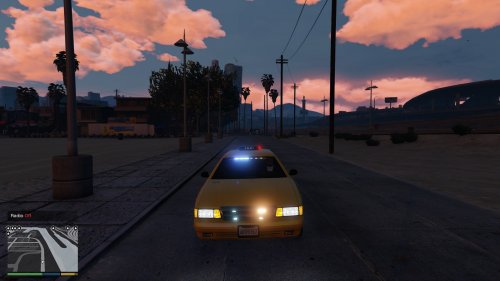 Like I said on GTA5-Mods this is an amazing car mod. Does not blend in with the original taxi models so replace the original models with the link that he provided in the description. Great!
- 1 comment
- 1 review
-
-
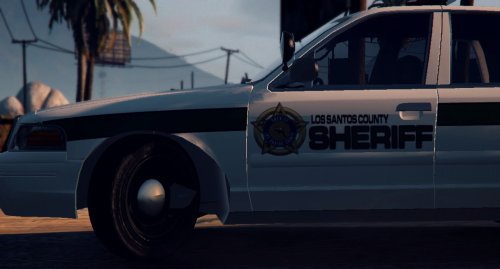 Love the stripes
 -
-
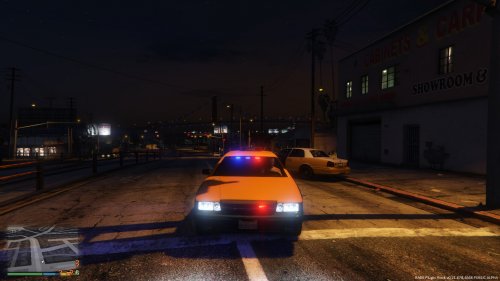 If you installed the CHP pack there you can add the lines yourself. You extract the carvarations.meta and vehicles.meta you open the files. Make sure that carvarations.meta is from Grand Theft Auto V\update\x64\dlcpacks\mpchristmas2\dlc.rpf\common\data and vehicles.meta is from Grand Theft Auto V\update\x64\dlcpacks\mpchristmas2\dlc.rpf\common\data\levels\gta5Open the carvarations.meta and add this line after <variationData>. You should see it when you open the file up. Remember to backup your file.<Item> <modelName>police5</modelName> <colors> <Item> <indices content="char_array"> 42 73 4 0 </indices> <liveries> <Item value="true" /> <Item value="false" /> <Item value="false" /> <Item value="false" /> <Item value="false" /> <Item value="false" /> <Item value="false" /> <Item value="false" /> </liveries> </Item> <Item> <indices content="char_array"> 42 73 4 0 </indices> <liveries> <Item value="false" /> <Item value="true" /> <Item value="false" /> <Item value="false" /> <Item value="false" /> <Item value="false" /> <Item value="false" /> <Item value="false" /> </liveries> </Item> <Item> <indices content="char_array"> 42 73 4 0 </indices> <liveries> <Item value="false" /> <Item value="false" /> <Item value="false" /> <Item value="false" /> <Item value="true" /> <Item value="false" /> <Item value="false" /> <Item value="false" /> </liveries> </Item> <Item> <indices content="char_array"> 42 73 4 0 </indices> <liveries> <Item value="false" /> <Item value="false" /> <Item value="true" /> <Item value="false" /> <Item value="false" /> <Item value="false" /> <Item value="false" /> <Item value="false" /> </liveries> </Item> <Item> <indices content="char_array"> 42 73 4 0 </indices> <liveries> <Item value="false" /> <Item value="false" /> <Item value="false" /> <Item value="true" /> <Item value="false" /> <Item value="false" /> <Item value="false" /> <Item value="false" /> </liveries> </Item> </colors> <kits> <Item>156_jester2_modkit</Item> </kits> <windowsWithExposedEdges /> <plateProbabilities> <Probabilities /> </plateProbabilities> <lightSettings value="1" /> <sirenSettings value="1" /> </Item> 3. close the file and save. 4. Open the vehicle.meta and add this line after <InitDatas>. You should see the lines at the top of the file when you open up the file. <Item> <modelName>police5</modelName> <txdName>police5</txdName> <handlingId>police</handlingId> <gameName>Police</gameName> <vehicleMakeName>LSPD</vehicleMakeName> <expressionDictName>null</expressionDictName> <expressionName>null</expressionName> <animConvRoofDictName>null</animConvRoofDictName> <animConvRoofName>null</animConvRoofName> <animConvRoofWindowsAffected /> <ptfxAssetName>null</ptfxAssetName> <audioNameHash>police</audioNameHash> <layout>LAYOUT_STD_EXITFIXUP</layout> <coverBoundOffsets>POLICE3_COVER_OFFSET_INFO</coverBoundOffsets> <explosionInfo>EXPLOSION_INFO_DEFAULT</explosionInfo> <scenarioLayout /> <cameraName>DEFAULT_FOLLOW_VEHICLE_CAMERA</cameraName> <aimCameraName>MID_BOX_VEHICLE_AIM_CAMERA</aimCameraName> <bonnetCameraName>VEHICLE_BONNET_CAMERA_MID_NEAR</bonnetCameraName> <povCameraName>DEFAULT_POV_CAMERA</povCameraName> <FirstPersonDriveByIKOffset x="0.000000" y="-0.060000" z="-0.030000" /> <FirstPersonDriveByUnarmedIKOffset x="0.000000" y="0.000000" z="-0.020000" /> <FirstPersonProjectileDriveByIKOffset x="0.055000" y="-0.075000" z="-0.045000" /> <FirstPersonProjectileDriveByPassengerIKOffset x="-0.055000" y="-0.075000" z="-0.045000" /> <FirstPersonProjectileDriveByRearLeftIKOffset x="0.000000" y="0.000000" z="0.000000" /> <FirstPersonProjectileDriveByRearRightIKOffset x="0.000000" y="0.000000" z="0.000000" /> <FirstPersonDriveByLeftPassengerIKOffset x="0.000000" y="0.000000" z="0.000000" /> <FirstPersonDriveByRightPassengerIKOffset x="0.000000" y="-0.060000" z="-0.030000" /> <FirstPersonDriveByRightRearPassengerIKOffset x="0.000000" y="0.000000" z="0.000000" /> <FirstPersonDriveByLeftPassengerUnarmedIKOffset x="0.000000" y="0.000000" z="0.000000" /> <FirstPersonDriveByRightPassengerUnarmedIKOffset x="0.000000" y="0.000000" z="0.000000" /> <FirstPersonMobilePhoneOffset x="0.130000" y="0.275000" z="0.530000" /> <FirstPersonPassengerMobilePhoneOffset x="0.136000" y="0.223000" z="0.425000" /> <FirstPersonMobilePhoneSeatIKOffset> <Item> <Offset x="0.136000" y="0.156000" z="0.445000" /> <SeatIndex value="2" /> </Item> <Item> <Offset x="0.136000" y="0.156000" z="0.445000" /> <SeatIndex value="3" /> </Item> </FirstPersonMobilePhoneSeatIKOffset> <PovCameraOffset x="0.000000" y="-0.175000" z="0.675000" /> <PovCameraVerticalAdjustmentForRollCage value="0.000000" /> <PovPassengerCameraOffset x="0.000000" y="0.000000" z="0.000000" /> <PovRearPassengerCameraOffset x="0.000000" y="0.000000" z="0.000000" /> <vfxInfoName>VFXVEHICLEINFO_CAR_GENERIC</vfxInfoName> <shouldUseCinematicViewMode value="true" /> <shouldCameraTransitionOnClimbUpDown value="false" /> <shouldCameraIgnoreExiting value="false" /> <AllowPretendOccupants value="true" /> <AllowJoyriding value="false" /> <AllowSundayDriving value="false" /> <AllowBodyColorMapping value="false" /> <wheelScale value="0.244000" /> <wheelScaleRear value="0.244000" /> <dirtLevelMin value="0.000000" /> <dirtLevelMax value="0.300000" /> <envEffScaleMin value="0.000000" /> <envEffScaleMax value="1.000000" /> <envEffScaleMin2 value="0.000000" /> <envEffScaleMax2 value="1.000000" /> <damageMapScale value="0.600000" /> <damageOffsetScale value="1.000000" /> <diffuseTint value="0x00FFFFFF" /> <steerWheelMult value="1.000000" /> <HDTextureDist value="5.000000" /> <lodDistances content="float_array"> 15.000000 30.000000 70.000000 140.000000 500.000000 500.000000 </lodDistances> <minSeatHeight value="0.83" /> <identicalModelSpawnDistance value="20" /> <maxNumOfSameColor value="10" /> <defaultBodyHealth value="1000.000000" /> <pretendOccupantsScale value="1.000000" /> <visibleSpawnDistScale value="1.000000" /> <trackerPathWidth value="2.000000" /> <weaponForceMult value="1.000000" /> <frequency value="100" /> <swankness>SWANKNESS_0</swankness> <maxNum value="2" /> <flags>FLAG_HAS_LIVERY FLAG_EXTRAS_ALL FLAG_LAW_ENFORCEMENT FLAG_EMERGENCY_SERVICE FLAG_NO_RESPRAY FLAG_DONT_SPAWN_IN_CARGEN FLAG_HAS_INTERIOR_EXTRAS FLAG_REPORT_CRIME_IF_STANDING_ON</flags> <type>VEHICLE_TYPE_CAR</type> <plateType>VPT_BACK_PLATES</plateType> <dashboardType>VDT_GENTAXI</dashboardType> <vehicleClass>VC_EMERGENCY</vehicleClass> <wheelType>VWT_SPORT</wheelType> <trailers /> <additionalTrailers /> <drivers> <Item> <driverName>S_M_Y_hwaycop_01</driverName> <npcName /> </Item> <Item> <driverName>S_M_Y_hwaycop_01</driverName> <npcName /> </Item> </drivers> <extraIncludes /> <doorsWithCollisionWhenClosed /> <driveableDoors /> <bumpersNeedToCollideWithMap value="false" /> <needsRopeTexture value="false" /> <requiredExtras /> <rewards> <Item>REWARD_WEAPON_PUMPSHOTGUN</Item> <Item>REWARD_AMMO_PUMPSHOTGUN_ENTER_VEHICLE</Item> <Item>REWARD_STAT_WEAPON</Item> </rewards> <cinematicPartCamera> <Item>WHEEL_FRONT_RIGHT_CAMERA</Item> <Item>WHEEL_FRONT_LEFT_CAMERA</Item> <Item>WHEEL_REAR_RIGHT_CAMERA</Item> <Item>WHEEL_REAR_LEFT_CAMERA</Item> </cinematicPartCamera> <NmBraceOverrideSet /> <buoyancySphereOffset x="0.000000" y="0.000000" z="0.000000" /> <buoyancySphereSizeScale value="1.000000" /> <pOverrideRagdollThreshold type="NULL" /> <firstPersonDrivebyData> <Item>STD_POLICE3_FRONT_LEFT</Item> <Item>STD_POLICE3_FRONT_RIGHT</Item> <Item>STD_POLICE2_REAR_LEFT</Item> <Item>STD_POLICE2_REAR_RIGHT</Item> </firstPersonDrivebyData> </Item> 5. Go to the bottom of the page and find the first <txdRelationships>. Add this line after that line. <Item> <parent>vehicles_poltax_interior</parent> <child>police5</child> </Item> 6. You should be done with editing the file. Import the files back where they came from and you should be done. 7. You should also import the police5 files to Grand Theft Auto V\update\x64\dlcpacks\mpchristmas2\dlc.rpf\x64\levels\gta5\vehicles\xmas2vehicles.rpf\ Then you are done. Thank you for downloading. Please report any bugs.
- 19 comments
- 2 reviews
-
-
Yea. That is odd. Just download from gta5-mods.com. The file from that website is a zip with opens with the files explorer. If you go to lcpdfr.com, the file is 7zip. I noticed that you are opening this file with winrar. Is it possible that you can download 7zip and try? It might work. Notes- When I said go to Levels/gta5 I mean go to Grand Theft Auto V\update\x64\dlcpacks\mpchristmas2\dlc.rpf\common\data\levels\gta5.
- 19 comments
- 2 reviews
-
-
- 1
-
-
Did you install everything? The vehicles.meta, carvarations.meta files? In the correct places? Did you place the car files in the correct place?
- 19 comments
- 2 reviews
-
That is odd. Did you install it correctly? How is it possibly that I can spawn it but you can't? Did you install it correctly? Why is it spawning white? The mod should work. After all I uploaded the same files from gta5-mods.com.
- 19 comments
- 2 reviews
-
I am asking how to make your car black with the carvarations.meta file. I know that there is a line that makes your game spawn the car black. How do I change my car to the color black? Not by ls-customs. This is an emergency car. How do I make the car I'm adding spawn black every time? <Item> <modelName>car</modelName> <colors> <Item> <indices content="char_array"> 0 0 0 0 </indices> <liveries> <Item value="false" /> <Item value="false" /> <Item value="false" /> <Item value="false" /> <Item value="false" /> <Item value="false" /> <Item value="false" /> <Item value="false" /> </liveries> </Item> <Item> <indices content="char_array"> 111 50 53 0 </indices> <liveries> <Item value="false" /> <Item value="false" /> <Item value="false" /> <Item value="false" /> <Item value="false" /> <Item value="false" /> <Item value="false" /> <Item value="false" /> </liveries> </Item> <Item> <indices content="char_array"> 89 89 4 0 </indices> <liveries> <Item value="false" /> <Item value="false" /> <Item value="false" /> <Item value="false" /> <Item value="false" /> <Item value="false" /> <Item value="false" /> <Item value="false" /> </liveries> </Item> <Item> <indices content="char_array"> 42 73 4 0 </indices> <liveries> <Item value="false" /> <Item value="false" /> <Item value="false" /> <Item value="false" /> <Item value="false" /> <Item value="false" /> <Item value="false" /> <Item value="false" /> </liveries> </Item> <Item> <indices content="char_array"> 42 73 4 0 </indices> <liveries> <Item value="false" /> <Item value="false" /> <Item value="false" /> <Item value="false" /> <Item value="false" /> <Item value="false" /> <Item value="false" /> <Item value="false" /> </liveries> </Item> </colors> <kits> <Item>156_jester2_modkit</Item> </kits> <windowsWithExposedEdges /> <plateProbabilities> <Probabilities /> </plateProbabilities> <lightSettings value="1" /> <sirenSettings value="13" /> </Item>
-
Yea this is best as an addon. The carvarations.meta has a line of code that makes the taxi car spawn the blue and yellow. If only there was some way to actually find the carvarations.meta or .ytm in the common folder.
- 19 comments
- 2 reviews
-
I have been working on this for a very long time. I loved the undercover taxis from Gta 4 so I decided to make one for Gta5. This is an addon. I made sure that the car will always spawn the blue and yellow taxi. There is a good reason why I didn't replace the police4 or the undercover cruiser instead. If you rename the files to police4 and replace it the colors on the taxi will be sort of randomish. It won't look much like a taxi. To spawn, go to trainer and spawn by typing "spawn police5" without the ". NOTE- I will be uploading another version with advertisement board on the roof.
- 19 comments
- 2 reviews
-
-
- 2
-
-
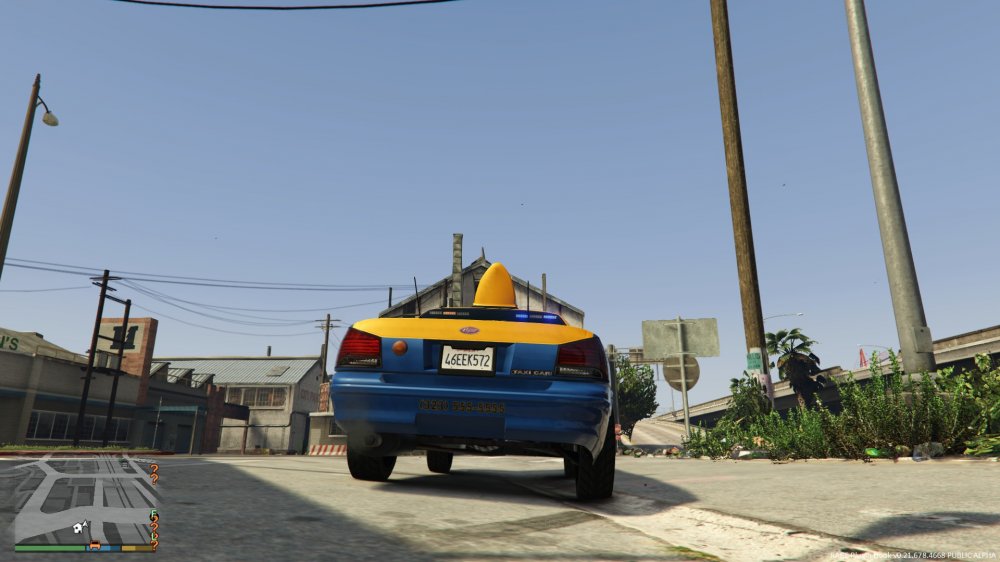
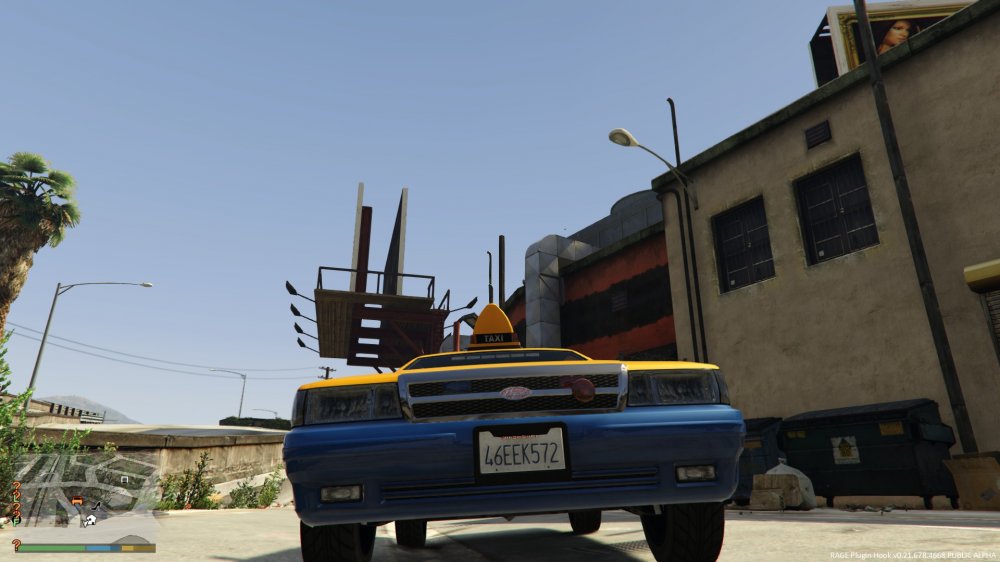
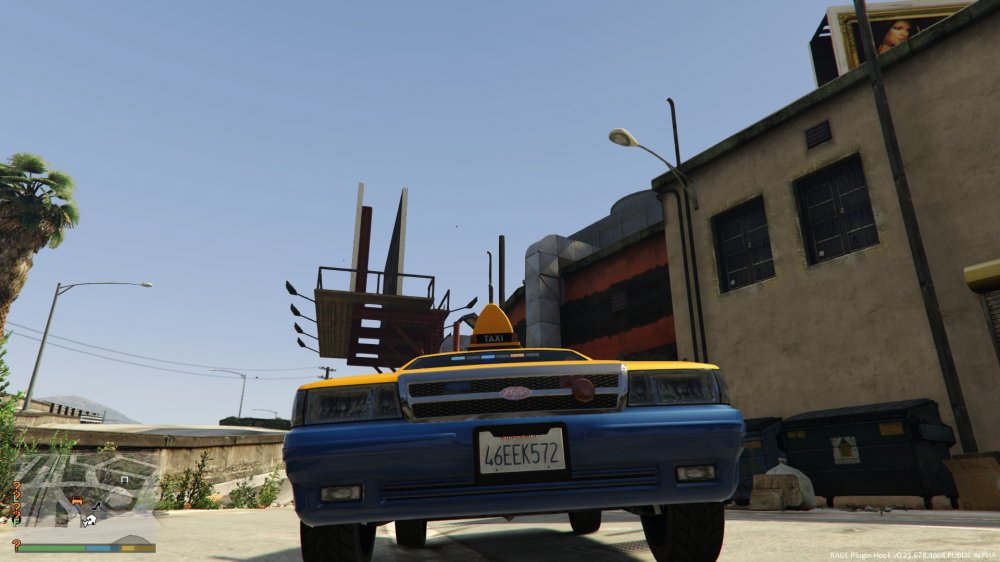
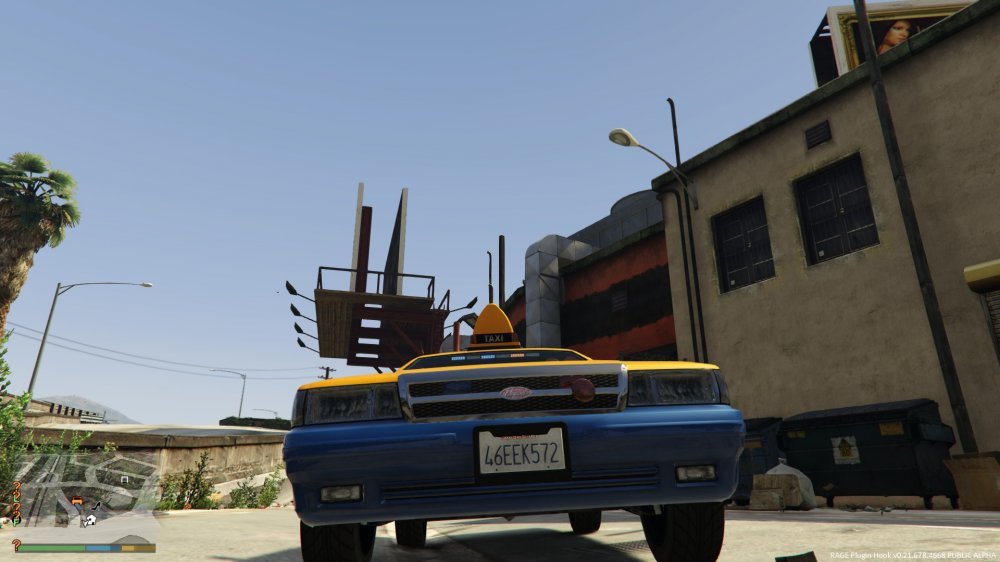
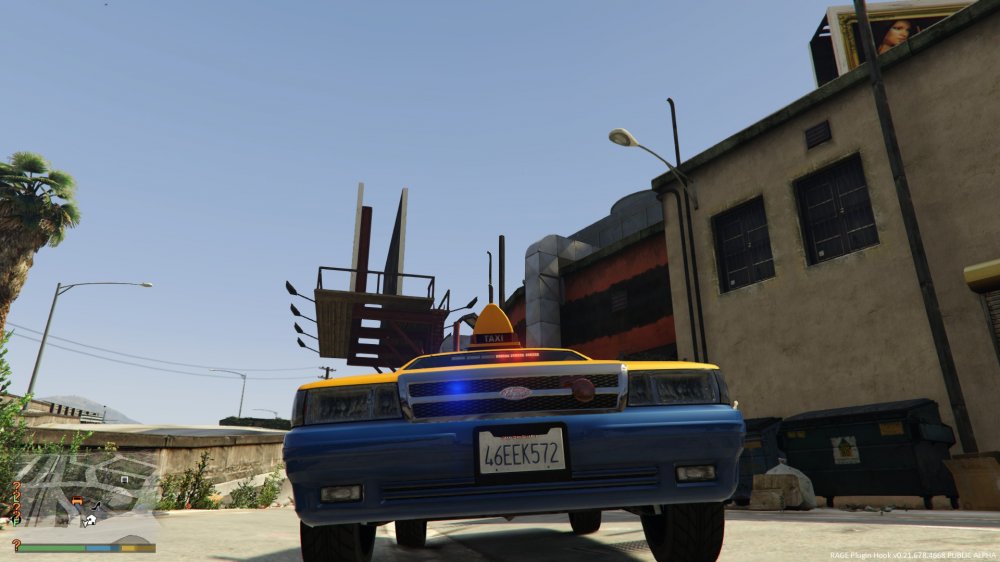
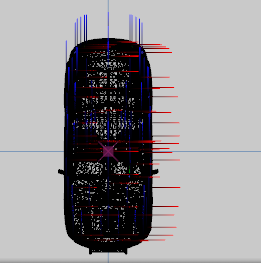
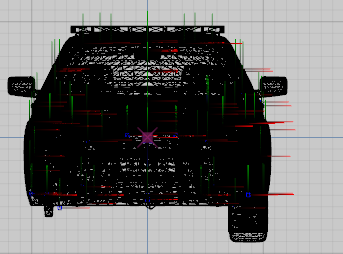
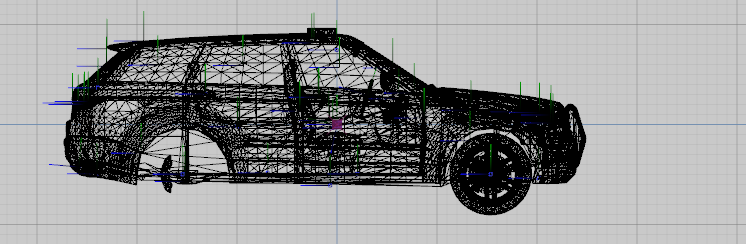
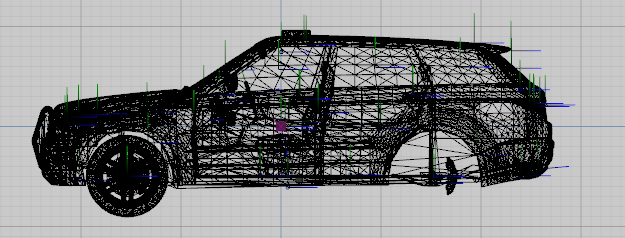
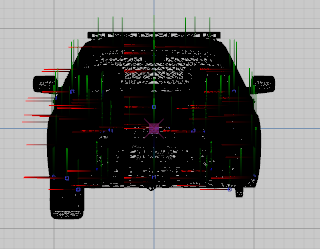
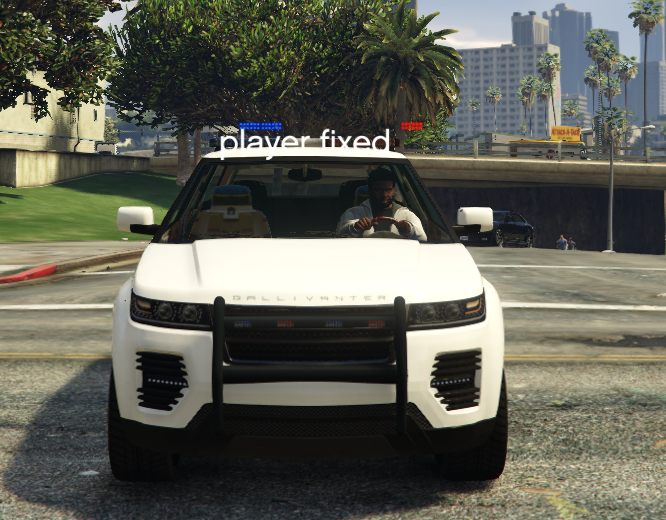
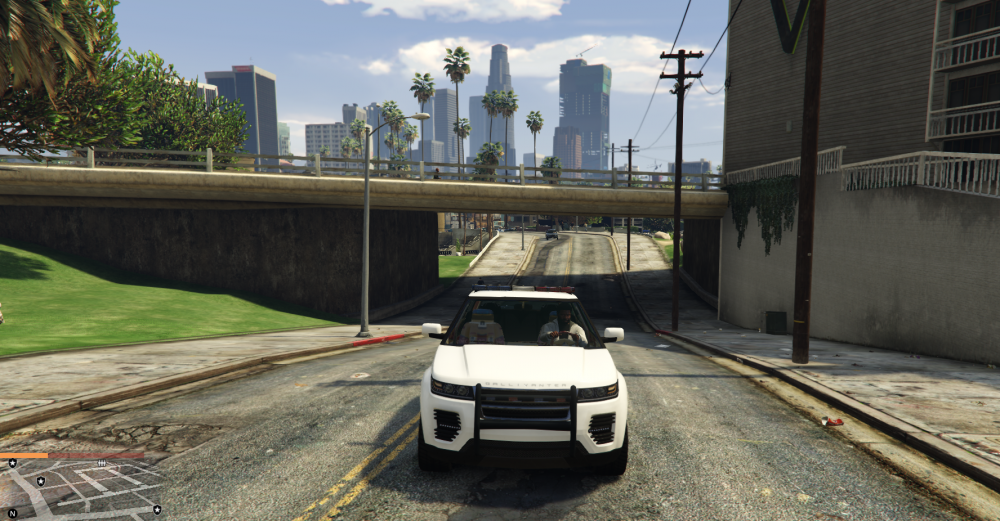
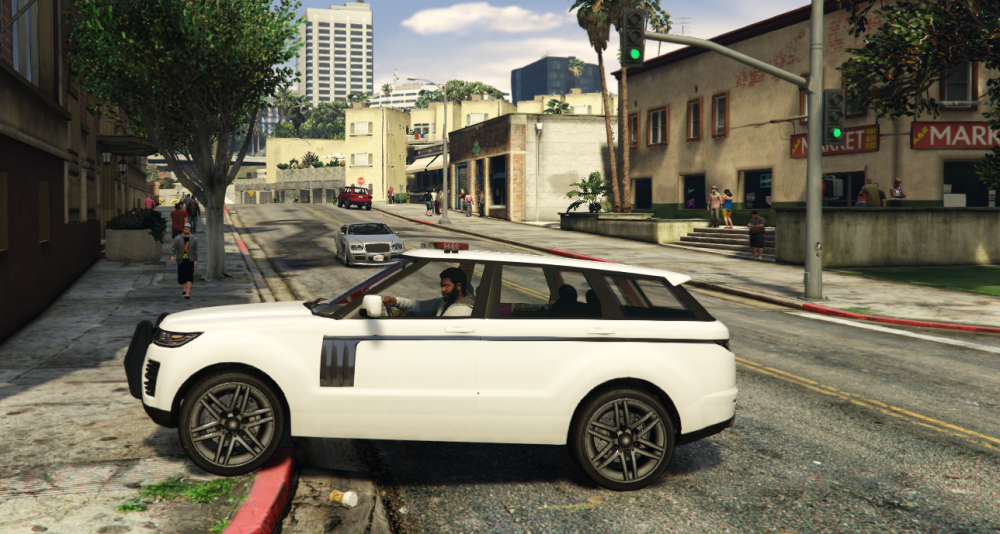
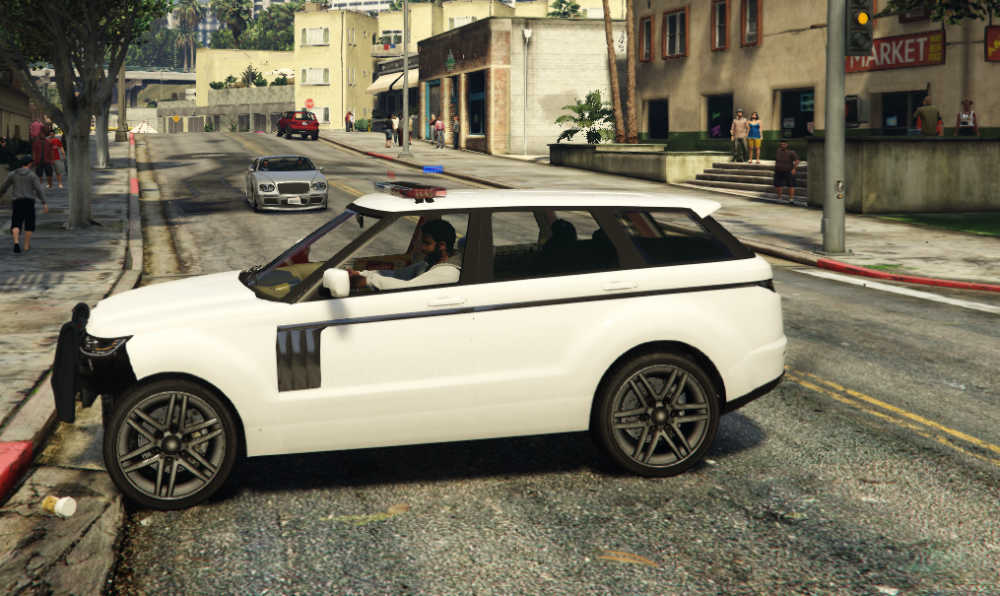
I recentlly made an Undercover Taxi car. A majority of the lights on the car work. The only lights that don't work are the lights near the rambar. You know the 2 lights that flashes red and blue on the front? Yes that one. I made it flash with the actual lighting but the led lights don't light up. Please help me. Thank you. You can see that in the last picture the lights light up but without the led.
-
This?
-
What do you mean?
-
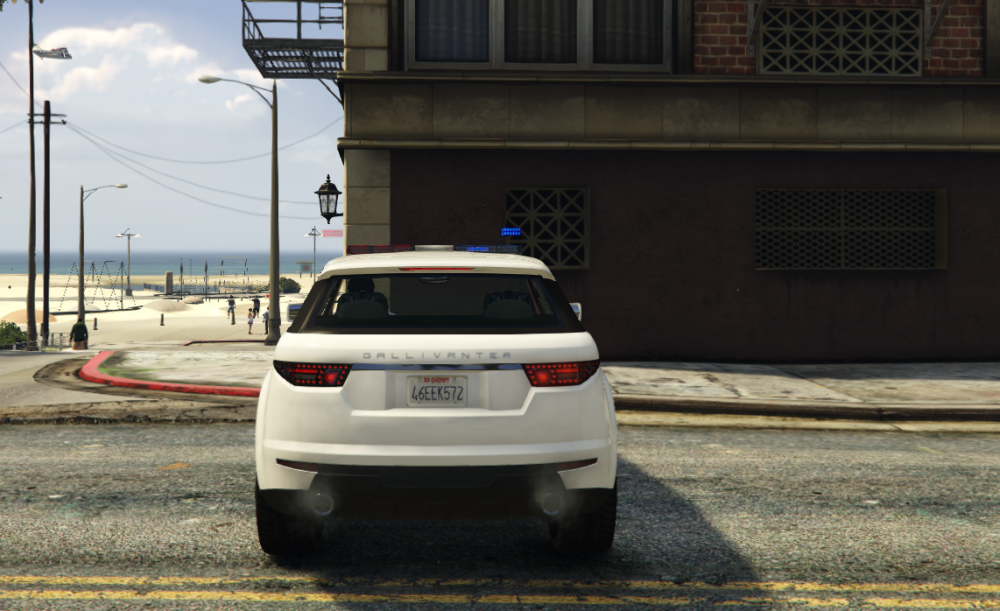
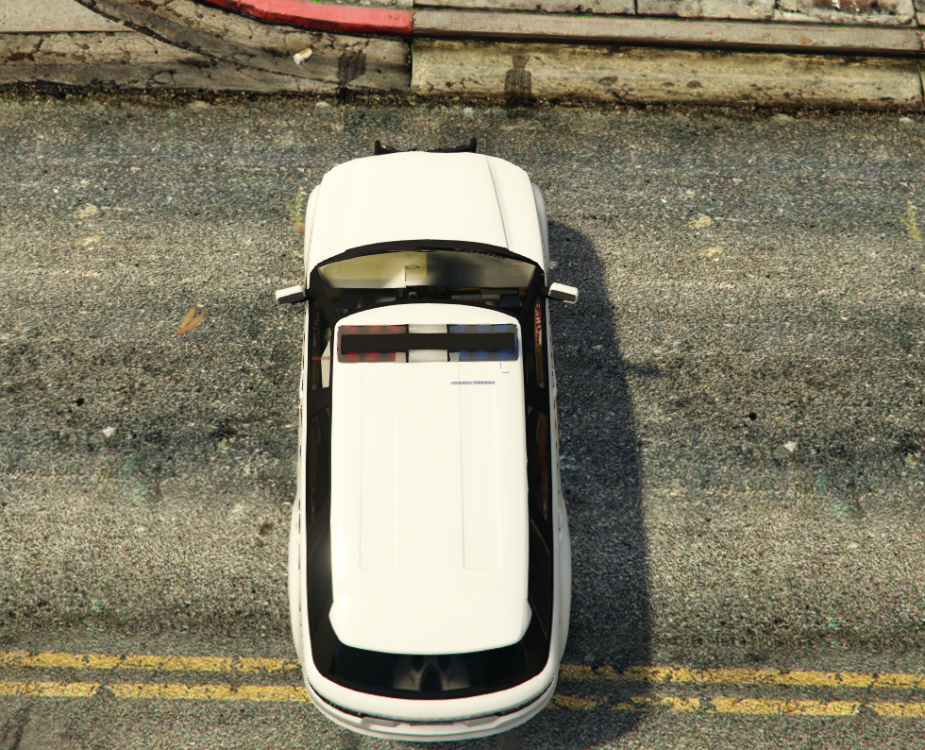
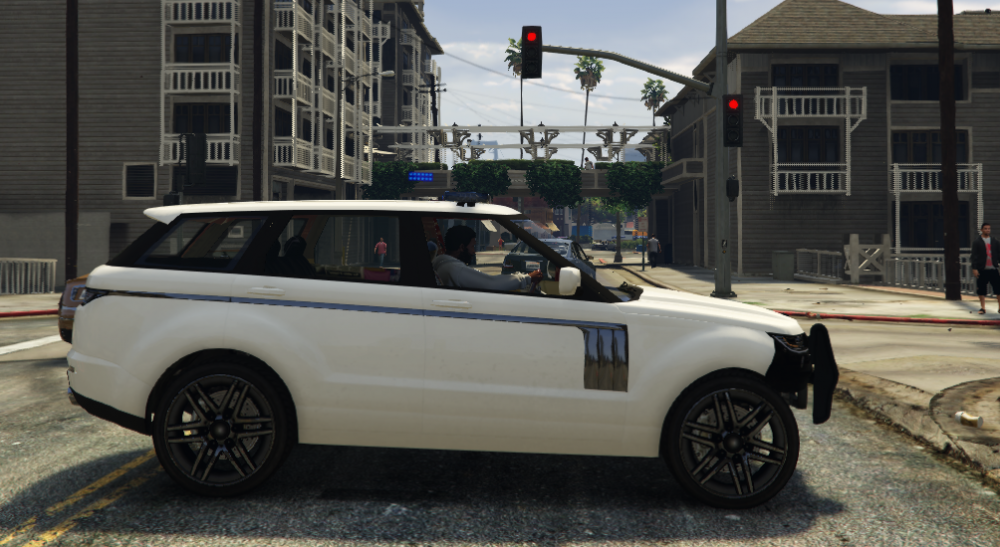
Hello people. I have recently created a car on ZModeler 3. I did not uv map it yet. I wanted to test it in game first to confirm that it is working. When I go in game I spawned the car in game the car looks fine. No bugs when spawning. However when I use the police lights the led flashes are never correct. I know that the carvarations and vehicles lines may be wrong but I don't know what to actually modify in there. How would I fix the lights? Is it something inside the lines? I made sure that the led objects are inside the lightbar. carvariations.meta vehicles.meta I forgot about these files. police5.ytd police5_hi.yft police5+hi.ytd police5.yft
-
Title may be misleading. I want to know how to use certain aspects of ZModeler3 for GTA 5. I am making a car right now and when I UV Map the car. How do I add the flashy parts of the headlight. How do I make the headlights and the back-lights flash when I turn on my siren? How do I UVMap the interior of the car? How do I UVMap a non-police car? How is it that I am importing the regular and _hi versions of the .ytf car but in ZModeler 3 I only get the regular?
-
I am modifying a LSPDFR skin right now. I am having alot of trouble actually configuring the correct colors when it comes to the confusing police_new2. I don't know where the roof hood nor the back is located on this square picture. Can someone point me to the right direction?