


imaggot6sic6
Members
-
Joined
-
Last visited
Everything posted by imaggot6sic6
-
 ok no problem no rush :), older version is working fine
 -
hi sorted this issue, looked in the log file ant it said something about start menu item and end menu so fixed it, however your updated version brings the A button issue back, not sure if you know
-
not working for me when i press menu key on controller or keyboard, and older versions are crashing for me now not sure whats going on
-
so far ive no more A button issues with this thanks for the fix, the xml is a little confusing at times but its nothing over the top just trial and error i guess, one of my fave mods tho thanks for this :)
-
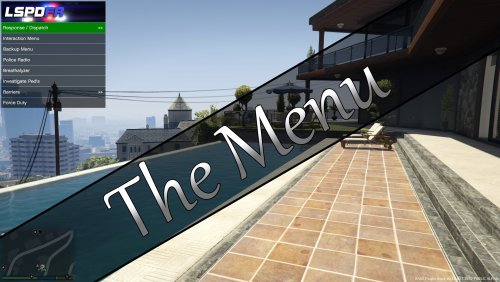
well thats strange, i got my initial issue sorted about the A button, every time i selected "follow me" from the traffic police plugin it would disable the ALPR so i changed the T to a small t and left the menu xml as a capital T it still disables ALPR but it doesn't cancel the traffic stop now, so i think thats what the issue was, it still happens from time to time but it was all the time before i made that small change, not sure how or why T t would affect it, that has puzzled me as shift in lspdfr cancels the traffic stop :S, good idea with "the menu" tho with so many people having so many different plugins and using a controller, even without a controller it'll still be great as it saves having to remember all the keys when its all listed for you and its practically impossible to press a keyboard key in middle of a chase haha
-
yes i still have the A button issue myself, that is the biggest issue for me, EDIT just to share with whoever has the A button issue i have just found a little solution i think, seems to work for me, go here https://app.box.com/s/6yq4d0sig0xm4e5i35xq download the file, extract it, open button2.ini and change the key from 112 to 101 (tells you in the file what they are) run button_on_guide2.exe, if the guide button launches anything to do with steam then google how to disable guide button from launching whatever steam thing it launches mine was big picture thing, so at least its a little solution for now, EDIT was working ok now its not still some how stopping a traffic stop when selecting an action in the menu so the issue is in the menu xml somewhere and i have no clue where :( hopefully CQoute can figure it out
-
haha ok no problem :) ill try that, i didnt think it would make much difference with which ctrl it was when its still a ctrl key
-
so like ^lE or with space after like ^l E?? im looking in the .ini file of Traffic Police mod by Albo1125 just wondering how to get left ctrl in to your mod, i didnt think it would matter which ctrl it was but it says this in the .ini //Default: ParkModifierKey=LControlKey ParkModifierKey=LControlKey //Default: ParkingTicketKey=E ParkingTicketKey=E
-
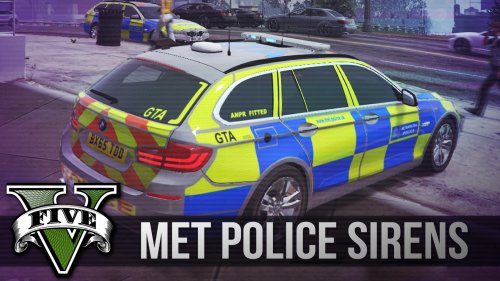
does this work to get them parked up outside police stations to?? just i have 2 met police cars but i never see them driving around or parked up only see them when i call for back up, everything else police car wise i see is standard
-
how do i add LControlKey + E to the xml?? i see ^CTRL in the mod and on webpage, do i put L in front of CTRL or does it not matter??
-
 i was having the same issue i found this post by DrDanthrax99 and it seems to have worked for me 1. Go into your current Resident.rpf 2. Export your current vehicles.awc as an openFormats file. (.oac) 3. Use this vehicles.oac file (and not the vehicles folder that comes with it) with whatever siren mods you want to install. (i.e. Replace the vehicles.oac the mod creator gave you.) 4. Profit. Hope this helps. Edited 3 January by DrDanthrax99
- 15 comments
- 2 reviews
-
-

- 2
-
-
on latest version seems to be working fine now :)
-
 when on duty as officer my car automatically breaks when chasing target car, when target car starts to slow down my car does to, is there a way to stop it??
- 176 comments
- 46 reviews
-
it was working but now anything above 0.7.0 _Beta is now suddenly crashing my game, 0.7.1 worked when i put the xml to read only to stop it deleteing worked for awhile, i had to restart my pc then after that my game started crashing getting the windows gta stopped working message so took the mod out and it was ok and the newest one crashes soon as i try going on duty as officer, 0.7.0 _Beta is stable for me have no issues with it
-
my xml file keeps getting deleted when playing, it randomly stops working and i check plugins folder and the xml isnt there i put it back and it happens over and over, i set the xml to read only and it has stopped it from being deleted
-
when the car im chasing brakes my car brakes on its own and when the car im chasing stops i stop, but going back to older version fixes it
- 176 comments
- 46 reviews
-
hi, this is my first mod i just thought i would share, it replaces the default loading music with the song (bad boys) from COPS tv show. previewBACK UP FIRST to install 1. Extract the download 2. Run OpenIV 3. Select Edit Mode 4. Go to x64/audio/sfx/PROLOGUE.rpf 5. Click on new tab and select Import openFormats 6. Find extracted folder location 7. Click on td_loading_music.oac and click open 8. Click OK on the OPENFORMATS screen 9. Click file and rebuild and close OpenIV 10. run the game
- 9 comments
- 4 reviews
-
-
- 3
-
